SECTION 2 - CONTROLS, INSTRUMENTS AND OPERATION
2ï72
As previously discussed through the examples the
operator interface to the baler is through the Monitor
by Screen selection and Menu functions.
Within these different screens, the monitor provides
the operator with:
Control over various baler functions
Information and messages about baling processes
and baler components (i.e. knotting cycle, actual bale
count and much more).
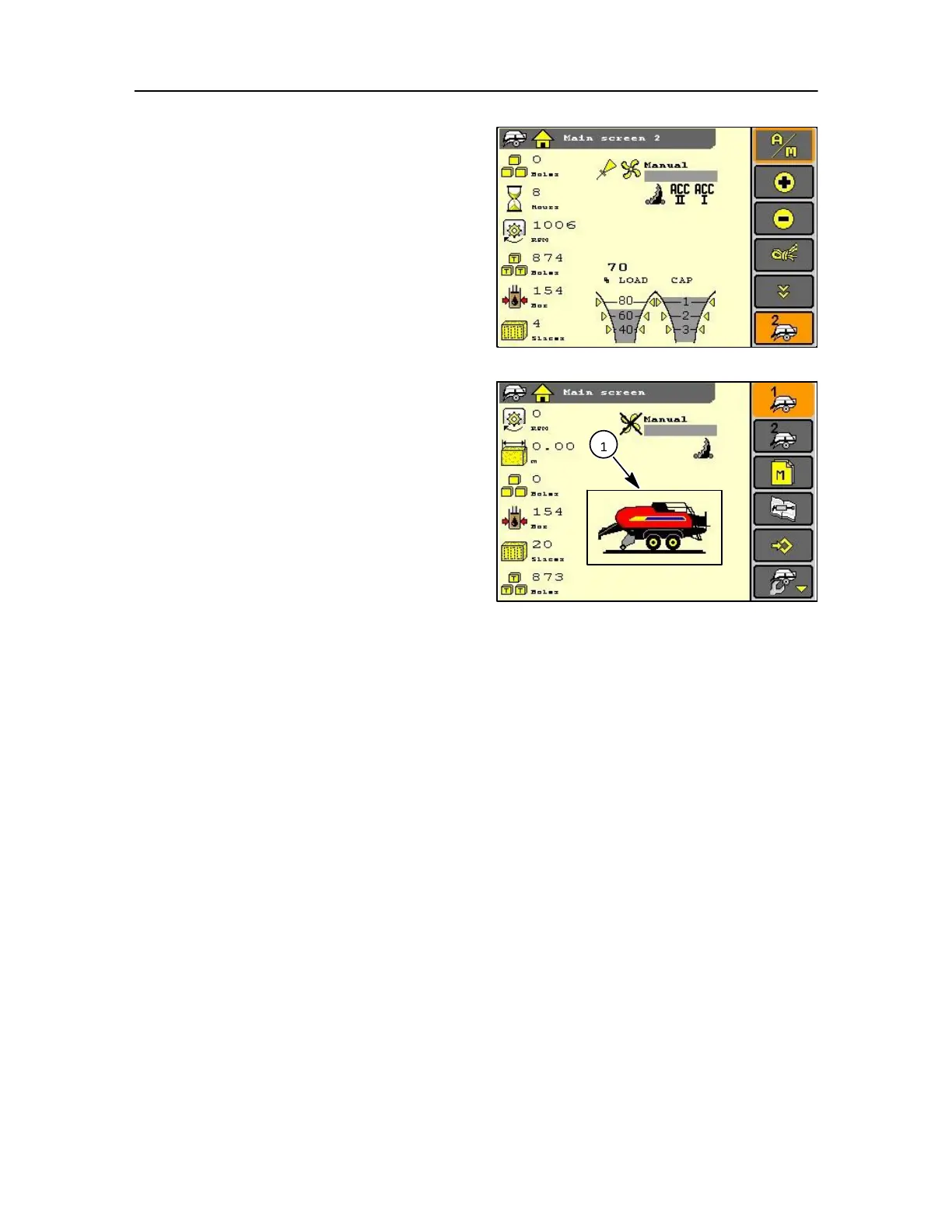
MAIN SCREEN < 600 RPM
When tractor contact is switched on:
The monitor is ready for inputs from the operator, and
in the start up mode (below < 600 rpm) the screen
opposite is displayed.
NOTE: When the tractor PTO exceeds > 600 rpm, the
monitor switches automatically to the operation mode
and this screen will change.
If there is no Baler displayed then the serial number is
incorrect, contact your local dealer for advice.
157
In this start‐ up mode, the display is showing the
machine model and specification (1).
• Machine model
• Machine configuration, Standard, Packer, or
Cutter
NOTE: All of the above information is entered ex‐factory
and cannot be changed.



 To Next Page