SECTION 2 - CONTROLS, INSTRUMENTS AND OPERATION
2ï30
Monitors: black and white display (optional)
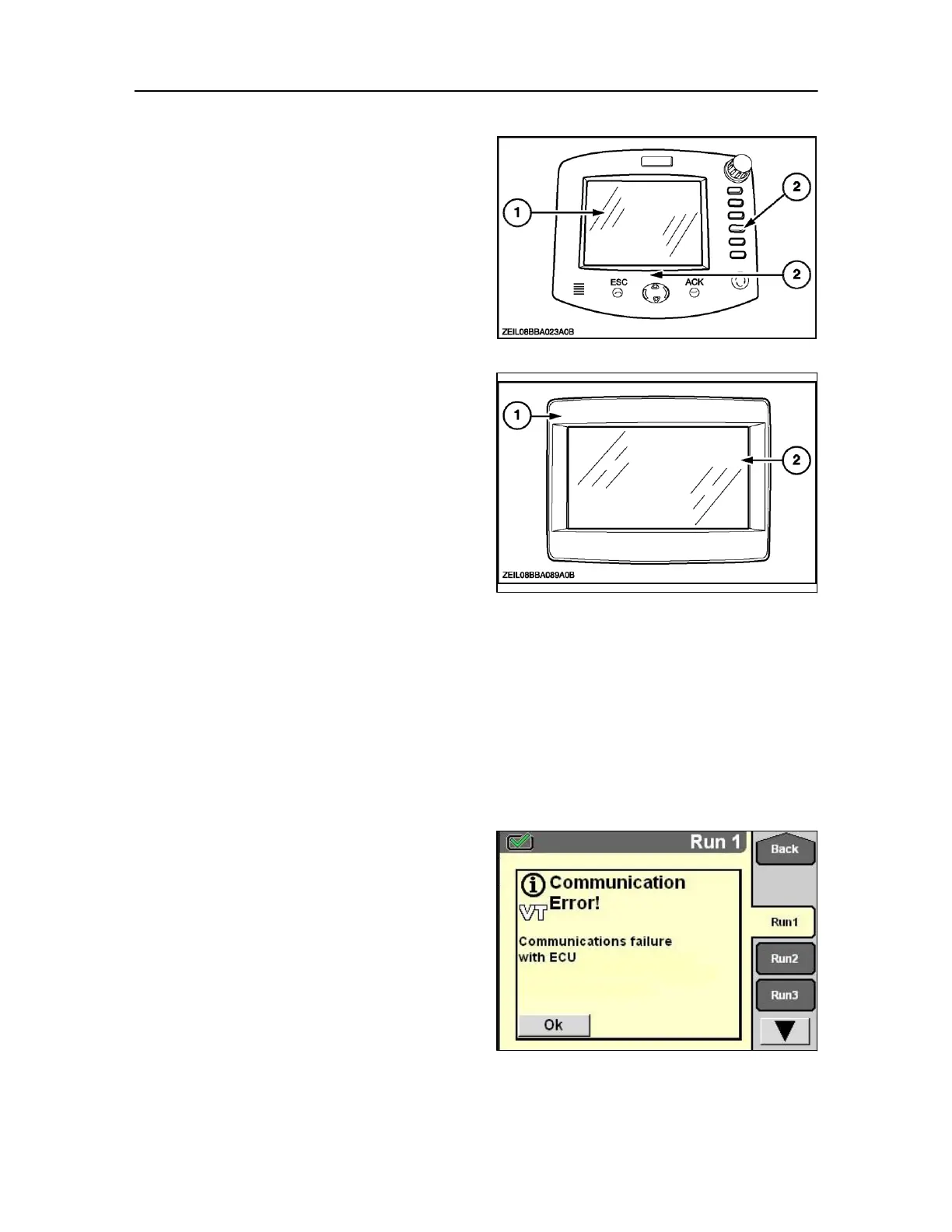
The monitor is used to control different baler
equipment functions. The monitor will also inform the
operator continuously about the baling process and
possible warnings or alarms.
The monitor consists of a black and white liquid crystal
display (1) and touch key pads (2).
Monitors: colour display (optional)
The monitor is used to control different baler
equipment functions. The monitor will also inform the
operator continuously about the baling process and
possible warnings or alarms.
The monitor consists of a Colour liquid crystal display (1)
and touch screen (2).
MONITOR INTRODUCTION
IMPORTANT: Throughout this manual examples of
monitor setup displays are shown, that will be unique to
either the baler performance monitor, when installed on
an ISO compliant tractor. However baler displays will be
common between the monitors therefore take time to
read through this manual to understand the operation of
the monitor fitted and the displays available to you.
Switch on tractor contact and the monitor becomes
active.
NOTE: If the break-away connector is not properly fitted
to the tractor or a poor signal is witnessed by the system,
the monitor will start‐up possibly with this message.
Communication error
The message can be cleared by pressing the escape key. If
the connection is still open after pressing the escape key,
check the connections and retry.
If the error cannot be cleared consult your dealer.
53
Switch off tractor contact and now the monitor is
turned off.



 To Next Page