SECTION 2 - CONTROLS, INSTRUMENTS AND OPERATION
2ï87
ACTIVE ERRORS
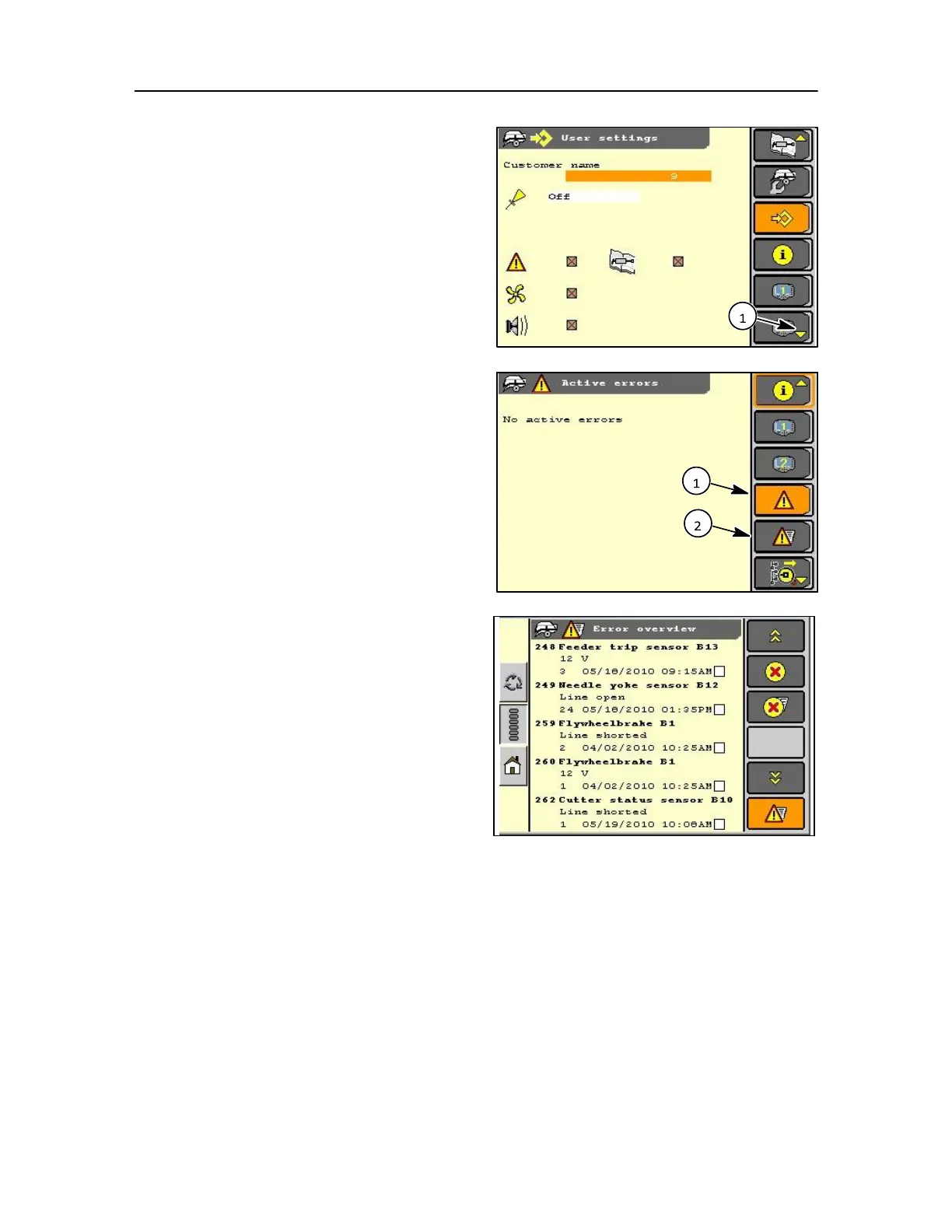
From the user setting screen a down arrow is
displayed in the screen icon. This denotes that the
menu extends below this level.
By selecting the down arrow the new menu appears
which allows access to the active error screen.
All active errors are recorded during operation and
shown on this screen when selected (1).
Then from the active error screen error history can be
selected (2).
Error overview
This screen displays the history of any operating errors.
Details of the error will be shown
Number of occurrences
Date and time when error was recorded
Error codes
In Section 5 Error code descriptions are shown for the
understanding of the error.
IMPORTANT: These error codes are displayed on the
monitor should an error occur and for the operator to
take the decision on whether to stop baling. They are not
intended as an aid for the operator to repair the baler,
therefore consult your Dealer to action the repair.



 To Next Page