8
Button Operations
All operations in this manual are performed using the mouse.
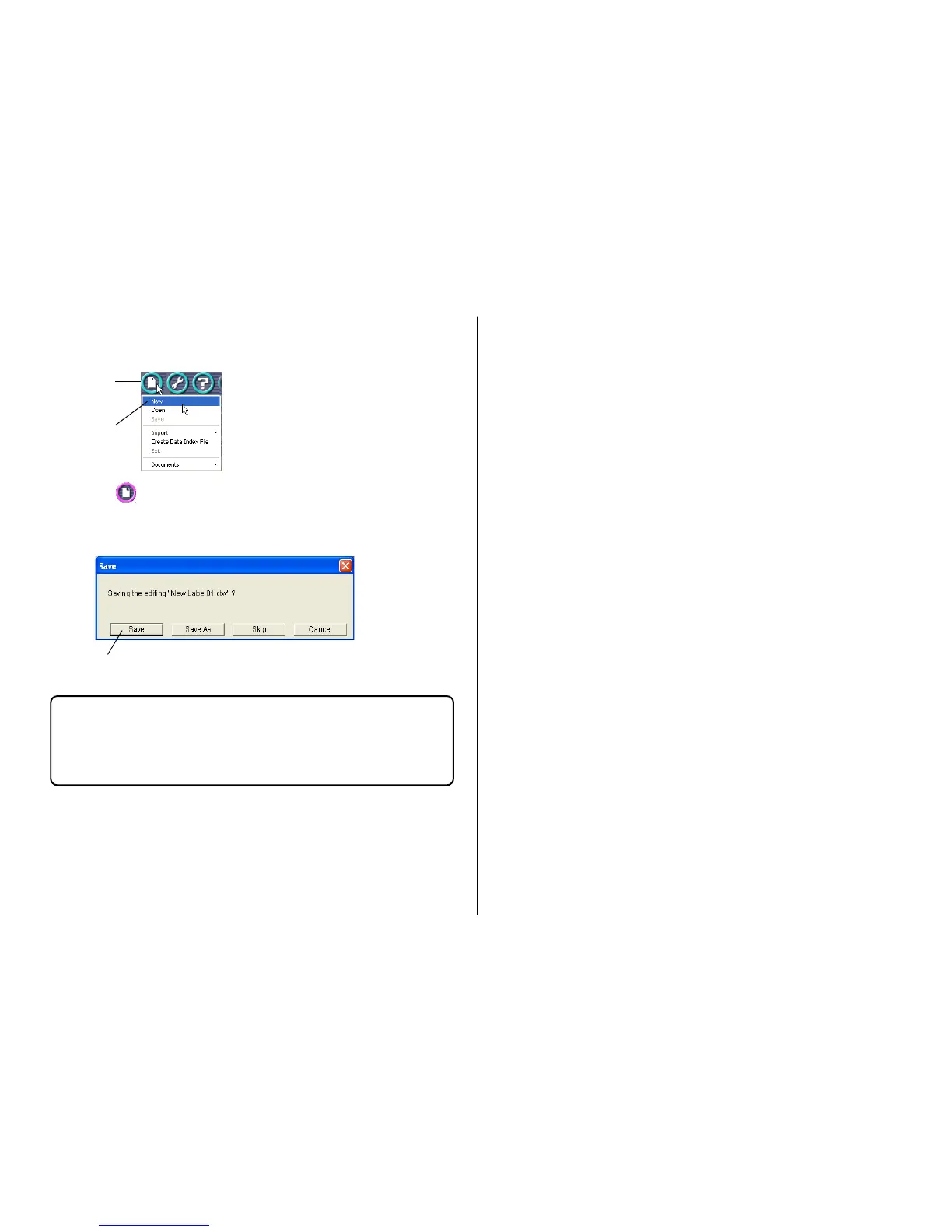
• Command operations are indicated as shown below.
1. Click the button.
2. On the menu that appears, click New.
• Dialog box button operations are indicated as shown below.
3. Click Save.
• All of the sample screens in this manual show operation under
Windows XP. Screens will be different when running the application
under another operating system.
• Note that the screen images shown in this manual may differ somewhat
from those that actually appear on your computer screen.
1.
2.
3.


 To Next Page