31
Label Making with Preset Templates
Automated Label Layout
A selection of content-specific preset label formats makes label creation as
easy as selecting the right format and filling in the blanks. The following proce-
dure shows how to do this, using the music label template as an example.
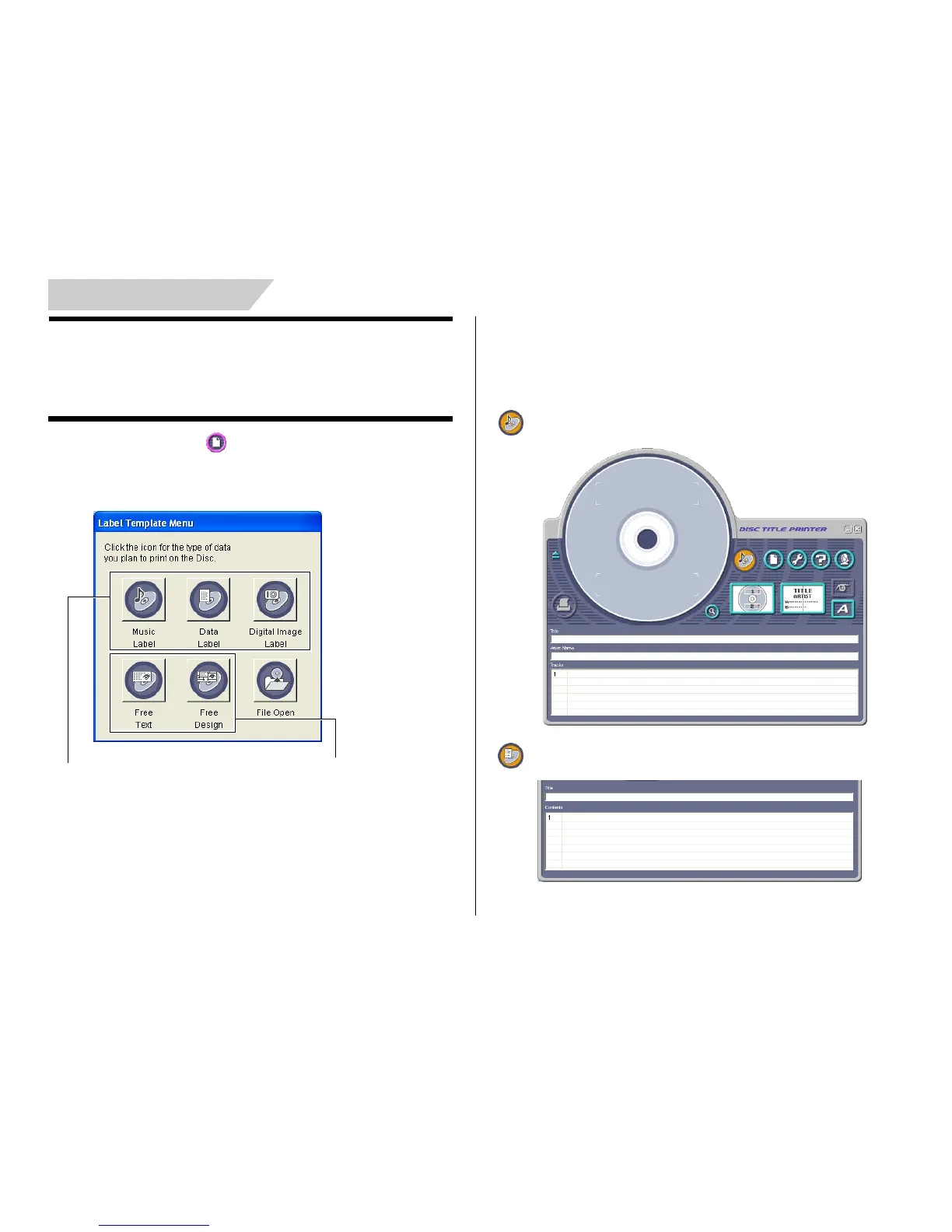
1. On the main window, click .
2. On the menu that appears, click New.
This displays a dialog box for selecting the label template.
Select one of these preset tem-
plates for easy label creation.
Select one of these templates to cre-
ate an original layout (page 54).
3. Click the label template you want to use.
• You can select from among five label templates. Selecting a template
displays its main window, which contains the elements for the template
you select.
• Input the text you want.
Music Label
Data Label


 To Next Page