42
Useful Text Input Functions
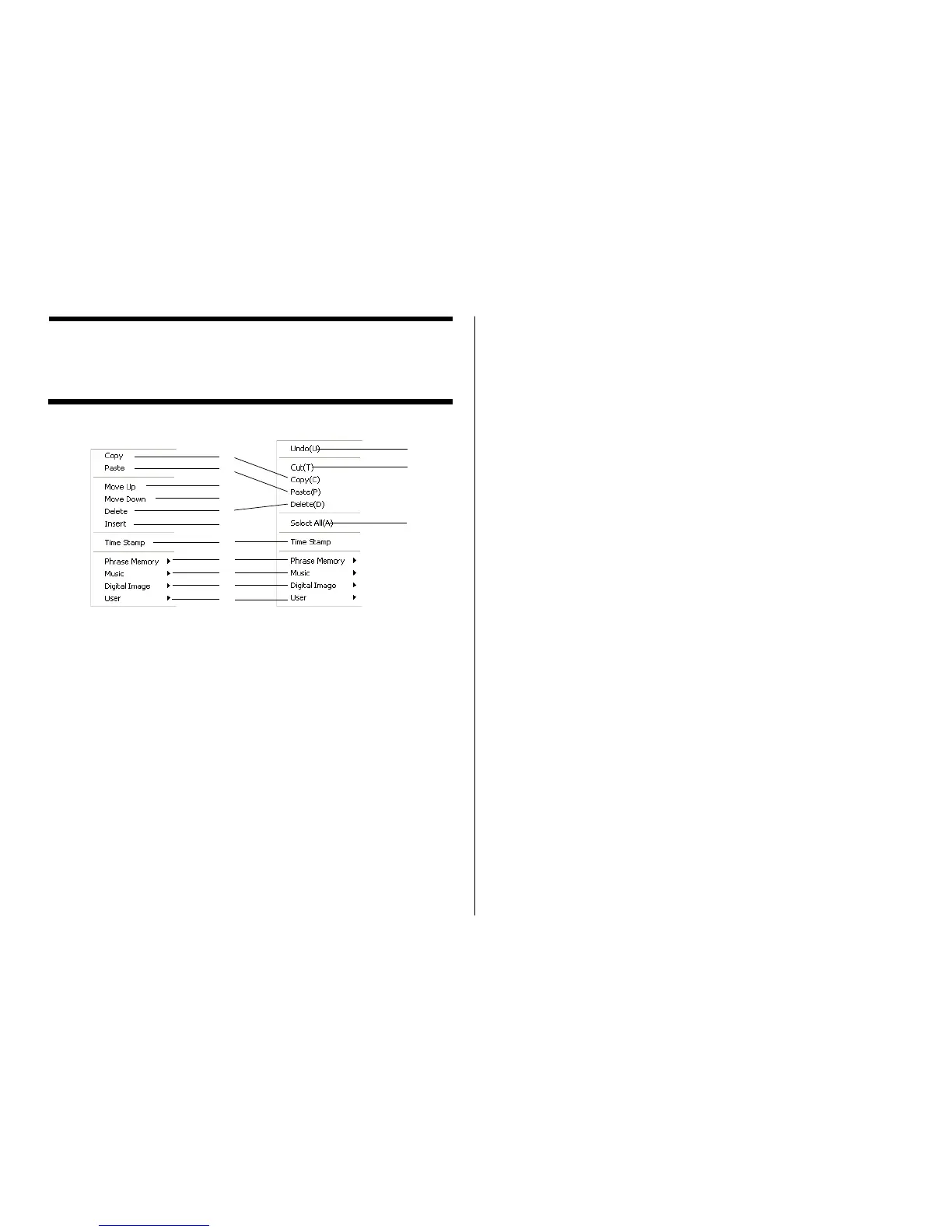
Right-clicking the DISC TITLE PRINTER application main window displays a
shortcut menu of commands that come in handy during text input.
1 Copy
Copies the selected text to the clipboard.
2 Paste
Pastes the contents of the clipboard at the current cursor position.
3 Move Up
Moves the line that is currently selected in a label input box one line up.
4 Move Down
Moves the line that is currently selected in a label input box one line down.
5 Delete
Deletes the line or text string selected in a label input box.
6 Insert
Inserts a new line above the one that is currently selected in a label input
box.
7 Time Stamp
Stamps the current date into the label input box.
The date that is stamped is the one being kept by your PC’s clock.
8 Phrase Memory
Shows a list of preset phrases. Clicking a phrase inserts it at the current
cursor position.
9 Music
Displays a list of preset phrases you can input into a music label template
label input box. Clicking a phrase inserts it at the current cursor position.
0 Digital Image
Displays a list of preset phrases you can input into a digital image label
template label input box. Clicking a phrase inserts it at the current cursor
position.
q User
Shows a list of preset phrases registered by you. Clicking a phrase inserts
it at the current cursor position. See page 70 for information about registering
preset phrases.
w Undo
Undoes the last operation.
e Cut
Cuts selected text and places it onto the clipboard.
r Select All
Selects all the text in a line.
1
2
5
4
3
6
7
8
9
0
q
w
e
Before text editing When text has
been edited
r


 To Next Page