23
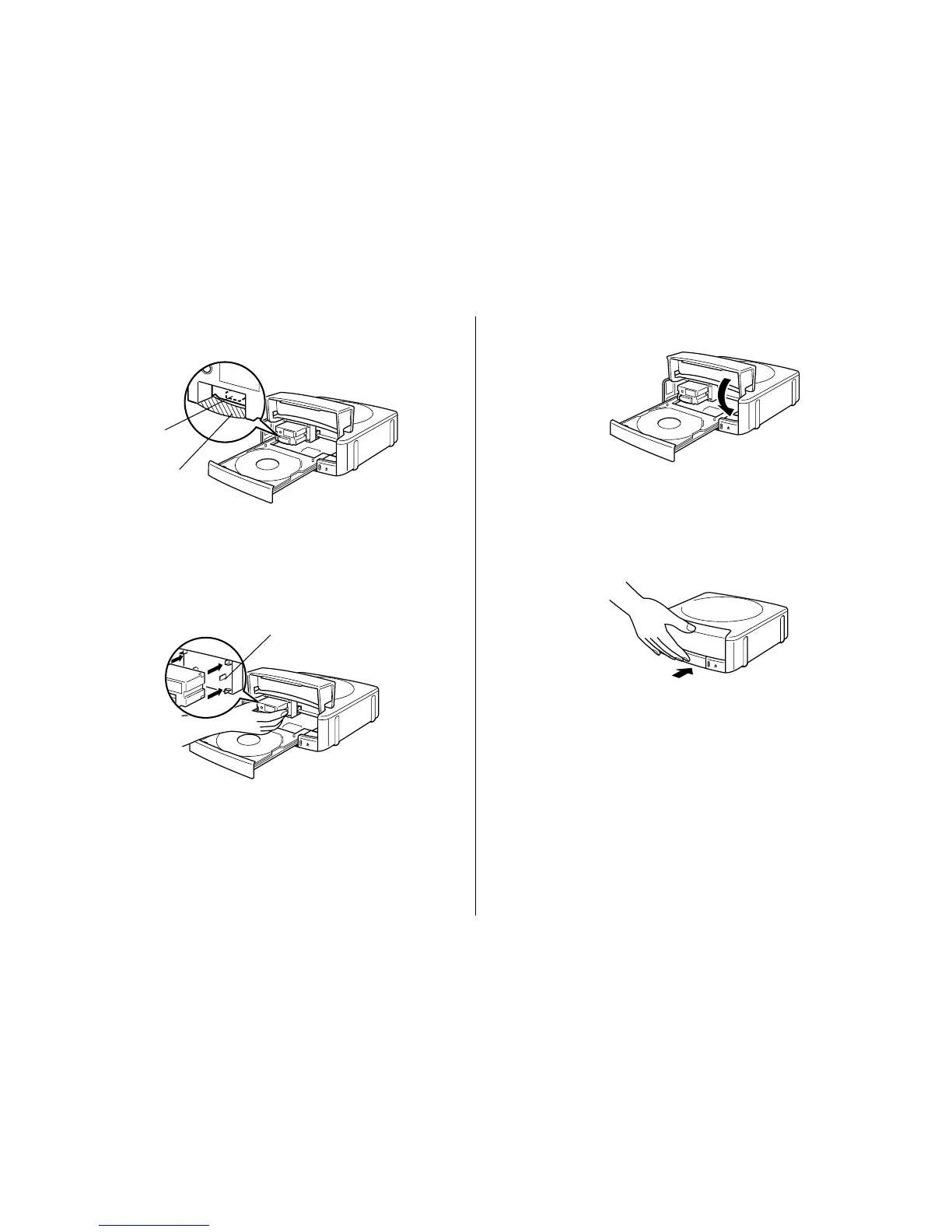
6. Position the ink ribbon cassette so the ink ribbon passes under the print
head.
Notes
• Check to make sure that there is no slack in the ink ribbon.
• If the ribbon is slack, perform step 2 of this procedure to tighten it up.
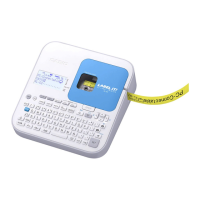
7. Gently press the Ink ribbon cassette against the carriage until you hear it
click securely into place.
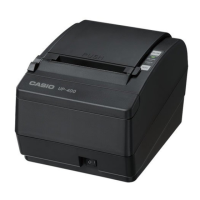
8. Close the front cover.
Important!
Always make sure you close the front cover before closing the disc tray.
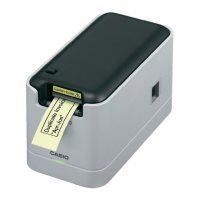
9. Close the disc tray.
Press the disc tray with your hand until it clicks.
Important!
If you press the Eject button while the disc tray is open, the printer will
perform an internal process and emit a noise. This does not indicate
malfunction.
Note
The color of the disc you are printing on can cause printing to become a
different color than that expected from the ink ribbon you are using.
Print head
Ink ribbon
Carriage


 To Next Page