26
3. Input the text data you want.
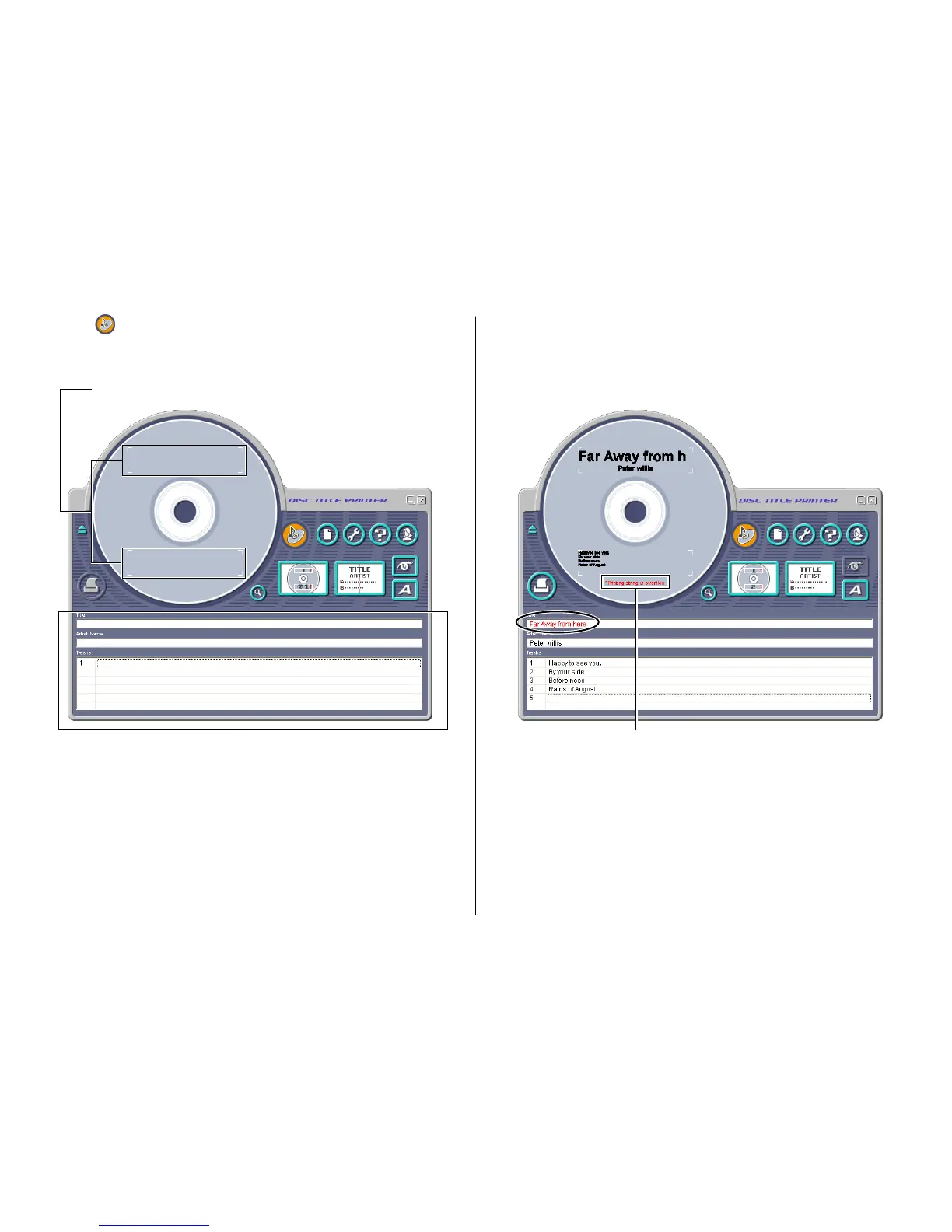
Move the cursor to the label input boxes, and then type in the disc title,
artist names, and track names.
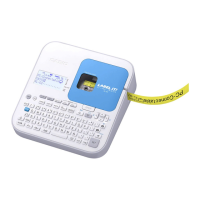
The text you input appears in the preview image on the screen.
Important!
The warning message “Printing string is overflow” appears when the text
data you input does not fit inside the print area.
See “Configuring Text Layout Settings” (page 47) and “Configuring Font
Settings” (page 48) for information about adjustments you can make to
help the text fit.
2. Click .
This displays the main window for the music label template.
Important!
You must select a label template before you can perform operations on the
main window.
Label Preview Image
Label Input Boxes
Warning message


 To Next Page