EasyManua.ls Logo

Casio Exilim EX-V7 - User Manual

Casio Exilim EX-V7
276 pages
Print Icon
To Next Page IconTo Next Page
Loading...
1
E
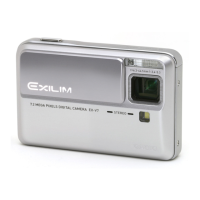
Digital Camera
EX-V7
User’s Guide
K825PCM1DMX
Thank you for purchasing this CASIO product.
Before using it, be sure to read the precautions
contained in this User’s Guide.
Keep the User’s Guide in a safe place for future
reference.
For the most up-to-date information about this
product, visit the official EXILIM
Website at http://www.exilim.com/.

Table of Contents

Questions and Answers

  • J
    Jeffrey GarciaSep 9, 2025
    What to do if my Casio Exilim EX-V7 Digital Camera doesn't save images?
    • E
      Evelyn WoodSep 9, 2025
      If an image you shot with your Casio Digital Camera wasn't saved, it could be because the camera power was turned off before the save operation completed. When the battery indicator shows low, charge the battery as soon as possible. Also, ensure you do not remove the memory card before the save operation is complete.
  • M
    michael14Sep 12, 2025
    Why does my Casio Exilim EX-V7 power down during self-timer countdown?
    • C
      Carlos MedinaSep 12, 2025
      If your Casio Digital Camera powers down during self-timer countdown, the battery may be dead. Charge the battery.
  • J
    Jennifer GonzalesSep 12, 2025
    Why are my subjects too bright in seashore/ski area with Casio Digital Camera?
    • K
      Keith WillisSep 13, 2025
      If subjects are too bright when shooting images in a seashore or ski area with your Casio Digital Camera, it is because sunlight reflected by water, sand, or snow, can cause overexposure of images. Change the flash mode setting to Flash On for daylight synchro flash, or use adjust EV shift to the - side.
  • M
    Mark HowardSep 14, 2025
    Why are faces dark in bright lighting on my Casio Digital Camera?
    • S
      shannonkingSep 14, 2025
      If the faces of people in your Casio Digital Camera images are dark even with bright lighting, it means not enough light is reaching the subjects. Change the flash mode setting to Flash On for daylight synchro flash, or adjust EV shift to the + side.
  • B
    Brandon JonesSep 16, 2025
    Why does the playback image color differ from the screen on my Casio Exilim EX-V7 Digital Camera?
    • C
      carolynwongSep 17, 2025
      If the color of the playback image on your Casio Digital Camera is different from what appears on the monitor screen when shooting, sunlight or light from another source may be shining directly into the lens when you are shooting. Position the camera so sunlight does not shine directly into the lens.

Summary

Quick Start Basics

First, Charge the Battery

Step-by-step guide to charging the camera's battery before first use.

Configuring Display Language, Date, and Time Settings

Instructions for setting the initial display language, date, and time.

Introduction

Precautions during Use

Important safety guidelines and warnings for operating the camera.

Getting Ready

Charging the Battery

Detailed steps for charging the camera's lithium-ion battery.

Using a Memory Card

Information on supported memory cards and usage.

Shooting a Snapshot

Specifying the Recording Mode

Guide to selecting the appropriate recording mode for snapshots.

Shooting a Snapshot

Step-by-step instructions for taking a snapshot.

Shooting a Movie

Shooting a Movie

Basic procedure for recording movies.

Using Best Shot

Advanced Settings

Changing the Focus Mode

How to select different focus modes like Auto, Macro, Infinity, and Manual.

Viewing Snapshots and Movies

Using the Camera with a Computer

Viewing and Storing Images on a Computer

Steps to view and save camera images on a PC.

Connecting the Camera to Your Computer the First Time

Initial setup procedure for connecting the camera to a computer.

Troubleshooting Guide

Finding the Problem and Fixing It

Common issues and their solutions for camera operation.

Display Messages

Explanation of various messages displayed by the camera.

Casio Exilim EX-V7 Specifications

General IconGeneral
Image SensorCCD
Optical Zoom7x
Digital Zoom4x
Screen Size2.5 inches
LCD Screen Size2.5 inches
ModelExilim EX-V7
Megapixels7.2
Sensor Size1/2.5"
Focal Length38 - 266 mm
Aperture RangeF3.5 - F5.3
Storage MediaSD/MMC
Battery TypeLithium-Ion

Related product manuals