14-56
6. Working with Animations
An animation consists of one or more point/curve pairs, in which the curve can be a line
segment, circle, semi circle, arc, or function. You build an animation by selecting a point/curve
pair and then adding it to an animation.
k Creating and Running an Animation
u To add an animation and run it
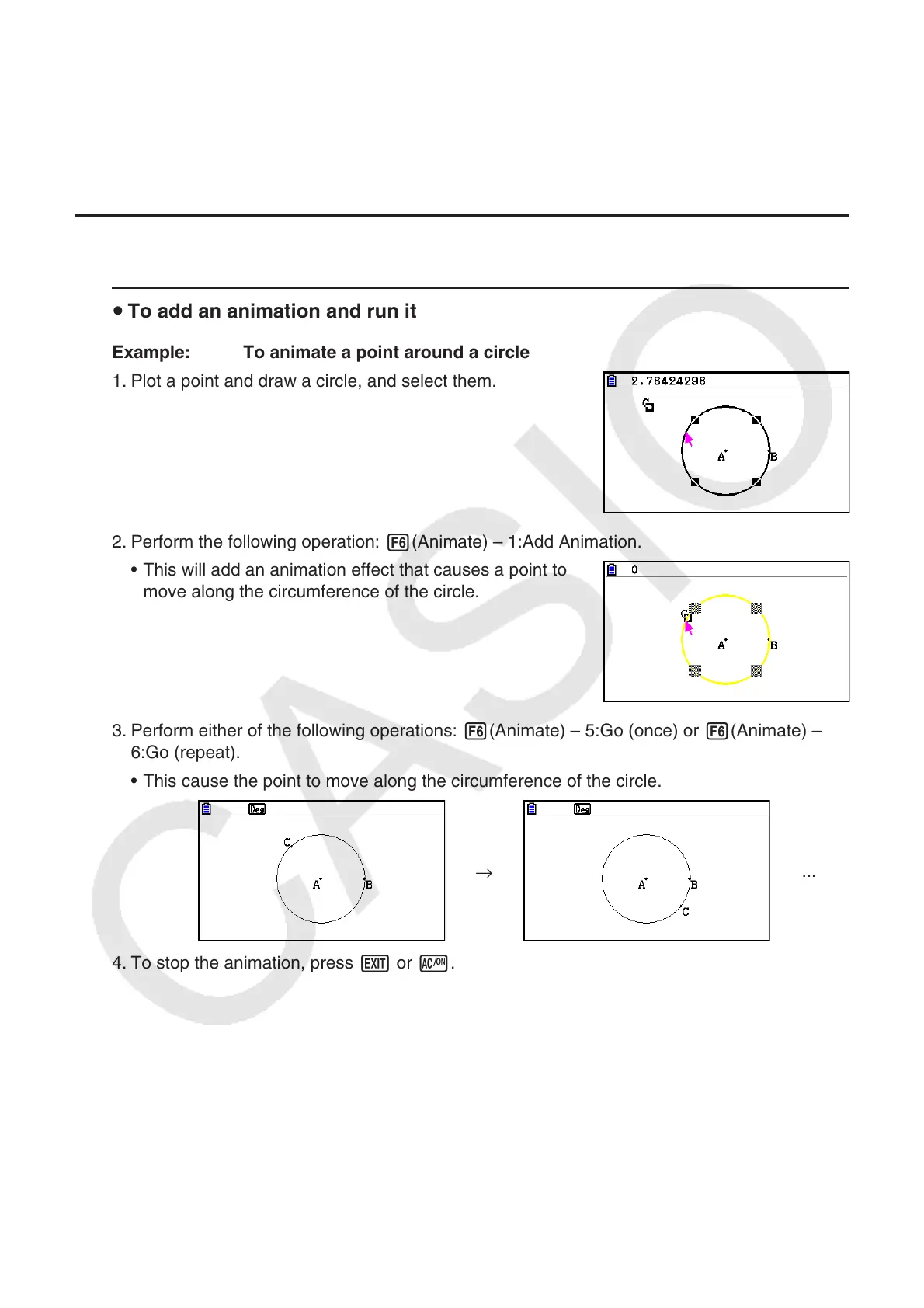
Example: To animate a point around a circle
1. Plot a point and draw a circle, and select them.
2. Perform the following operation: 6(Animate) – 1:Add Animation.
• This will add an animation effect that causes a point to
move along the circumference of the circle.
3. Perform either of the following operations: 6(Animate) – 5:Go (once) or 6(Animate) –
6:Go (repeat).
• This cause the point to move along the circumference of the circle.
→
...
4. To stop the animation, press J or o.

















 To Next Page