16-6
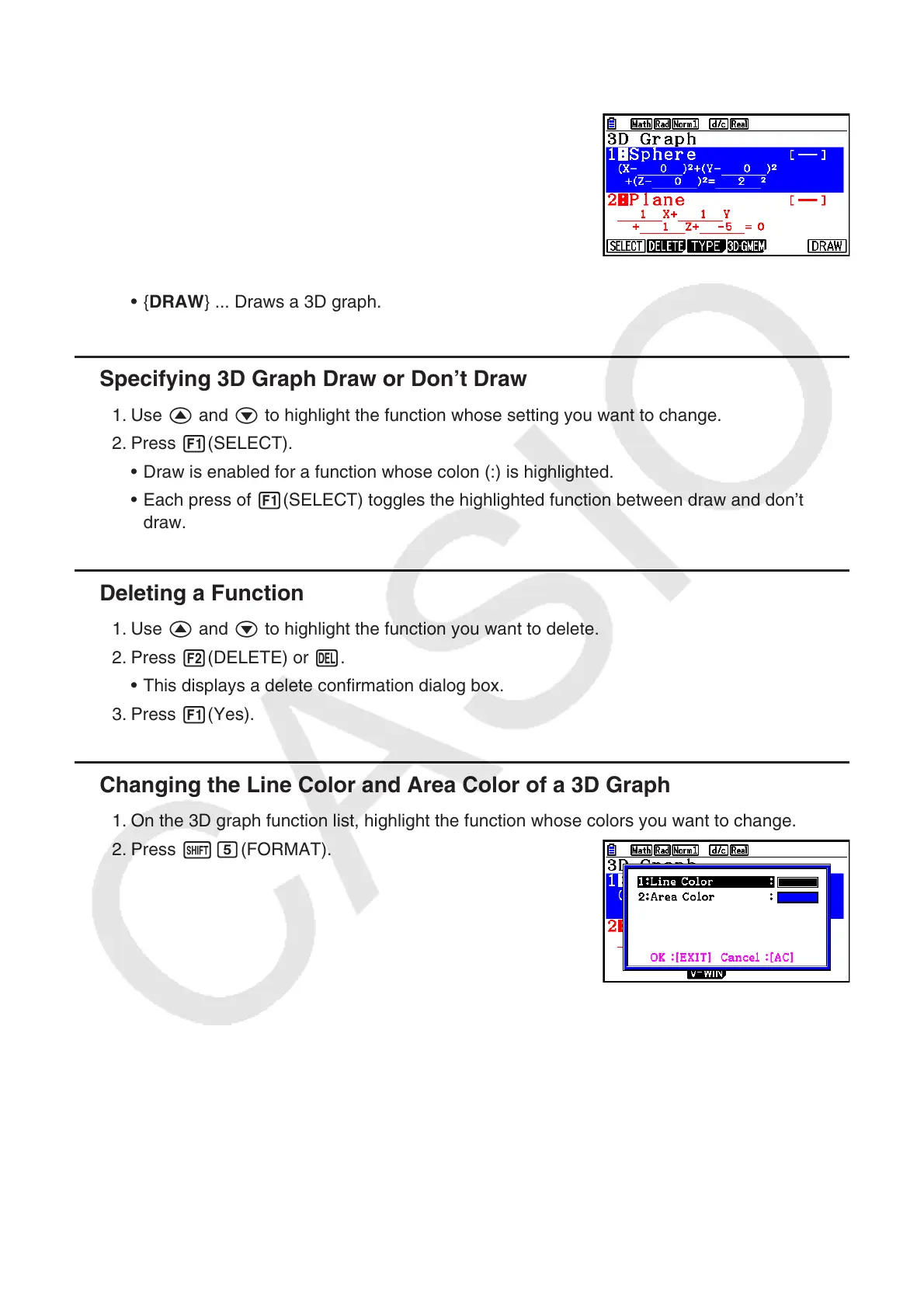
3. 3D Graph Function List
{SELECT} ... Toggles the highlighted 3D graph function
between draw and don’t draw.
{DELETE} ... Deletes the highlighted 3D graph function.
{TYPE} ... Displays the 3D graph function selection
screen (page 16-8).
{3D-GMEM} ... Select to save to and recall from 3D
graph memory (page 16-7).
{DRAW} ... Draws a 3D graph.
•
•
•
•
•
Specifying 3D Graph Draw or Don’t Draw
1. Use f and c to highlight the function whose setting you want to change.
2. Press 1(SELECT).
Draw is enabled for a function whose colon (:) is highlighted.
Each press of 1(SELECT) toggles the highlighted function between draw and don’t
draw.
Deleting a Function
1. Use f and c to highlight the function you want to delete.
2. Press 2(DELETE) or D.
This displays a delete confirmation dialog box.
3. Press 1(Yes).
Changing the Line Color and Area Color of a 3D Graph
1. On the 3D graph function list, highlight the function whose colors you want to change.
2. Press !f(FORMAT).
k
•
•
k
•
k

















 To Next Page