EasyManua.ls Logo

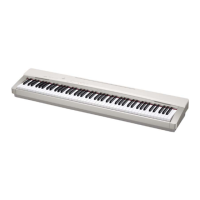
Casio Privia PX-200 - User Manual

Casio Privia PX-200
50 pages
Print Icon
To Next Page IconTo Next Page
Loading...
PX200ES1C
ES
USER’S GUIDE
GUÍA DEL USUARIO
Please keep all information for future reference.
Guarde toda información para tener como referencia futura.
Safety Precautions
Before trying to use the piano, be sure to read
the separate “Safety Precautions”.
Precauciones de seguridad
Antes de intentar usar el piano, asegúrese de
leer las “Precauciones de seguridad” separadas.

Table of Contents

Questions and Answers

  • J
    John LynnAug 14, 2025
    How to fix no sound when pressing keys on Casio Privia PX-200?
    • D
      David MartinezAug 14, 2025
      If no sound comes out when you press a key on your Casio Electronic Keyboard, here's what to check: * Make sure the VOLUME isn't set to “MIN”. Turn it up towards “MAX”. * Unplug any headphones that are connected. * Ensure MIDI Local Control is on. * If you're in CASIO CHORD or FINGERED accompaniment mode, switch to NORMAL mode, as the accompaniment range might not produce sound otherwise.
  • S
    Shawn DiazAug 17, 2025
    What to do if no sound when playing song on Casio Privia PX-200 Electronic Keyboard?
    • J
      Joseph CallahanAug 18, 2025
      If you can't hear any sound when trying to play a built-in or recorded song on your Casio Electronic Keyboard, make sure that the VOLUME controller is not set to “MIN”. Rotate the VOLUME controller more towards “MAX”. Also, unplug the headphones from the digital piano.
  • P
    Patricia VargasAug 21, 2025
    Why Casio Privia PX-200 makes unnatural sounds via USB?
    • K
      kayladanielAug 21, 2025
      If your Casio Electronic Keyboard produces unnatural sounds when connected to a computer via USB, it might be due to the computer’s MIDI THRU function being turned on. Try turning off MIDI THRU on your computer, or alternatively, turn off the Local Control on your digital piano.
  • J
    Jennifer CoxAug 25, 2025
    Why is Casio Electronic Keyboard pitch off?
    • M
      Melissa MillsAug 25, 2025
      If your Casio Electronic Keyboard's pitch sounds off, it could be due to a couple of reasons: * The key setting might be set to something other than “0”. Change it back to “0”, or try turning the power off and on again. * The tuning might be incorrect. Readjust the tuning, or again, try turning the power off and on.
  • L
    loriandersonAug 27, 2025
    What to do if external MIDI sound source not working with Casio Privia PX-200 Electronic Keyboard?
    • K
      Kimberly CruzAug 28, 2025
      If your external MIDI sound source isn't producing sound when you play your Casio Electronic Keyboard, here are a couple of things to check: 1. Make sure the digital piano’s send channel matches the send channel of your external MIDI sound source. Adjust the settings so they are the same. 2. Verify that the volume or expression setting of the external sound source isn't set to “0”. Adjust those settings as needed.
  • J
    Jennifer BradleyAug 30, 2025
    Why no sound when playing MIDI data on Casio Privia PX-200?
    • J
      John WebbAug 30, 2025
      If no sound is produced when playing MIDI data from a computer on your Casio Electronic Keyboard, check to make sure that the USB cable is connected correctly.
  • G
    Gregory DavidsonSep 3, 2025
    What to do if Casio Electronic Keyboard can't load data from SD card?
    • L
      Lisa KaufmanSep 3, 2025
      If your Casio Electronic Keyboard is failing to load data from an SD memory card, consider the following: * Ensure the card is properly inserted into the SD memory card slot. * Verify the SD memory card's capacity is supported by the digital piano. * Try using a different SD memory card in case the current one is damaged. * If you copied data from a computer, ensure it's in the “MUSICDAT” folder.
  • J
    Joshua AustinSep 6, 2025
    Why Casio Electronic Keyboard can't store data to SD card?
    • B
      Brandy BonillaSep 6, 2025
      If your Casio Electronic Keyboard is failing to store data to an SD memory card, consider the following: * Ensure that the SD memory card is not write-protected. Change the write-protect position to enable writing. * Make sure the card is properly inserted into the SD memory card slot. * Try a different SD memory card, as there may not be enough room available on the current one. * Use an SD memory card with a supported capacity. * The SD memory card may be damaged, try another one.
  • K
    Kara LongSep 10, 2025
    What to do if playback stops transferring song data to Casio Electronic Keyboard?
    • M
      Matthew KimSep 10, 2025
      If playback stops while transferring song data from your computer to the Casio Electronic Keyboard, it could be due to digital noise interrupting the data communication. Here’s what you can try: Stop the song, disconnect, and then reconnect the USB cable. Try playing the song again. If that doesn’t work, close the MIDI software, disconnect/reconnect the USB cable, restart the software, and try playing the song again.

Summary

Safety Precautions

IMPORTANT SAFETY INSTRUCTIONS

Declaration of Conformity

General Guide

Installing the Music Stand

Procedure for attaching the music stand to the digital piano.

Using the TEMPO;SETTING Button

Explanation of how to use the TEMPO/SETTING button for parameter adjustments.

Using V;NO and;YES Buttons

Instructions for using the V/NO and /YES buttons to change settings.

Power Outlet

Using an AC Adaptor

Details and precautions for connecting and using the AC adaptor.

Connections

Connecting Headphones

Guide to connecting headphones to the PHONES jack.

Connecting a Pedal

Instructions for connecting damper and sustain pedals to the piano.

Bundled and Optional Accessories

Information on included and optional accessories for the digital piano.

Connecting Audio Equipment or Amplifier

How to connect external audio equipment or amplifiers for enhanced sound.

Selecting and Playing a Tone

Selecting a Main Tone

Steps to select one of the main piano tones available.

Selecting Various, GM, and Drum Tones

How to assign and select various tones, GM tones, or drum sets.

Adjusting Tone Brilliance

Procedure for adjusting the brilliance or tone brightness.

Layering Two Tones

Method for combining two tones to sound simultaneously.

Splitting the Keyboard

Instructions for dividing the keyboard to play different tones on each side.

Using Effects

Turning Effects On and Off

How to activate or deactivate reverb and chorus effects.

Using the Metronome

Adjusting Metronome Volume

Procedure for setting the volume level for the metronome.

Playing a Rhythm

Selecting a Rhythm

Guide to selecting one of the 20 built-in rhythm patterns.

Using Auto Accompaniment

How to use the auto accompaniment feature with chords.

How to Play Chords

CASIO CHORD Mode

Explanation of playing chords using simplified fingerings in CASIO CHORD mode.

FINGERED Mode

Instructions for playing standard chord fingerings in FINGERED mode.

FULL RANGE CHORD Mode

Details on playing chords using any three or more keys in FULL RANGE CHORD mode.

Playing Back Built-in Songs

Playing Back All Built-in Songs

How to play back all 72 built-in songs sequentially.

Playing Back Specific Music Library Songs

Steps to select and play a specific song from the Music Library.

Skipping Back Through Songs

How to skip backward measure-by-measure during song playback.

Skipping Forward Through Songs

How to skip forward measure-by-measure during song playback.

Practicing Music Library Songs

Method for practicing songs by turning off parts.

Recording and Play Back

Songs and Tracks Overview

Explanation of songs, tracks, and recording structure.

Recording Data Storage

Information on how recorded data is stored and managed.

Using the RECORDER Button

Guide to operating the RECORDER button for recording functions.

Recording Your Keyboard Play

Detailed steps for recording keyboard performances to tracks.

Recording While Listening to Another Track

Recording to one track while listening to playback of another track.

Playing Back from Digital Piano Memory

How to play back songs stored in the piano's internal memory.

Deleting Recorded Data

Procedure for deleting recorded song data from the digital piano.

Other Settings

Configuring Settings

General procedure for adjusting various settings like touch, key, and effects.

Changing Effect Button Parameters

How to adjust specific parameters for effects like DSP and Acoustic Resonance.

Changing MIDI Button Parameters

How to configure settings related to MIDI communication.

Changing OTHERS Button Parameters

How to adjust settings for pedals, pre-count, and local control.

Secondary Parameter Reference

Reference table for various piano settings and their parameters.

Connecting to a Computer

Connecting to the MIDI Terminal

Instructions for connecting the piano to a computer via MIDI terminals.

Connecting to the USB Port

Guide to connecting the piano to a computer using the USB port and driver.

USB and MIDI Mode Operation

Explanation of the piano's USB and MIDI communication modes.

Expanding Music Library Selections

How to add downloaded songs to the Music Library.

Using an SD Memory Card

Playing Back Files from SD Card

Steps to play SMF or CASIO format files from an SD memory card.

Transferring Song Data to Digital Piano Memory

How to transfer song data from an SD card to the piano's user or recorder area.

Inserting and Removing SD Memory Card

Procedure for correctly inserting and removing SD memory cards.

Transferring Data to User Area

Transferring song data from SD card to the piano's user area.

Transferring Data to Recorder Area

Transferring song data from SD card to the piano's recorder area.

Saving Recorded Data to SD Card

How to save recorded songs from the piano to an SD memory card.

Formatting an SD Memory Card

Procedure for formatting an SD memory card using the digital piano.

SD Memory Card Errors

Troubleshooting common errors encountered with SD memory cards.

Reference

Troubleshooting

Solutions for common problems encountered while using the digital piano.

Product Specifications

Reference

Operating Precautions

Important safety and operational guidelines for using the product.

Appendix

Tone List

Comprehensive list of all available tones with their properties.

Drum Assignment List

List of drum sounds assigned to specific MIDI note numbers.

Rhythm List

List of available built-in rhythm patterns.

Song List

List of built-in and user-saved songs.

Fingered Chord Chart

Chart showing fingering patterns for various chords.

MIDI Implementation Chart

Casio Privia PX-200 Specifications

General IconGeneral
BrandCasio
ModelPrivia PX-200
CategoryElectronic Keyboard
LanguageEnglish

Related product manuals