48
Performing a Presentation Using a Wireless LAN
(Projecting Computer Screen Contents Over a Wireless LAN)
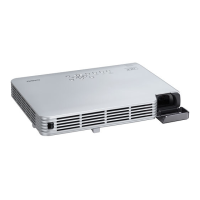
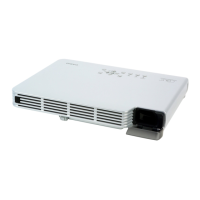
This section explains how to establish a wireless LAN connection between the Data Projector
and a computer and project the computer’s screen contents over the wireless LAN.
CASIO YW-2S wireless adapters are required in order to establish a wireless LAN connection
between a computer and the Data Projector. The YW-2S package includes two YW-2 USB
type wireless adapters, one for the Data Projector and one for the computer.
Important!
z Note that use of any other wireless adapter besides the YW-2 is not supported.
z Use of the stickers that come with the YW-2 Wireless LAN adapter is not necessary
when you connect a YW-2 to the XJ-S35 Data Projector.
Computer Requirements
In addition to the “Minimum System Requirements” (page 11), the computer must also
conform to any one of the following in order to establish a wireless LAN connection with
the Data Projector.
a. YW-2 wireless adapter plugged into a USB port
b. Built-in wireless LAN function conforming to IEEE 802.11b standard
c. Add-on wireless LAN function (other than YW-2) conforming to IEEE 802.11b standard
All of the explanations in this manual are based on a computer that conforms to “a. YW-2
wireless adapter plugged into a USB port”.
Important!
There is no guarantee that all computers conforming to one of the above conditions will
be able to establish a wireless LAN connection with the Data Projector.
Supported Wireless LAN Devices


 To Next Page