TIMEDAWNINGLIGHT(OPTIONAL)
OPENDOORSORPEAKSANOMALIES
ANOMALIESCHECK
REMOTECONTROLACTIVATION
REMOTECONTROLRESET
TELEPHONENUMBERSETTING
NOTE:incompliancewithexistingregulations,thedevicesendsthealarmforamaximumof10
times;thedeactivationofthedeviceresetsthecountofinterventions.
Anelectronicdeviceenablesthetimedswitchingofawninglightbypressingbutton5oftheremote
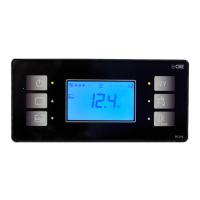
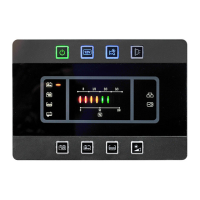
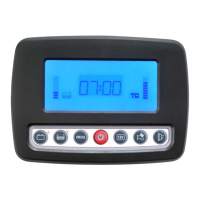
control;thelightwillremainswitchedonfortheperiodoftimesetonthePC-540HY controlboard
(seeUSERSETTING).
Theanomalyissignalledwithopendoorsorpeaksandwiththeignitionkeyinserted(+key).
Anomalymessagesare:
»
»
»
Whenactivated,thedevicecheckspossibleanomaliesofclosingsystemsandofthevolumetric
sensor. Theseanomaliesaresignalledwith5shortflashingsoftheindicators.
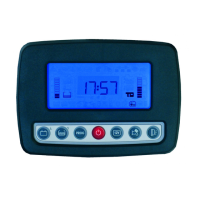
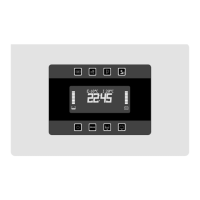
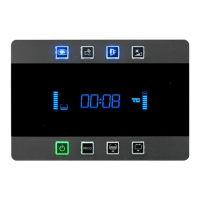
Gotothe MANUFACTURERSETTING»onthePC-540HY controlboard,menuCONFIG.
ALARMN+B/REMOTECONTROL/ACTIVATIONandselect ON».Pressshortlyfor3consecutive
timesbutton2oftheremotecontrol.Whenthebuttonispressedforthethirdtimetheflashingofthe
indicatorsindicatesthattheremotecontrolhasbeenaccepted.
Thisfunctionenablestoresetallremotecontrols(seeMANUFACTURERSETTING)
Aftertheresetting,remotecontrolsshallbereactivated(seeREMOTECONTROL ACTIVATION).
Enter Usersetting»inthePC-540HY controlboard,menu CONFIG»BURGLAR ALARM/TEL.
NUMBERandsetthedigitwithbutton5andconfirmtheentrybypressingPROG.buttonno.4.
-«L/HLKROPEN whentheleftpeakisopen.
-«R/H-BKLKROPEN whentherightand/orrearpeakareopen.
-«DOOROPEN whenthecab'sand/orvan'sdoorareopen.
«
«
« «
BURGLARFUNCTIONS(OPTIONAL)
31
ENGLISH



 To Next Page