LUMIEREEXTERIEURETEMPORISEE(OPTIONELLE)
ANOMALIESPORTESOUCOFFRESDERANGEMENTOUVERTS
CONTROLEANOMALIES
ACTIVATIONTELECOMMANDE
REMISEAZERODESTELECOMMANDES
CONFIGURATIONNUMERODETELEPHONE
NB:Conformémentauxnormesprévuesenlamatière,l'alarmeantivolsedéclenche10foisau
maximum.Ladésactivationdel'antivolremetàzérolecompteurdesinterventions.
Undispositifélectroniquepermetl'allumagetemporisédelalumièreextérieure,enappuyantsurle
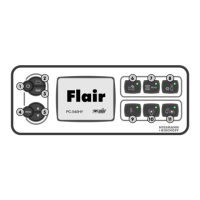
bouton5delatélécommande;lalumièrerestealluméependantletempsaffichésurletableaude
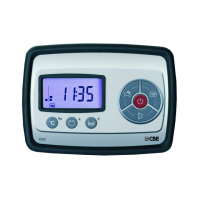
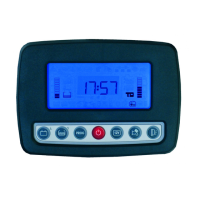
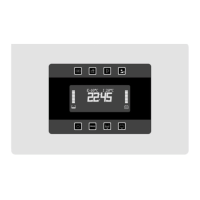
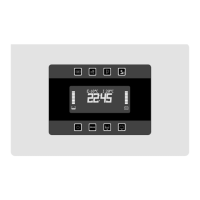
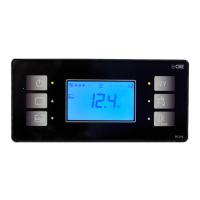
commandePC-540HY (voirPROGRAMMATIONUTILISATEUR).
L'anomalieestsignaléesilesportesoulescoffresderangementsontouvertsetlaclédedémarrage
duvéhiculebranchée(+clé).Lesmessagesd'anomaliesontlessuivants:
-«COFFREGA OUVERT »:coffrederangementgaucheouvert.
-«COFFREDR/AROUV»:coffrederangementdroitet/ouarrièreouvert.
-«PORTEOUVERTE»:porteaccèscelluleet/ouportecabineouverte
Lorsdel'activation,l'antivoleffectueuncontrôledesanomalieséventuellesdesfermeturesetdu
capteurvolumétrique.Cesanomaliessontsignaléespar5clignotementscourtsdesflèches.
Entrerenmode«PROGRAMMATIONCONSTRUCTEUR»dansletableaudecommande«PC-
540HY »dumenuCONFIG. ANTIV.N+B/ TELECOMMANDE/ ACTIVATIONetsélectionner«ON».
Appuyerrapidement3foisconsécutivementsurlebouton2delatélécommande.Latroisième
pressionsertàvérifierparleclignotementdesflèchesquelatélécommandeaétéacquise.
ermetdedésactivertouteslestélécommandes(voirPROGRAMMATIONCONSTRUCTEUR).
Unefoislamiseàzéroeffectuée,lestélécommandesdoiventêtreréactivées(voir ACTIVATION
TELECOMMANDE).
Entrerenmode«programmationutilisateur»dansletableaudecommande«PC-540HY »dumenu
CONFIGURATIONANTIVOL/NUMERO TELEPHONE;appuyersurlesboutons5pourconfigurer
tousleschiffres,enlesconfirmantparleboutonPROG4.
.
FONCTIONSANTIVOL(OPTIONELLE)
52


 To Next Page