D/A CONVERTER / USB SOUND SYSTEM DA5
14
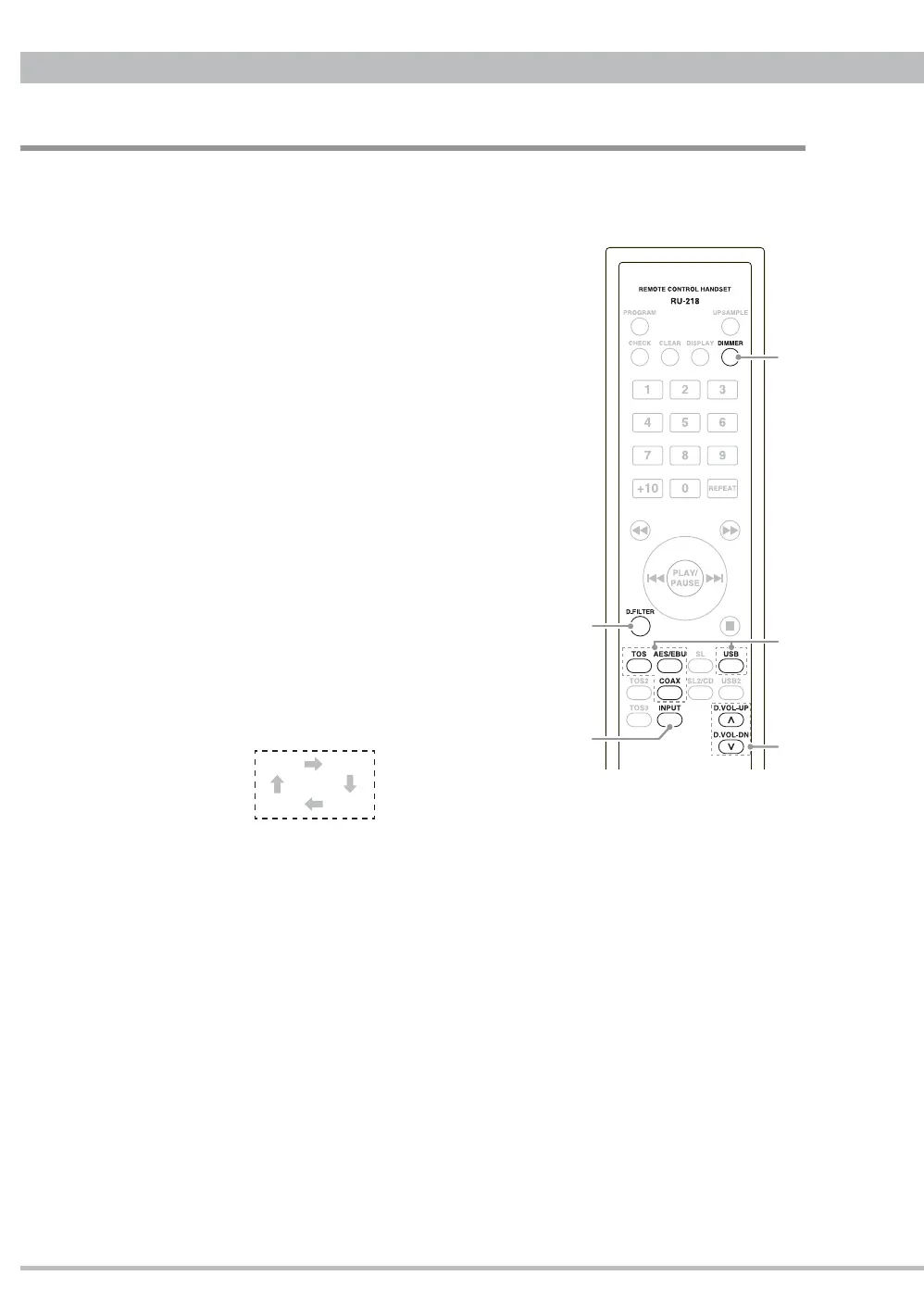
Buttons function
䆨
to
䆬
buttons work for DA5 and the others are compatible with the other CEC
products like CD Transport TL5, CD Player CD5,
D/A Converter DA3N and so on. Here refers to DA5
function only.
䆨
DIMMER button
Press to change the display brightness in
different 3 levels. Refer to "DIMMER" on page
9 for details.
䆩
D.FILTER
ᴾ
button
Press to select a digital filter type FLAT or
PULSE. Refer to “Digital Filter” on page 11 for
details.
䆪㩷
Direct input selector buttons (TOS, AES/EBU,
COAX, USB)
Press TOS, AES/EBU, COAX or USB to
select an input directly.
䆫
INPUT button
Press to change the input in an order
described below.
䆬
D.VOL-UP/DN button
Press D.VOL-UP button to increase or D.VOL-DN button to decrease the
digital volume. Pressing and holding the button allows fast changes. Refer to
"Digial Volume" on page 10 for details.
Precaution on handling the remote control unit
ṳ
When operating the remote control, point it towards the remote sensor on the front
panel.
ṳ
Make sure nothing is blocking the front panel where the remote sensor is lolocated.
ṳ
Avoid exposing the remote sensor on the front panel to direct sunlight or other light
sources, as such exposure can cause malfunction.
ṳ
The remote control unit may malfunction when its batteries are running low. Change
the batteries to new ones of the same type if this seems to be the case.
Remote Control unit
ݎ
ݐ
ݑ
ݏ
ݒ
USB COAX
AES TOS


 To Next Page