DA5 User's Manual
9
Display brightness can be changed in different three levels.
䆨䎃
Press the DIMM key on the remote control
unit to dim the display. The display brightness
will toggle through "brighter"(default), "off"
and "lighter".
䆩
When the display is "off" pressing once a
function button on the front panel or remote
control unit relating to the input, digital fi lter or
volume the display will return to "brighter" and
show the current setting. Press the function
button successively to change the setting.
5 seconds later the display brightness will
return to "off" automatically.
䆪
Regardless of any DIMMER setting the brightness will return to the default whenever
the power is turned on again.
䆮
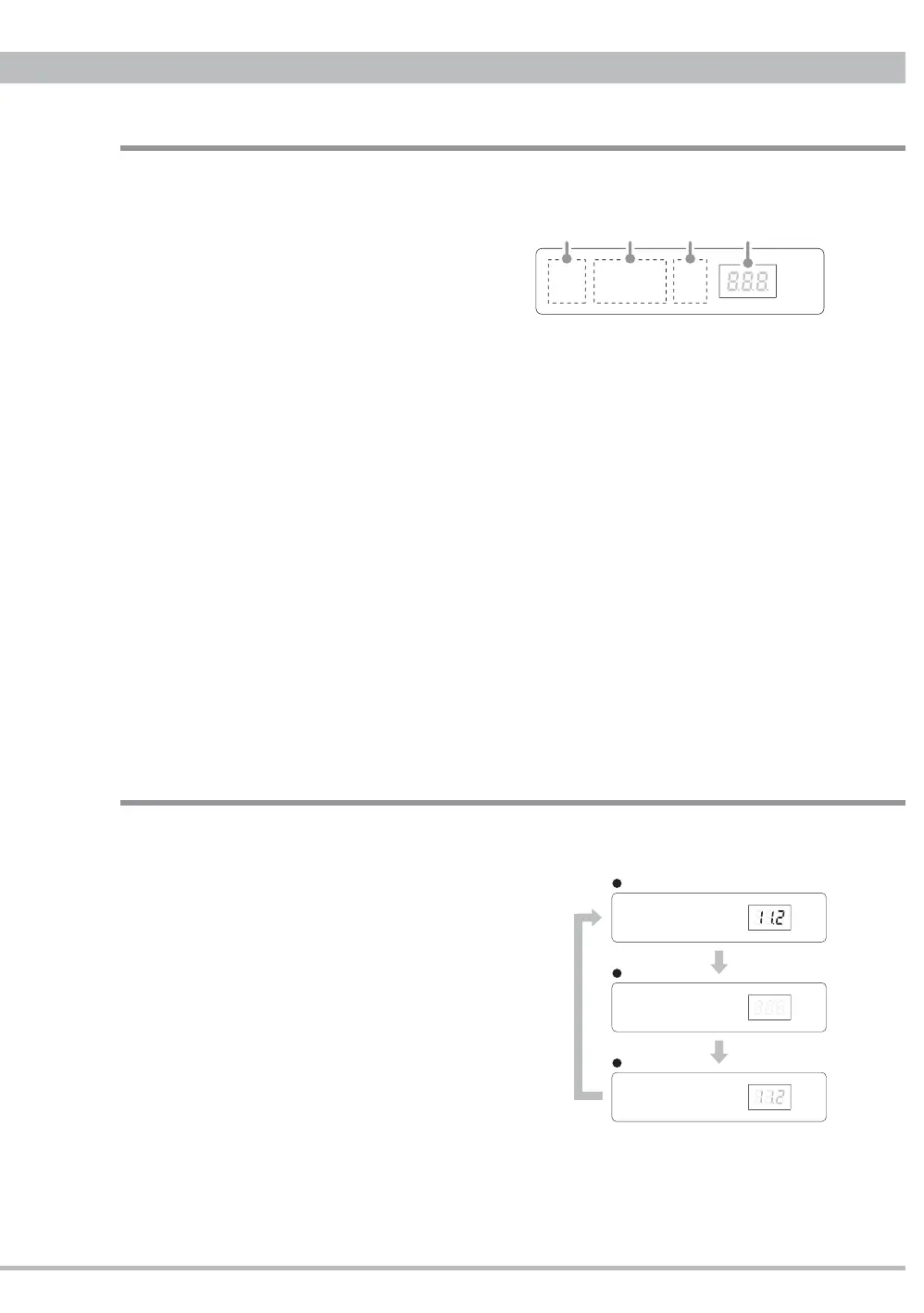
Display
㽲
Digital Filter indicator
A selected digital filter type
PULSE or FLAT lights up. Pressing
the
䆩
FILTER button on the front
panel or D.FILTER button on the
remote control unit will change the
filter.
㽳
INPUT indicator
A selected input USB, COAX, TOS or AES lights up. Pressing the
䆪
INPUT
button on the front panel or the remote control, or direct input selector buttons on
the remote control unit will change the input.
㽴
Digital Signal Format indicator
A digital signal format PCM or DSD is displayed. This depends on the input
signal being played. When an input without signal or connection is selected, or
any digital signal is not detected properly the indicator won't light up.
㽵
Sampling Frequency / Volume indicator
A sampling frequency of a selected input signal being played is displayed.
When an input is selected without any connection or without any input signal,
or when any input signal can not be detected properly, three bars "- - -" will be
displayed instead of sampling frequency.
Pressing the D.VOL-UP/DN buttons on the remote control unit to adjust the
volume (analog outputs level) will change to indicate the volume level. Refer to
"Digital Volume" on page 10 for details. 5 seconds later the display will return to
show a sampling frequency.
DIMMER
brighter (default)
off
lighter
FLAT USB
COAX
PCM
PULSE AES TOS DSD
FLAT USB COAX PCM
PULSE AES TOS DSD
FLAT USB COAX PCM
PULSE
AES TOS DSD
PCMFLAT
PULSE
USB COAX
AES TOS DSD
ԘԙԚԛ
Front Panel Functions


 To Next Page