D/A CONVERTER / USB SOUND SYSTEM DA5
24
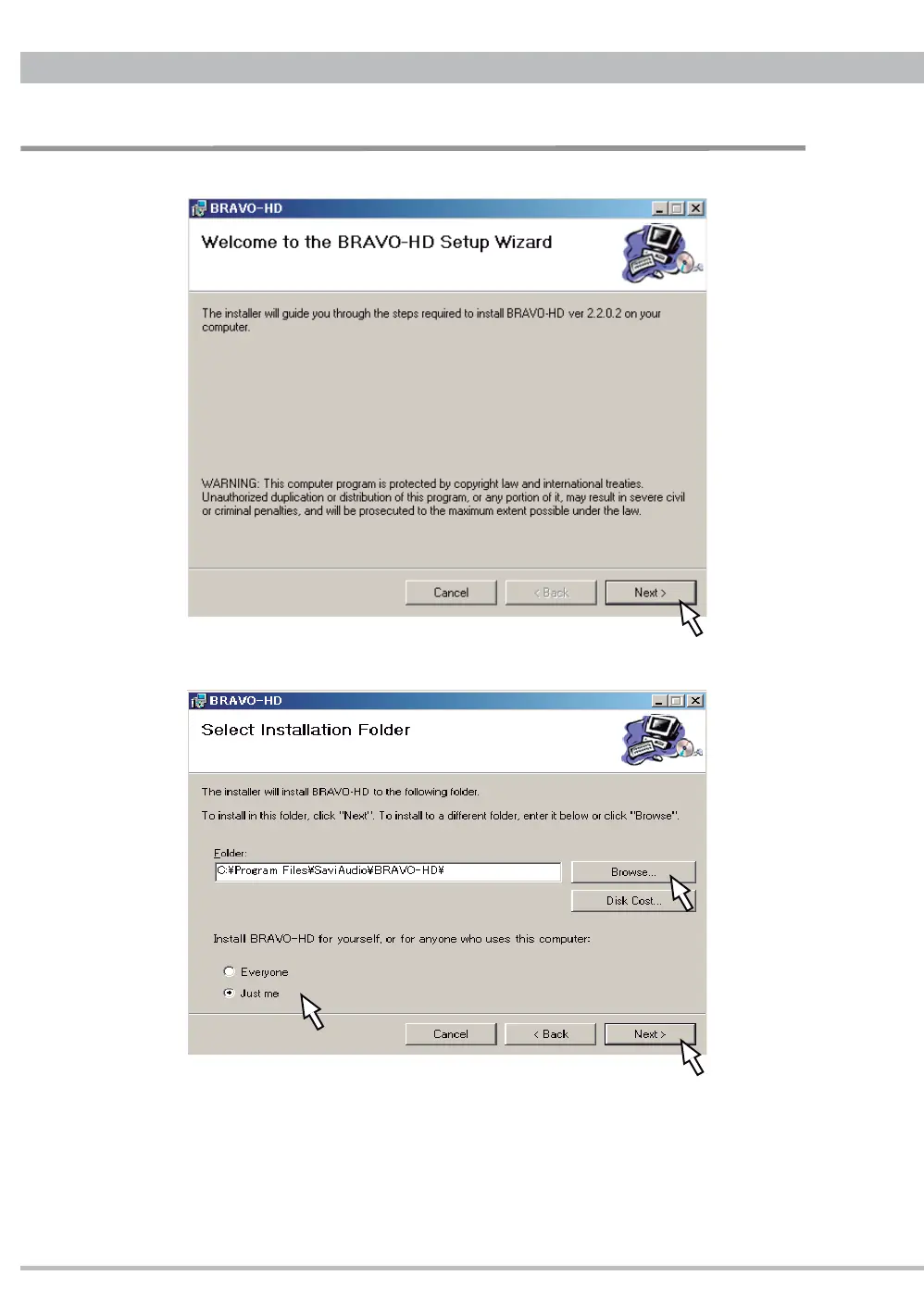
1.4. BRAVO-HD install wizard will start. Click "Next" to continue.
1.5. Select an install folder and Windows user.
Click "Browse" to select an installation folder other than the default folder being
showed.
Select "Everyone" for all Windows users to use BRAVO-HD or "Just me" only for
the user that is installing the driver now.
Click "Next" to continue.
USB Driver Installation


 To Next Page