D/A CONVERTER / USB SOUND SYSTEM DA5
30
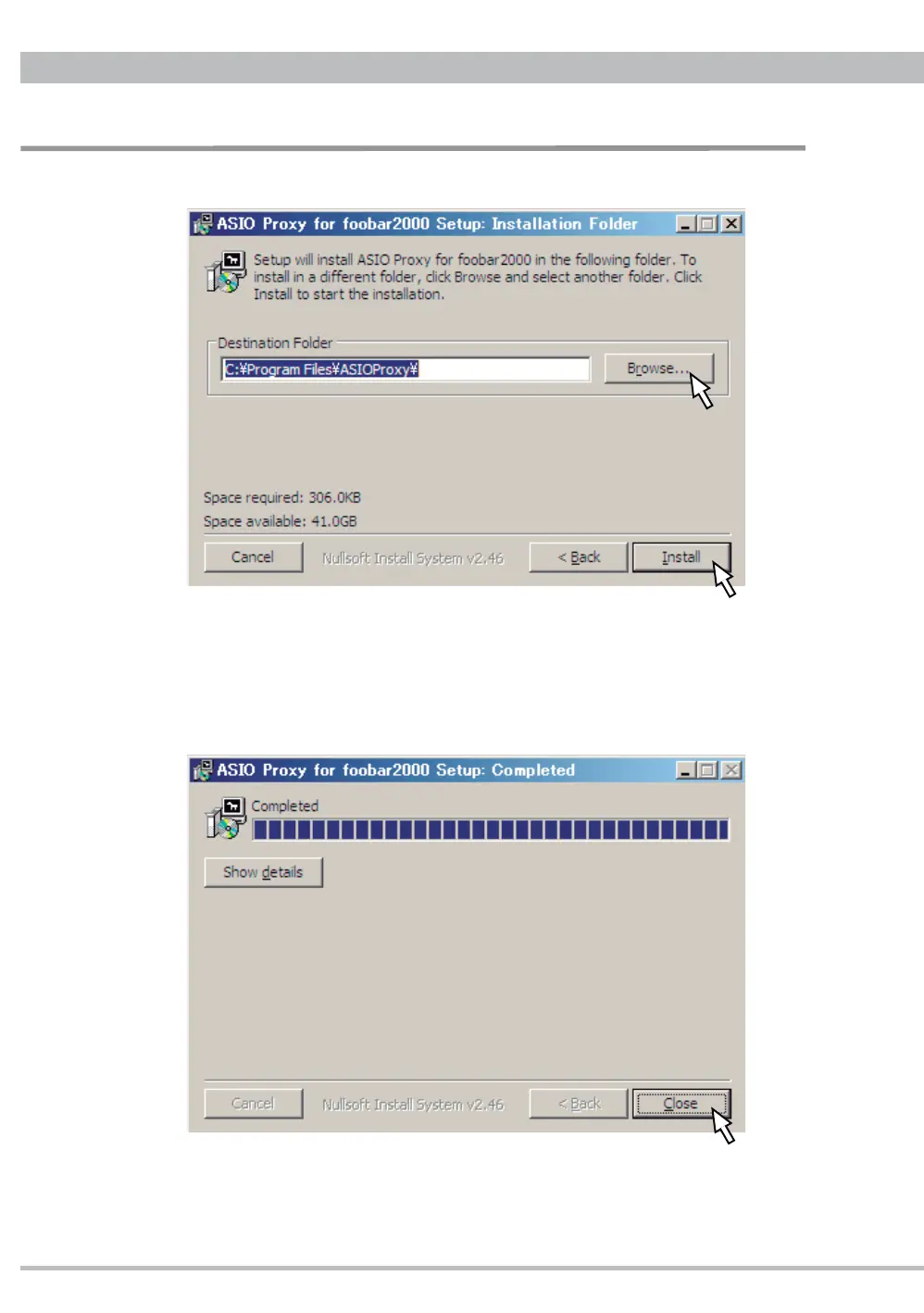
3.3. Select an install folder.
Click "Browse" to select a folder other than the default folder being showed.
Click "Install" to start the installation.
3.4. Install will fi nish soon and click "Close" to complete the installation.
Installation and Setup for DSD Playback


 To Next Page