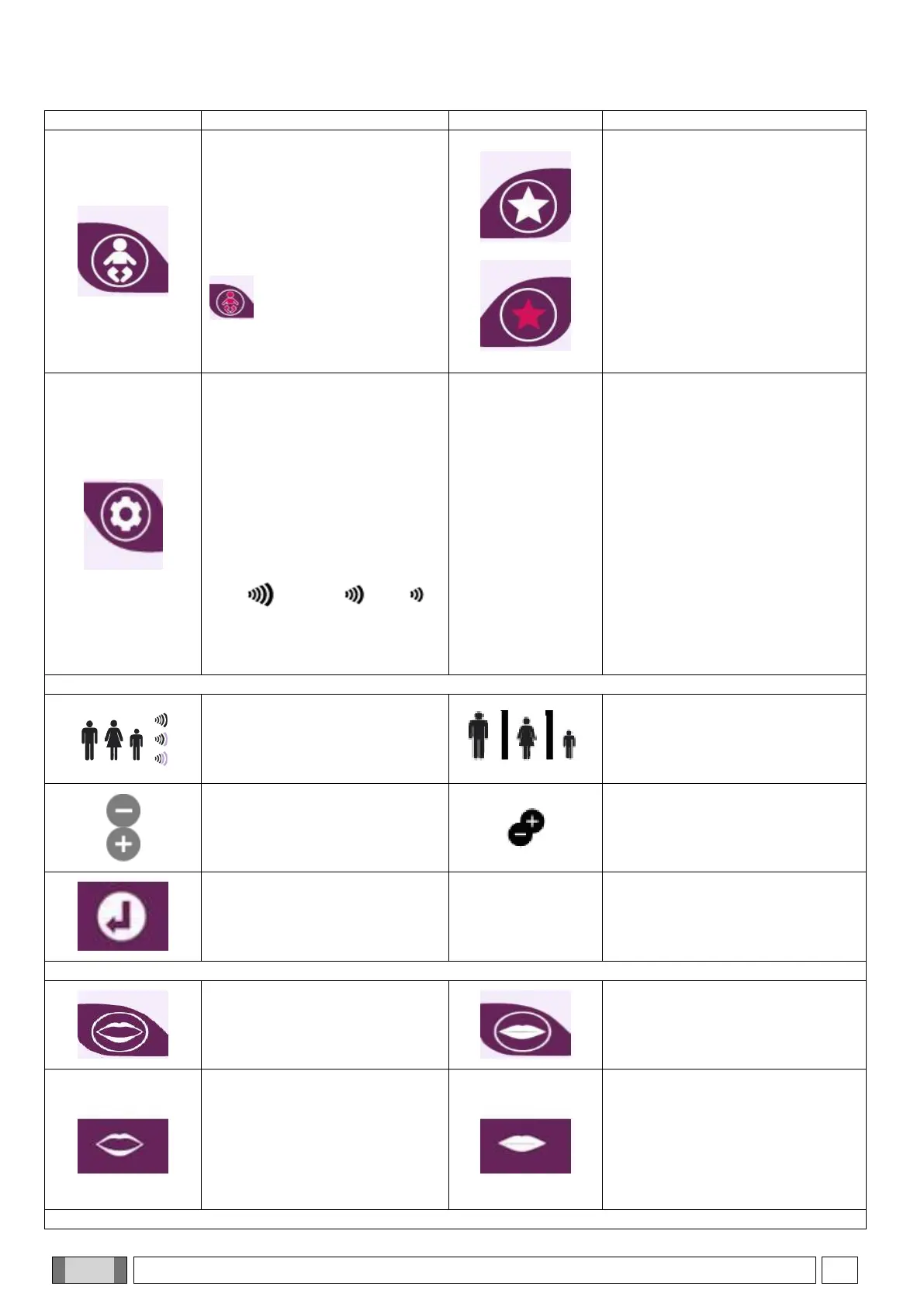
CHILD SIZE button
By pressing this button it is
possible to switch from a
general adult size value to the
child size
FAVOURITES button
Allows adding the current
examination in the favourites list;
once this icon has been pressed,
the position of the list in which the
examination has to be added is
required
If the current examination is
already listed in favourites, the
icon is highlighted and it is
possible to remove the
examination from favourites list by
pressing the highlighted icon
X-RAY TECHNIQUE FACTOR
CONFIGURATION screen
This icon allows accessing
technique factor configuration:
KV, mA and exposure seconds
parameters
PRESET: sets parameters
according to the preset values
for man, woman and child. For
adults, it is possible to select
three different sizes
high medium low
CUSTOM: sets parameters
manually with a precision of 1
kV or 1 mA
Factor setting from PRESET
screen
PRESET factor icon
in Examination SUMMARY screen
press to change factors
Technique factor increase or
decrease
CUSTOM factor icon
in Examination SUMMARY screen
press to change factors
Return button to the previous
screen
For TMJ examinations only
Mouth open
Examination mode selection
with patient with mouth open
Mouth closed
Examination mode selection with
patient with mouth closed or in rest
position
Mouth open action
Icon displayed in Examination
Summary screen of an
examination that allows
redefining mouth closed/mouth
open mode.
Mouth closed action
Icon displayed in Examination
Summary screen of an
examination that allows redefining
mouth closed/mouth open mode
For CEPH Examinations only



 To Next Page