EasyManua.ls Logo

Ceia THS/G21E - User Manual

Ceia THS/G21E
162 pages
Print Icon
To Next Page IconTo Next Page
Loading...
FI002K0018v1100UK – THS/21 Instruction manual for installation, use and maintenance
ORIGINAL INSTRUCTIONS 1
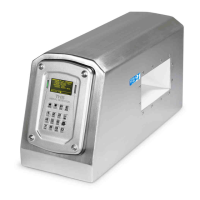
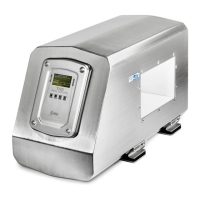
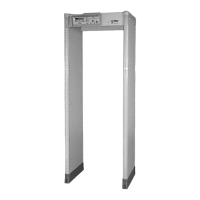
Industrial Metal Detectors
and Integrated Systems with Conveyor Belt
THS/21E - THS/21
Instruction manual
for installation, use
and maintenance
Document Date Hardware Software
FI002K0018v1100UK 2012-03-29 HV5.xx THSV5401 – ALMV5400
Read this manual carefully before installing, operating or carrying out maintenance on the device. Keep the manual in a
safe place for future reference and in perfect condition. This manual must accompany the device described herein in the
case of change of ownership and until the device is decommissioned.

Table of Contents

Questions and Answers

  • A
    Alison BrownJul 25, 2025
    Why is my Ceia THS/G21E giving false alarms?
    • S
      Stephen GarciaJul 25, 2025
      False alarms on your Ceia Metal Detector may be due to electrical or mechanical disturbances. Try performing the Environmental Compatibility Check procedure with normal operating settings. If the source isn't identified, the issue might be a malfunction. In this case, disconnect all devices connected to the metal detector. If possible, connect it to a different power supply and earth source, ensuring the environment is free from interference. If the problem continues, it may require professional assistance.
  • A
    Andrew BarberJul 31, 2025
    What to do if my Ceia Metal Detector doesn't detect test samples?
    • V
      Victor SimpsonJul 31, 2025
      If your Ceia Metal Detector isn't alarming when using test samples, it could be due to a few reasons. First, ensure the correct product is selected. If not, repeat the Autolearn procedure to automatically set the sensitivity. Also, the sample might not have the right diameter for the current product. Set the default product and create a new one. Check that the samples are detected, if necessary by increasing the sensitivity value. If they are detected, samples with a bigger diameter must be used for the current product.
  • K
    Kenneth RichardsonAug 19, 2025
    How to troubleshoot a Ceia THS/G21E with a control panel display that is not on?
    • N
      Nicholas WhiteAug 19, 2025
      If the control panel display on your Ceia Metal Detector is not on, check the connections between the SCD card and the ALM card. Disconnect all the devices connected, switch off the system and switch it on again after a few minutes, if self-resetting protective devices have been activated. If the Metal Detector can expel metal masses, verify the RCU card is correctly connected to the ALM card. Otherwise, inspect the state of fuse F10 (and F11/F12 for Conveyor Control System) and ensure the power supply voltage is within the permitted range.
  • T
    Theresa WoodNov 5, 2025
    How to fix a Ceia THS/G21E Metal Detector conveyor belt that won't start?
    • C
      Christopher OneillNov 5, 2025
      If the conveyor belt in your Ceia Metal Detector system isn't starting, there are several things to check: * If the belt running indicator is off, ensure the KT parameter isn't zero and is correctly set. Also, inspect the inverter connections inside the power supply unit. * If the belt running indicator is on, verify the inverter is correctly configured for the connected motor (check NMV, NMF, NMC parameters) and inspect the motor connections. For non-integrated systems, ensure the connected motor is compatible with the inverter output characteristics. * If the belt running indicator is flashing, check that the FOLLOWING CONVEYOR input is active or, if it is not used, set FC=OFF. * If the belt running indicator is only on when the key is pressed, check the inverter connections wit...
  • A
    Ashley WilliamsNov 12, 2025
    What to do if the ejector on my Ceia THS/G21E Metal Detector isn't working after an alarm?
    • S
      smithchristopherNov 12, 2025
      If the ejector on your Ceia Metal Detector isn't activating after an alarm and there's no fault message, here's what you can check: * If the ejector isn't working and there's no ejection confirmation sensor, check the ejector connections. For non-integrated systems, ensure the electrical characteristics are compatible with those provided by the power supply card. If used, check the activation of the EJECT RELAY and its fuse. * If the ejector is working (checked in I/O status) and ejection confirmation check is correctly activated, and you're in synchronized ejection mode, verify the synchronization photocell is activated correctly and operating. If an encoder is installed, check that the speed measured is correct. If no encoder is installed, check that the KE parameter is equal to 0. ...

Summary

Safety Instructions and Warnings

User Training and General Safety Precautions

Outlines user training needs, general safety warnings, installation, and use precautions.

Permitted Uses, Improper Uses, and Residual Risks

Defines authorized applications, forbidden uses, and identifies residual risks during operation.

Product Description and Technical Specifications

System Overview and Component Models

Describes the CEIA THS Metal Detectors, integrated systems, and specific models.

Technical Characteristics and Dimensions

Details technical specifications, features, dimensions, and safety degrees for detectors.

Installation and Configuration

General Installation Requirements and Guidelines

Covers general requirements, clearances, and guidelines for installing the system.

Electrical, Pneumatic, and Environmental Installation

Details electrical wiring, pneumatic circuits, and environmental compatibility installation.

System Configuration and Parameter Settings

Explains system setup, programming access, parameter configuration, and timing settings.

Device Operation and Usage

Device Controls and Power-Up Procedures

Describes control panel functions, indicators, and the power-on sequence.

Operational Procedures and Sensitivity Checks

Covers belt control, speed adjustment, alarm handling, and sensitivity testing.

Maintenance and Troubleshooting

Periodic and Extraordinary Maintenance

Details routine maintenance, cleaning, fuse replacement, and component servicing.

Troubleshooting and Self-Diagnosis

Provides guidance on diagnosing and resolving common faults and system errors.

Ceia THS/G21E Specifications

General IconGeneral
BrandCeia
ModelTHS/G21E
CategoryMetal Detector
LanguageEnglish

Related product manuals