Page 30
TWIN MG 092223
WALL MOUNT BRACKET INSTALLATION
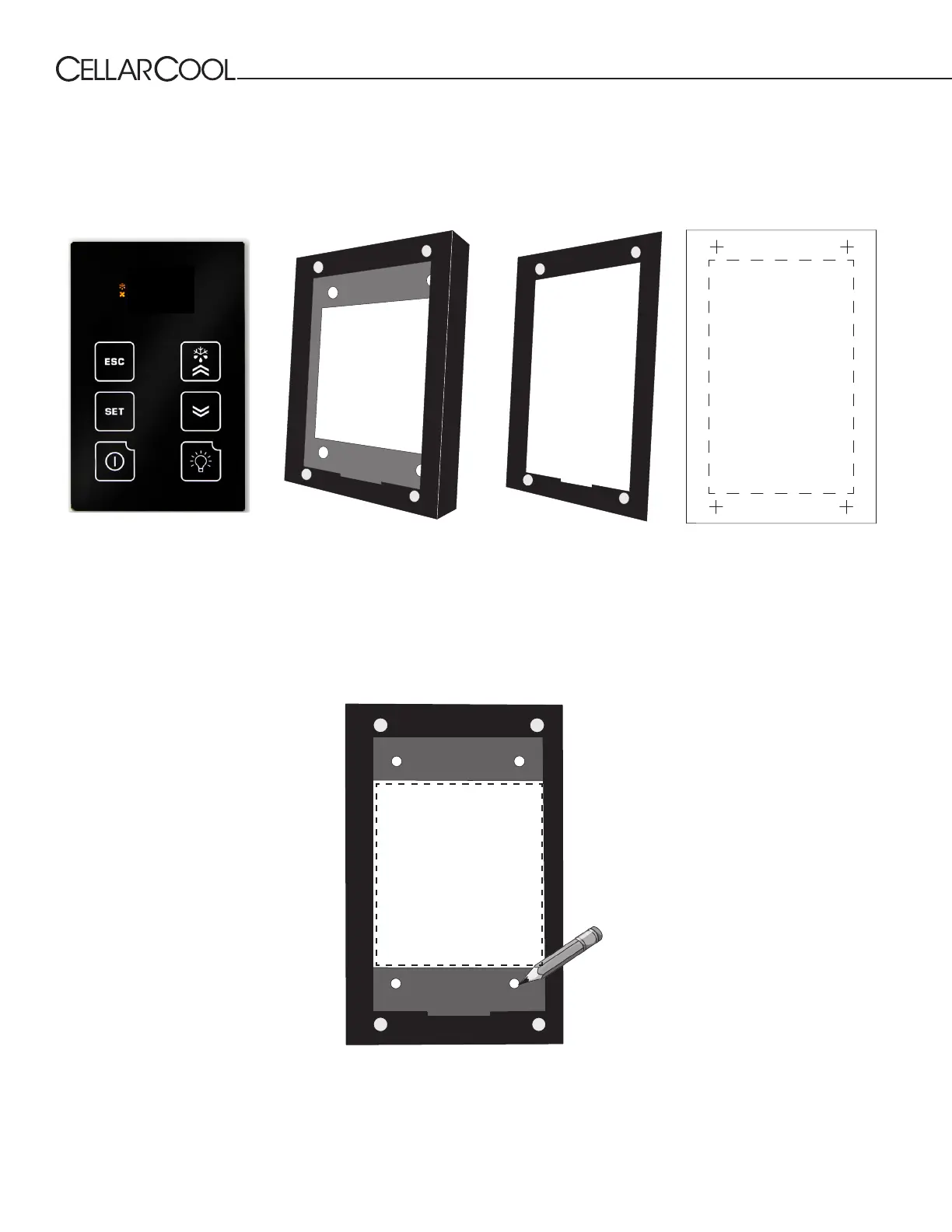
1. Place the bracket on the wall. Use a level to ensure that the bracket is level. Using a pencil, mark the four screw
holes in the rear of the bracket.
REMOTE DISPLAY: INSTALLATION AND CONFIGURATION*
NOTE: Cut hole in the location shown for routing the display cable.
Tools needed: ⁄” drill bit, ⁄” drill bit, drywall saw, level, pencil
What’s included: Display panel, wall mount bracket, ush mount bracket, ush mount template
55°F
Display panel Wall mount bracket Flush mount bracket
TOP
Flush mount template
* The display can be mounted on any wall (inside or outside the wine cellar), up to 50 feet from the cooling unit.



 To Next Page