Upgrade
44 UFED System
11.2. Upgrade from USB Disk Drive or SD Card
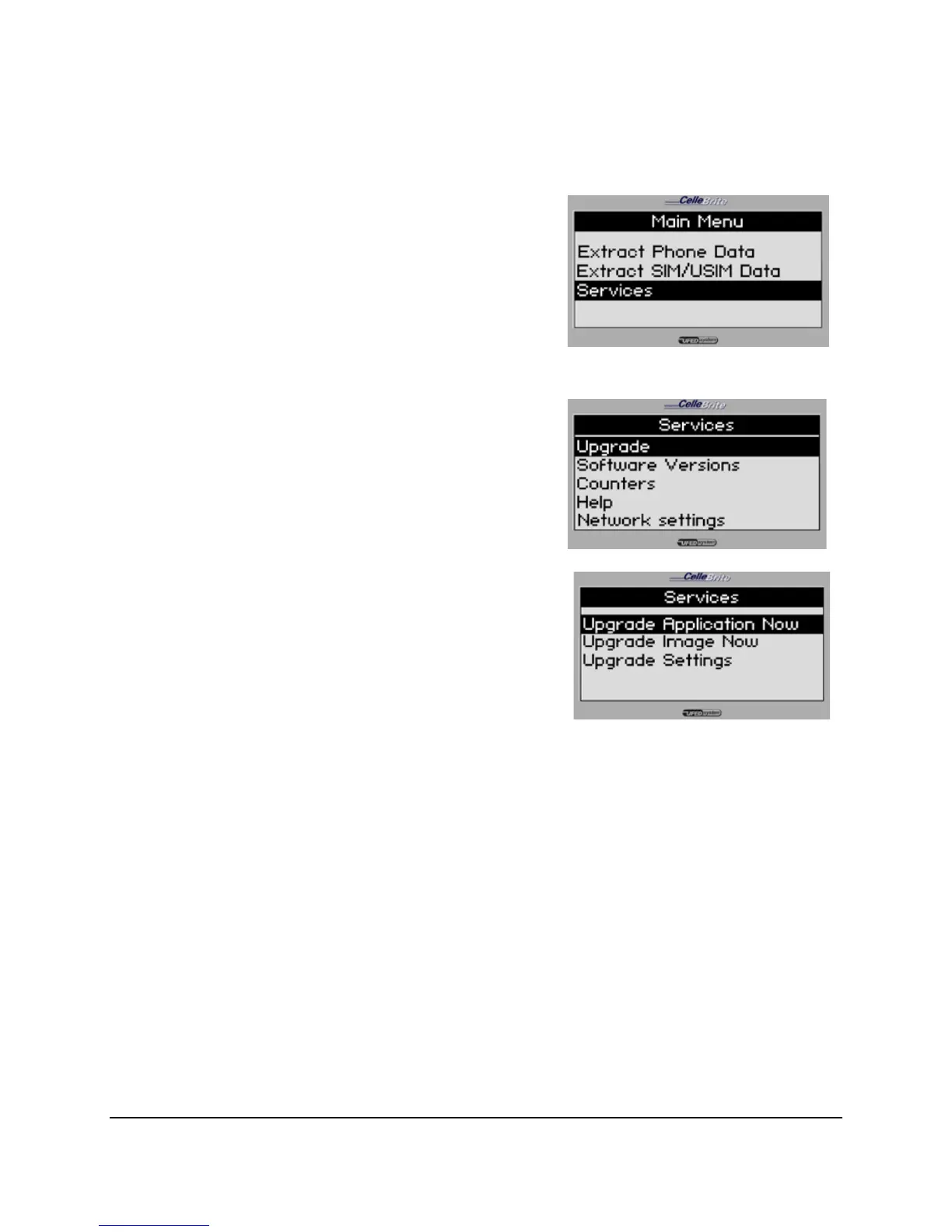
1. Main Menu
Select Services.
Press OK or ► to continue.
2. Services Menu
Select Upgrade.
Press OK or ► to continue.
3. Upgrade Menu
For a manual upgrade, you have
two options:
• Upgrade Application Now – The
‘application’ refers to the UFED
application data, which includes
the support information for any
new phones.
• Upgrade Image Now – The
‘image’ refers to the core software
that is running on the UFED.
Use the ▲▼ keys to move between
options. Press OK or ► to continue.



 To Next Page