Chapter 11 - Upgrade
User Manual 47
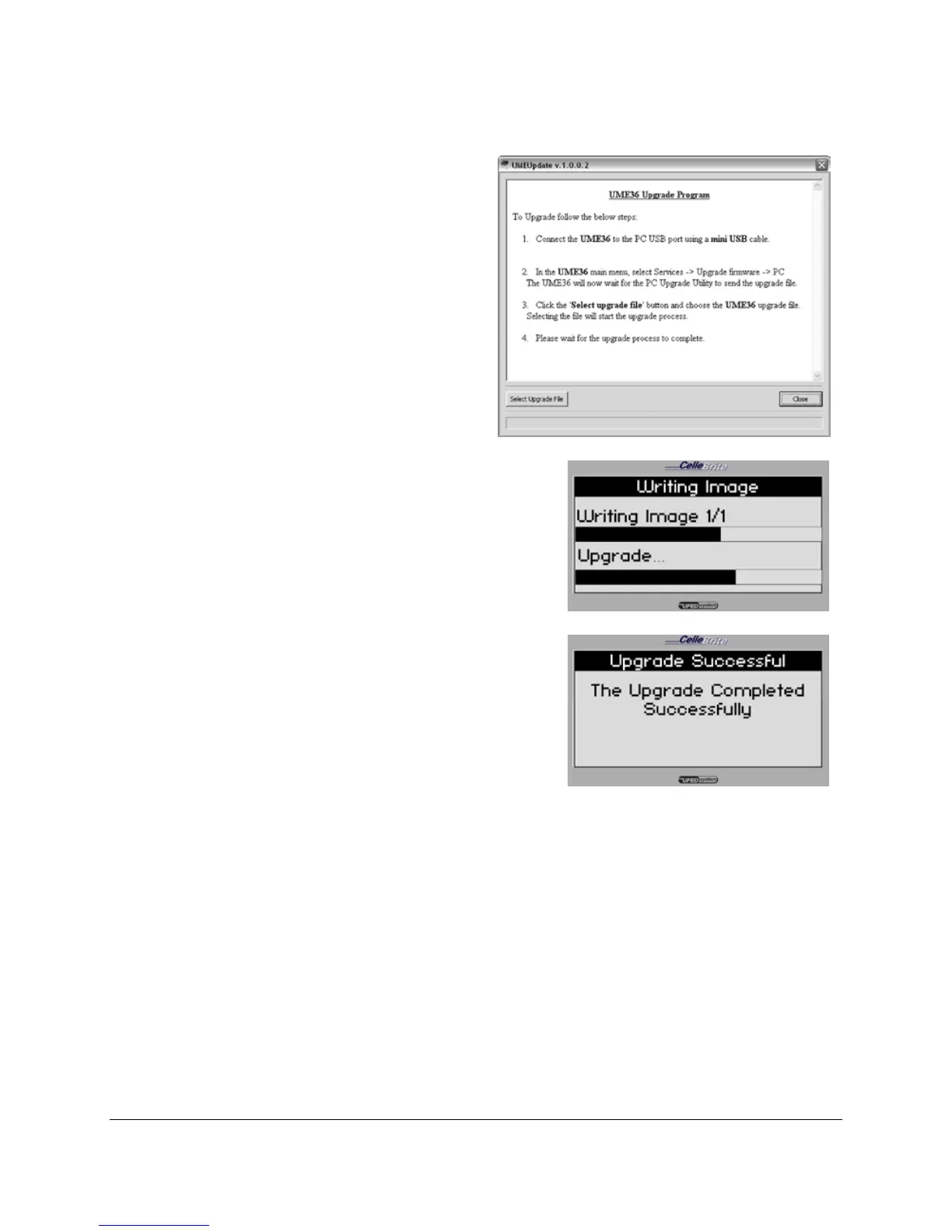
9. Start the upgrade process
Start the upgrade process
by performing the steps
that are requested by the
software’s dialog box
displayed on your PC.
10. Upgrade
The UFED now performs the
upgrade. Do not interrupt the UFED
until the full process is complete.
11. Finish
After finishing the upgrade process,
the UFED displays a message
indicating that it completed the
update. It will then restart
automatically, and return to the main
menu.
11.4. Upgrade from Web



 To Next Page