Appendix A: Battery Replacement (Ruggedized Only)
52 UFED System
Appendix A: Battery Replacement (Ruggedized Only)
1.
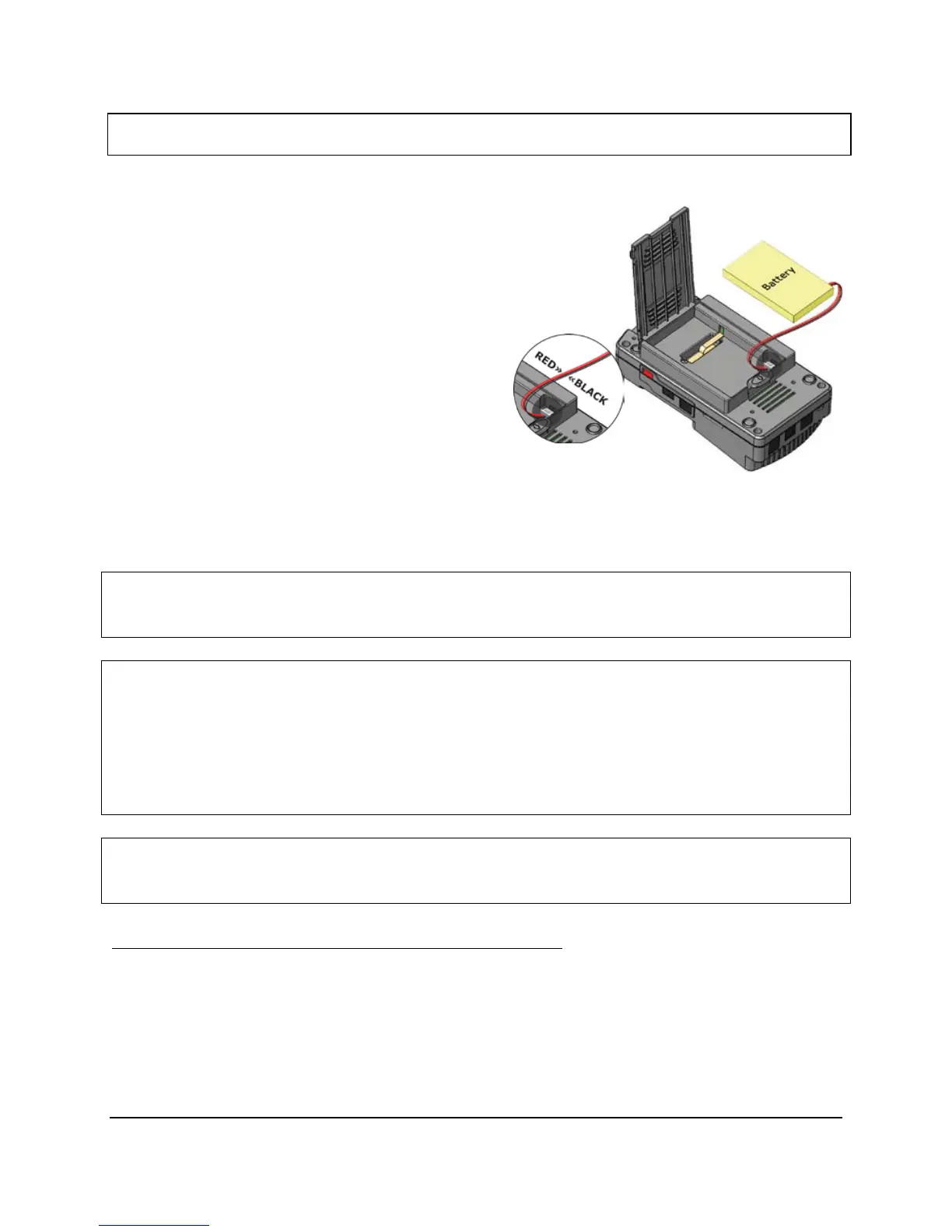
Open battery compartment located on the back of the UFED by
pushing on the release latch in the direction of the arrow.
2.
Attach connector:
a.
Remove the old battery an unplug the connector, noting the
orientation of the connector.
b.
Connect the new battery, taking care to connect
the power connector in the same orientation.
c.
Place the battery in the battery box.
d.
Close the cover
e.
Check UFED power by sliding the power switch to ‘BAT’
(unit should power on if battery is charged), Charge the device if necessary, by connecting it to the
power supply, and sliding the power switch to ‘CH’
Warning: Lithium Polymer batteries are volatile. Improper use, or charging may result in fire, personal injury, and
damage to property.
Warning: The batteries could be used within the following temperature ranges. Exceeding these ranges could
result in fire, personal injury, and damage to property
● Operating Temperature: -20 to 60°
● Storage Temperature: -20 to 45° for 1 Month.
(Storage temperature for longer periods should be limited to: 0 to 25°C)
● Charging Temperature: 0 to 45°
Warning: Over-discharging of Li-Polymer cells can cause cell degradation, functional losses, and battery swelling.
The cells can degrade into an over-discharge state through self discharging.
Battery over-discharging prevention- precautionary measures:
1. When the UFED battery charge drops below 15% (all indication LEDs are off), charge the device as
soon as possible.
2. The slide switch should never be left in ‘BAT’ position if the UFED is not in use. Prolonged time in
this setting (1 month +) can result in damage the battery and reduce capacity.
3. Check the batteries capacity periodically and charge when necessary.



 To Next Page