23
5.2 Bioprinng with the INKREDIBLE 3D
Bioprinter
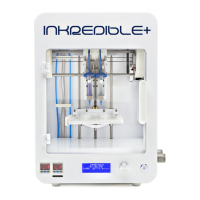
The following steps should be followed every me you use your INKREDIBLE 3D
Bioprinter:
5.2.1 Installing the Cartridges
1. Aach nozzles to your cartridges with CELLINK Start (or other bioink of your
choosing).
2. Connect the pressure connectors for printheads [10a] and/or [10b] to the
printheads [2a] and/or [2b] by twisng the cartridge connectors.
3. Insert the cartridges inside the printheads [2a] [2b].
CAUTION! Verify there are two power outlets running on dierent fuses
available at the workspace, otherwise the air compressor might cause
electromagnec interference with the INKREDIBLE.
CAUTION! Press the cartridges down thoroughly prior to iniang the next
sequence.
4. Next, the INKREDIBLE 3D Bioprinter needs to be homed and calibrated.
5.2.2 Homing the Bioprinter:
1. Start by turning the INKREDIBLE on with the power buon [1].
2. Use the following sequense to home the INKREDIBLE 3D Bioprinter:
3. Remove all objects from the printbed [4] (such as well plates, petri
dishes etc.)
4. Lower the printbed [4] manually by simply pushing down at the back of the printbed.
5. Press the control knob [8] once to enter the menu.
6. Turn the control knob [8] to select “Prepare Bioprint” and press to enter.
7. Turn control knob [8] to “Home Axes” and press it to select. The INKREDIBLE
3D bioprinter will now home all axes. The nozzle of printhead 1 should
be in the middle of the printbed once the sequence is completed.
5.2.3 Calibrang the Z axis:
1. Next, the Z Axis needs to be adjusted and calibrated to bioprint in a petri dish. Use the
following sequence to do this:
2. Place a petri dish onto the printbed [4].
3. Press the control knob [8] once to enter the “Menu”.
straight out from the side of the INKREDIBLE 3D bioprinter.
WARNING! Never reach into the instrument while it is moving. Wait unl all
parts have come to a complete stop before reaching into the instrument.



 To Next Page