53
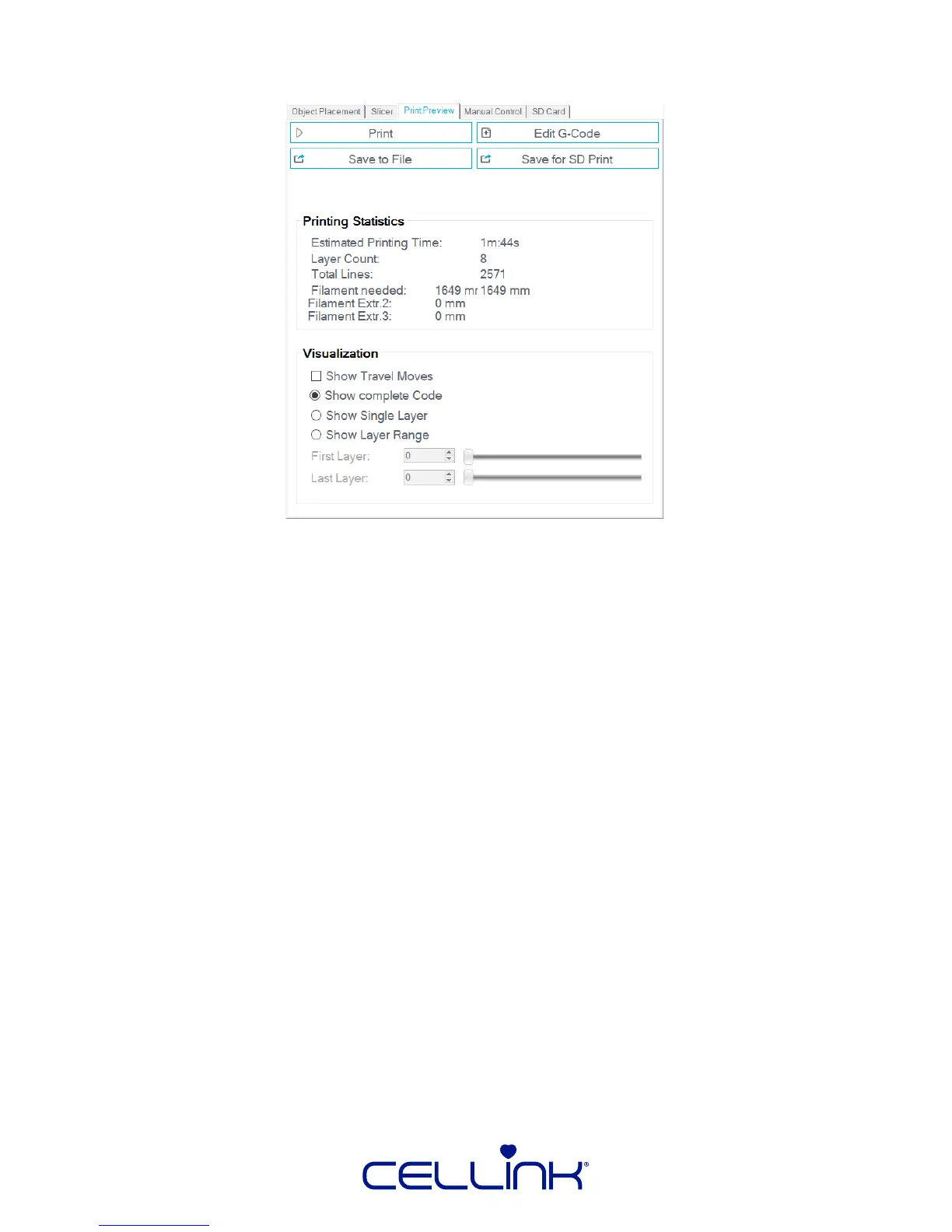
3. The the model sliced, and the G-Code generated, now you can decide how the le
gets printed:
Print – If an INKREDIBLE is connected to the PC, you can run the print directly with this
buon. See 5.2.5 “Starng the Print” for how to print directly from a PC.
Edit G-Code – Clicking this will create a new “G-Code Editor” tab, which will become the
acve tab. Use the “GCode Guide” for assistance navigang this secon.
Save to File – This funcon store will store the G-Code le in a local directory on the
PC. This is useful for reusing the G-Code or modifying it using an external soware suite.
Save for SD Print – Like “Save to File”, it is designed for reuse of the G-Code le; however,
for space-saving reasons, comments within the code are completely removed. In addion,
it performs modicaons to the code that are not necessary for the INKREDIBLE. Using
this funcon is not recommended.
Congratulaons, you have sliced an object for use with your INKREDIBLE bioprinter!



 To Next Page