48
9. Press the right ARROW key to set PowerMAX to off.
NOTE: The system will time out and return the Discover screen after 10 seconds. If this occurs before all the method
parameters are entered, press the Power hotkey.
10. Once all method parameters have been entered, press the ENTER key.
11. Press the DISCOVER key.
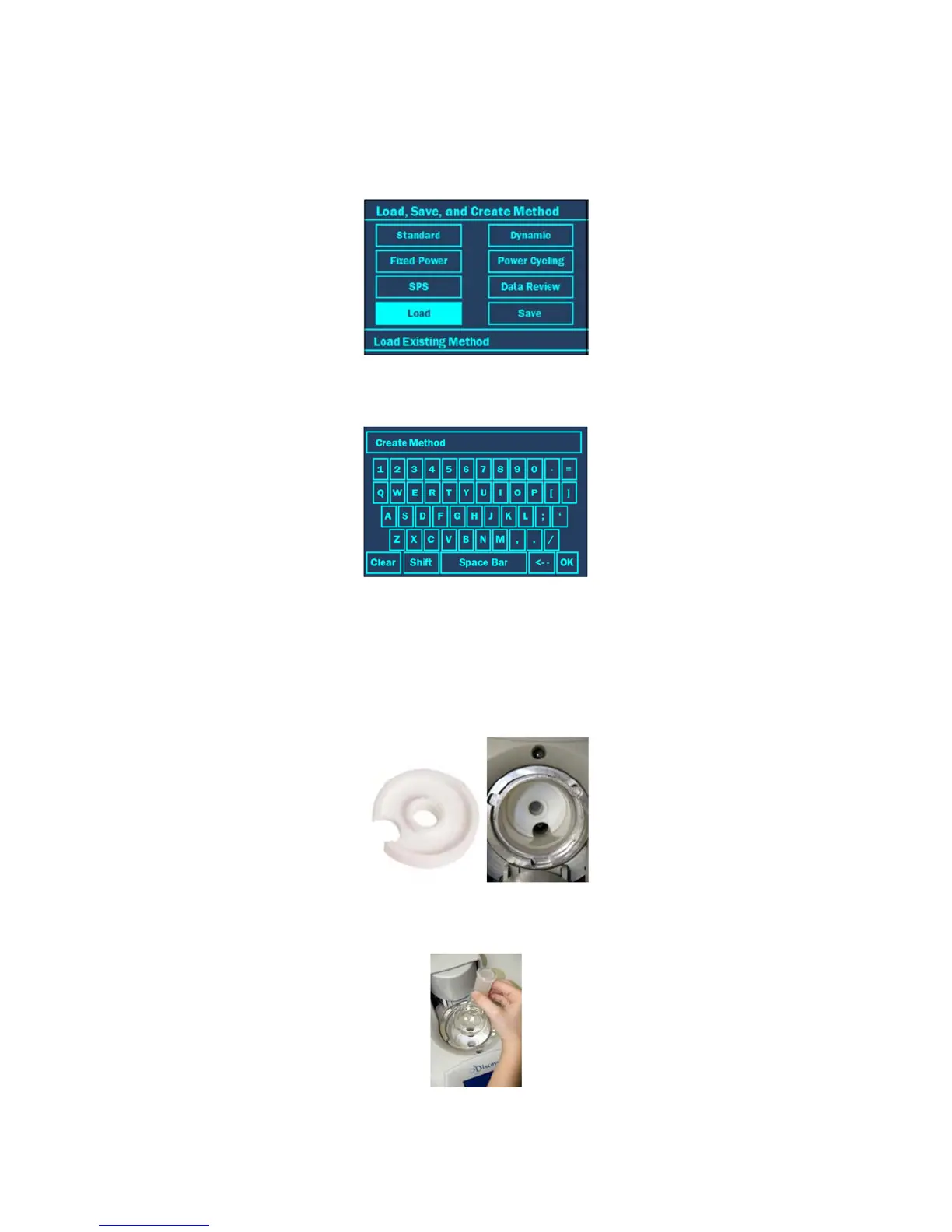
12. Use the “+/-” and ARROW keys to Highlight “Save.”
13. Press the ENTER key to save the method.
14. Use the “+/-” and ARROW keys to enter in the method name. Save the method as “Power Test.”
15. Once all the letters have been entered, highlight “OK.”
16. Press the ENTER key to save the method.
17. If applicable, remove the attenuator assembly from the instrument cavity.
18. Insert the vessel stand in the instrument cavity with the standoffs pointing downward. Ensure that the vessel stand
is flat against the bottom of the cavity and that the cutout in the stand is positioned over the opening in the cavity
liner.
19. Place 100mL of water and a stirring bar into a 100mL round bottom flask.
20. Place the flask into the cavity so that it is positioned on top of the vessel stand.
21. Install the open vessel attenuator assembly with the large slot positioned toward the back of the instrument.



 To Next Page