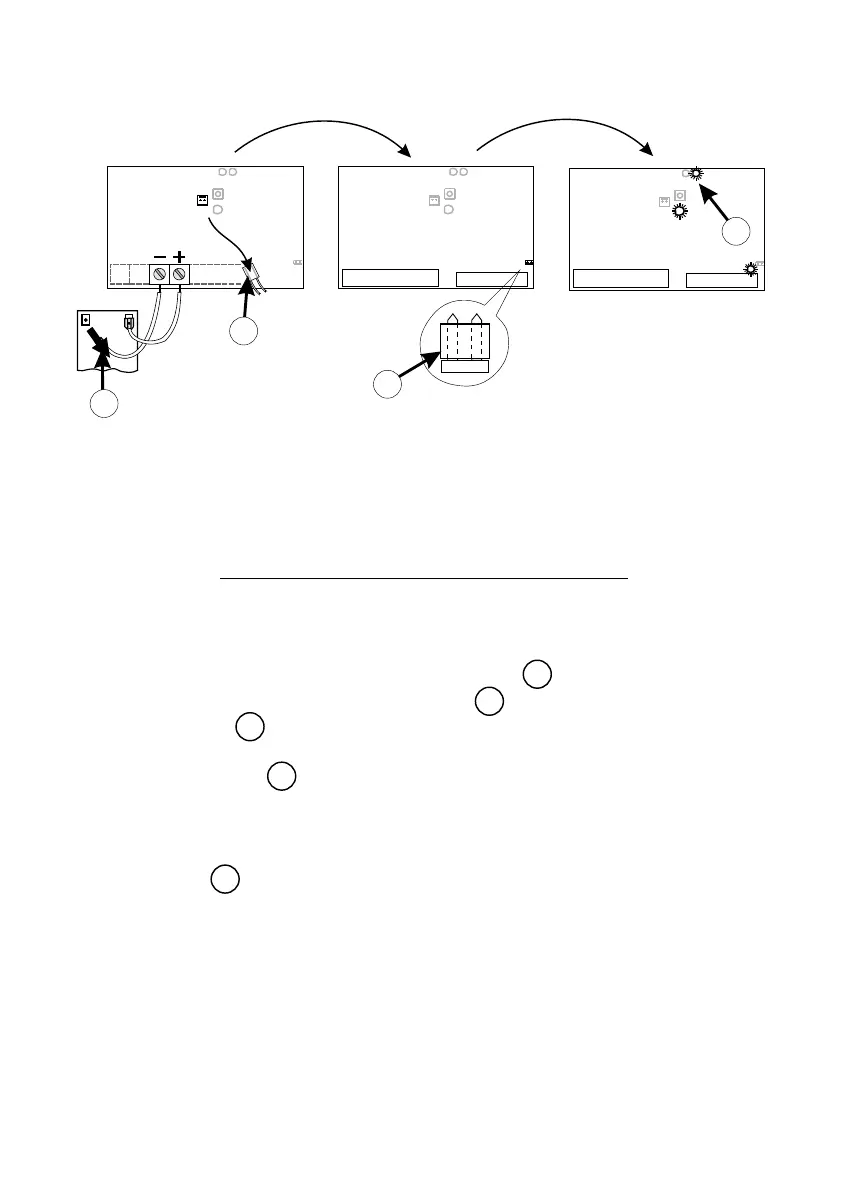
SELECTING PROGRAMME MODE
21
STEP 1 - Remove power from control card:
- for A5 remove electronics power only
- for D3/D5 remove battery power as well as electronics
power .
STEP 2 - Fit “SET” link .
STEP 3 - Reapply power (reversal of STEP 1). STATUS LED will flash 5 times
on power up. Check that LED L2 and “SET” are ON.
LED L2 indicates controller is in “programme mode”.
69
70
71
72
69
1 2 3
BLACK
RED
CP80/CP81
L1 L2
13.8V
STATUS
SET
CP80/CP81
L1 L2
STATUS
SET
CP80/CP81
L1
L2
STATUS
SET
70
69
72
71



 To Next Page