24
1
2
3
4
5
6
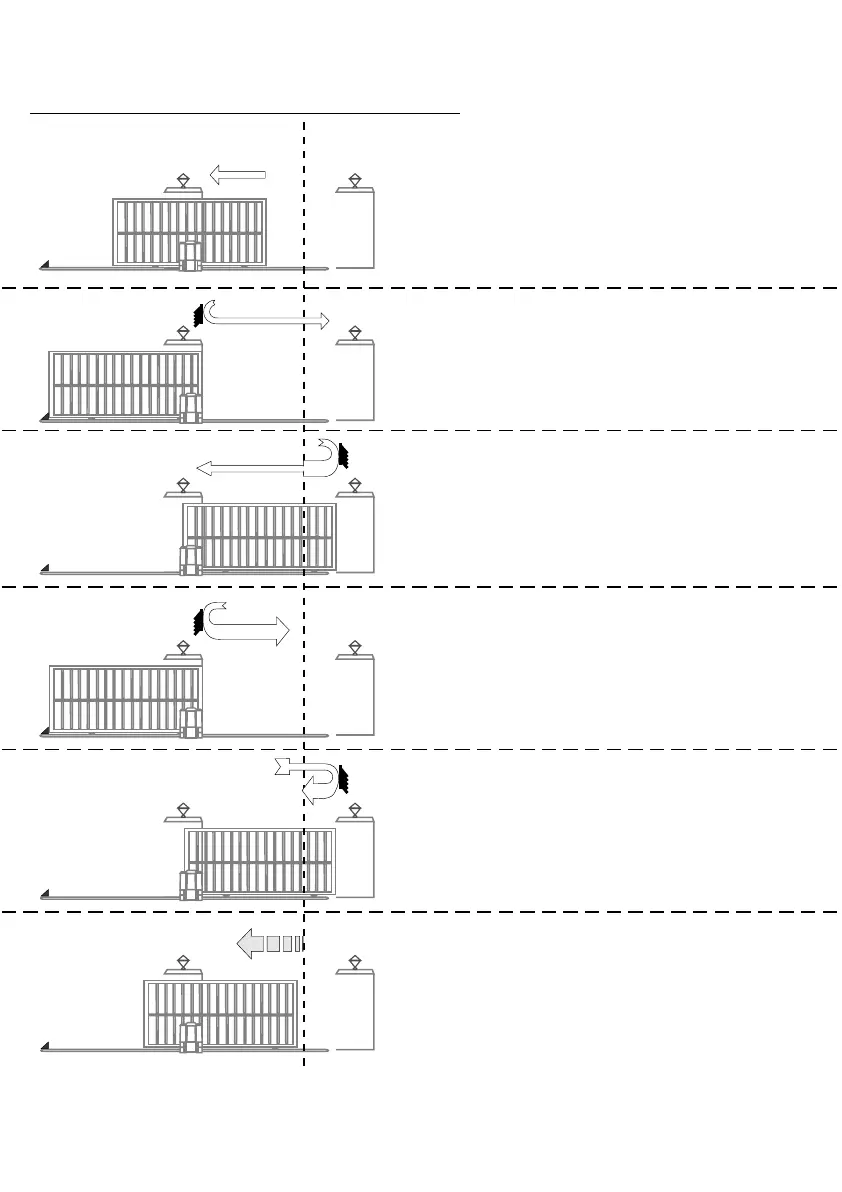
1- Gate starts at “crawl” speed to open
gate.
NB. If gate closes, remove power and
reverse motor wires (see page 20)
2- Gate hits “open” end stop and reverses
direction running at crawl speed.
3 - Gate hits “closed” end stop and
reverses direction running at “FULL”
speed until the marker, then at
CRAWL speed to end.
4 - Gate hits “open” end stop and
reverses but now runs at “FULL”
speed.
5 - As gate sensor passes the motor, the
speed reduces to CRAWL. Gate hits
“closed” end stops and reverses
at FULL SPEED.
6 - Gate stops at “pedestrian” (PED)
position. If required, widen PED
opening by pulsing PED input.
D3/D5 MOTOR AUTOMATIC SET-UP



 To Next Page