77 – Monitoring – User manual – v1.2
Monitoring - CanDis
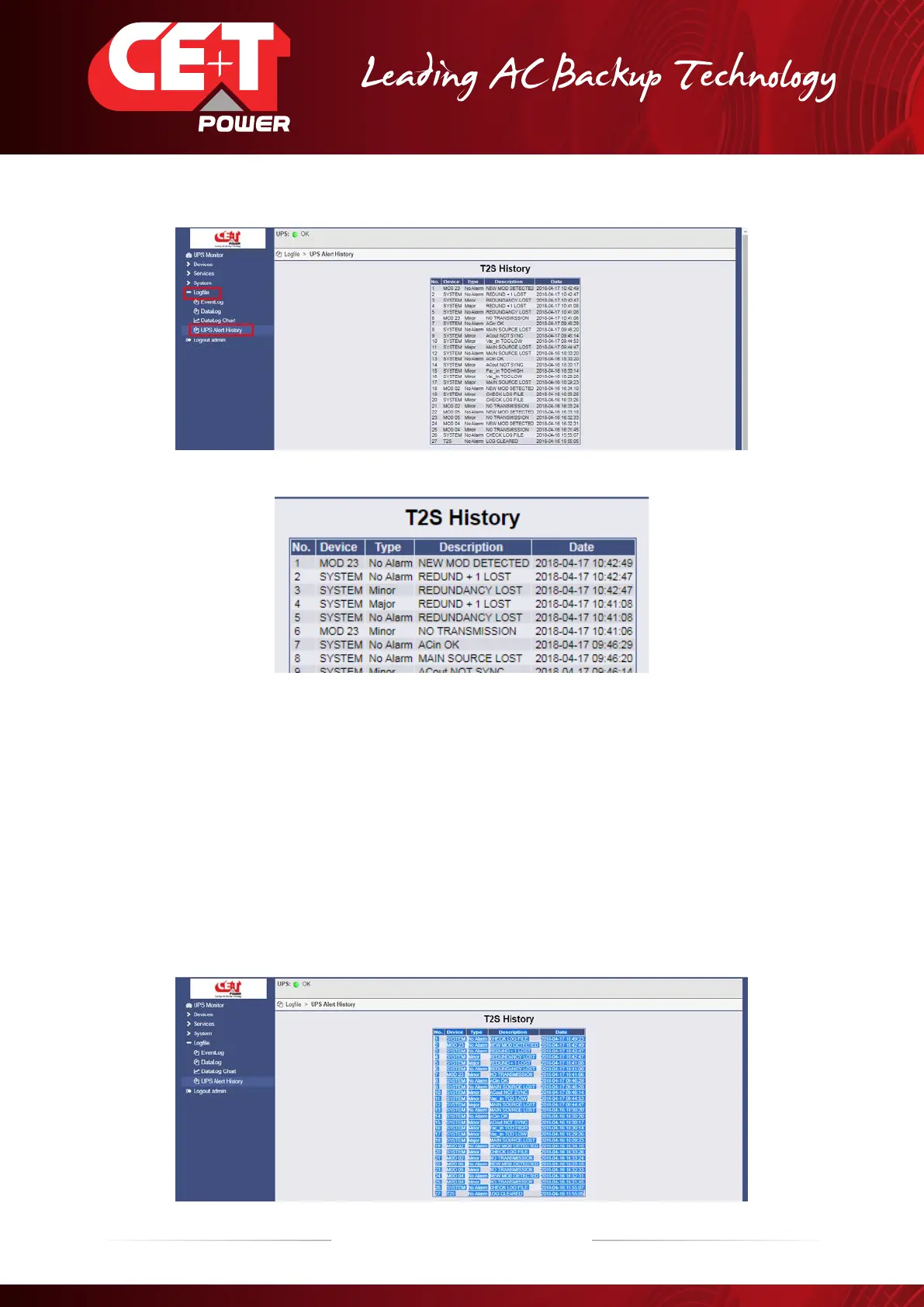
7. When clicking on Logfile > UPS Alert History, T2S History screen will appear.
Up to 200 events are recorded and the newest supersedes the oldest.
Customer can copy the history log file in an Excel file (.xls).
Procedure:
A) After retrieving the history log file.
B) Press on right mouse button.
C) Press on “select all” menu.
D) Press on right mouse button again.
E) Press on “copy” menu.
F) Open a new excel file and past the data as “Paste Special”.
G) Save file.


 To Next Page