C-net 2000 MULTI
10
ñ
1.4 Changing the Information Display
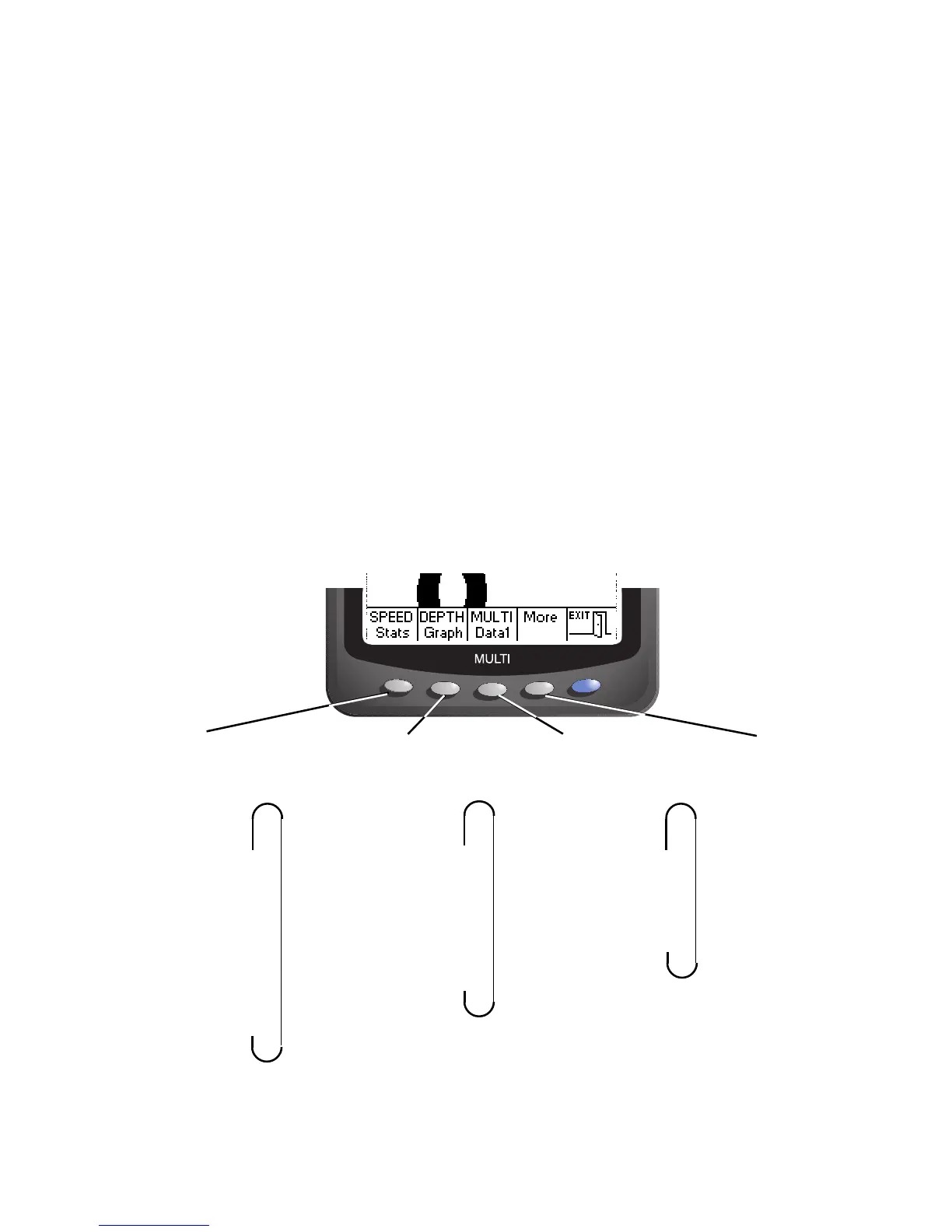
Press any of the grey buttons, while viewing an
information display, and a pop-up menu will be displayed
at the bottom of the screen.
The menu shows the current function of each button.
After each press of a Grey key the display changes to the
selected Information Display.
If no button is pressed within 5 seconds, the menu will
slowly sink off the bottom of the screen.
Press any Grey button to recall the menu.
SPEED Graph DEPTH Graph MULTI Data 1
SPEED Gauge DEPTH Gauge MULTI Data 2
SPEED Big DEPTH Big MULTI Quad 1
SPEED Statistics DEPTH Statistics MULTI Quad 2
SPEED Log DEPTH Alarms
RACE Timer
Stopwatch
Each press cycles
through the
Speed Displays
Each press cycles
through the
Depth Displays
Each press cycles
through the Multi
Data Displays
Changes the
menu to the
second set of
options
ñ
ñ
ñ
ñ
ñ
These are in the
Ocean and
Coastal
versions
Quad2 is in the
Ocean version
only.



 To Next Page