27
CALIBRATION
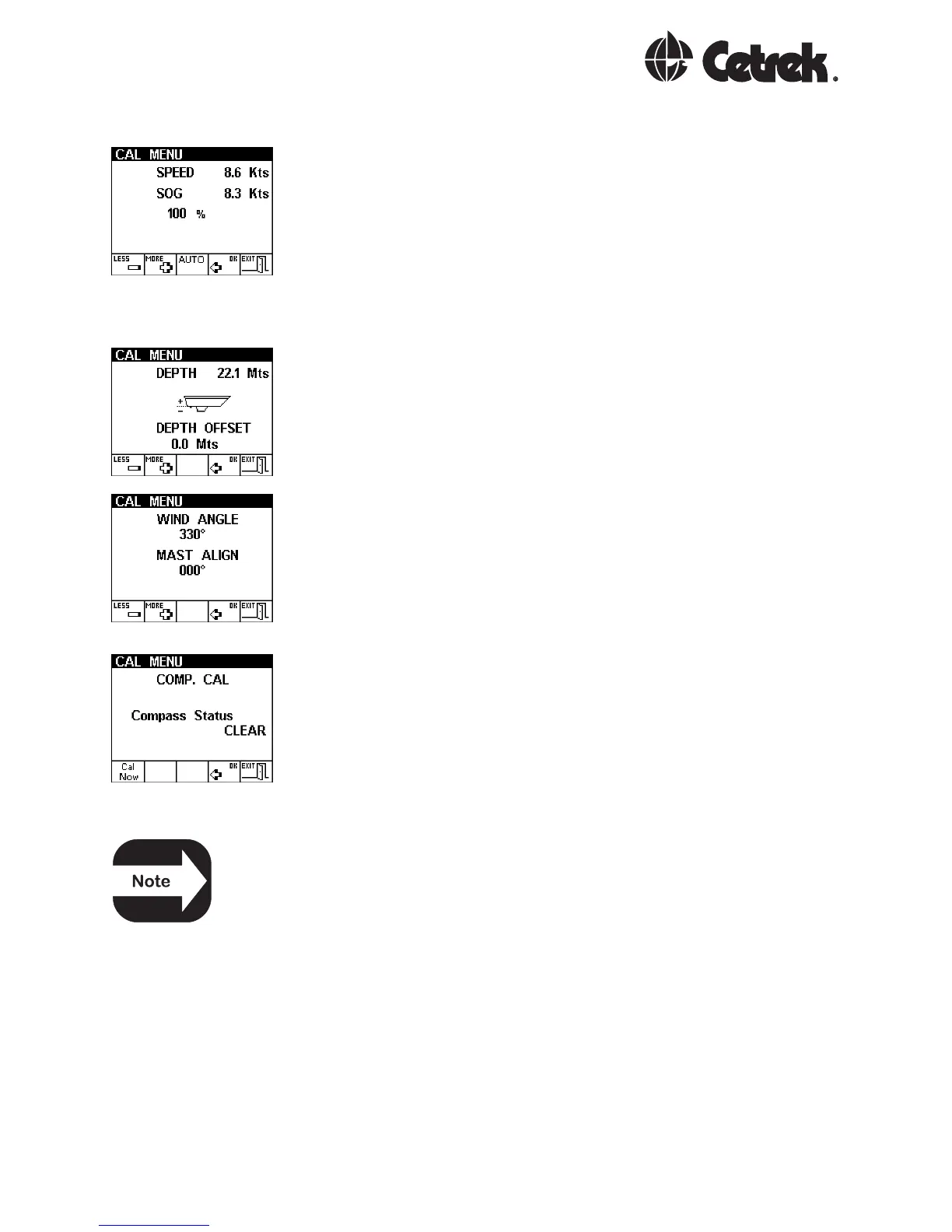
The Speed option changes the speed transducer reading
by the percentage set here.
It is also possible to calibrate automatically against a GPS
speed input. If there is very little tide and the GPS is giving
good Speed Over Ground information, press AUTO key and
the MULTI will calculate the correct percentage value to
ensure that both water speed and ground speed are
identical.
The Depth Offset option allows a fixed dimension to be
added or subtracted from the depth reading. This allows
compensation for keels, or depths from the water surface
to be displayed.
only on Ocean versions:
The windvane may require fine adjustment to ensure that
it reads zero angle with the wind direction dead ahead.
Use this screen to rotate the wind angle so that it reads
correctly. This adjustment also corrects any WIND or TACK
units connected in the system.
only on Ocean versions:
This is used for directly connected compass systems that
respond to a remote trigger for calibration, such as those
using 930541/930543 interfaces. This page starts the
calibration run directly from the MULTI. If the compass
calibration reads CLEAR, go directly to Step 2. If the
compass status reads CORR, the current compass
calibration needs to be removed as in step 1.
When connecting to a heading source from a Cetrek
Autopilot System, Calibration and Alignment is done as
part of the Autopilot installation. Do not calibrate or Align
it from here.
STEP 1 1.1 Switch the system OFF
1.2 Remove the top cover from the 541/543 compass
interface, and locate the calibration link (LK1).
1.3 Remove the black jumper from the calibration link
pins and apply it to the two pins of LK2, that are next to
LEDs 1 & 2.



 To Next Page