Chapter 2
Cylinder and Components
54 SAFETY FIRST Edition 1 – December 2019
MSA G1 Electronic Breathing Apparatus
Hardware failure alarm
A hardware failure alarm occurs when there is a serious failure of the BA set,
indicating
that it will no longer function as intended. It is indicated by a red flashing
triangle in the
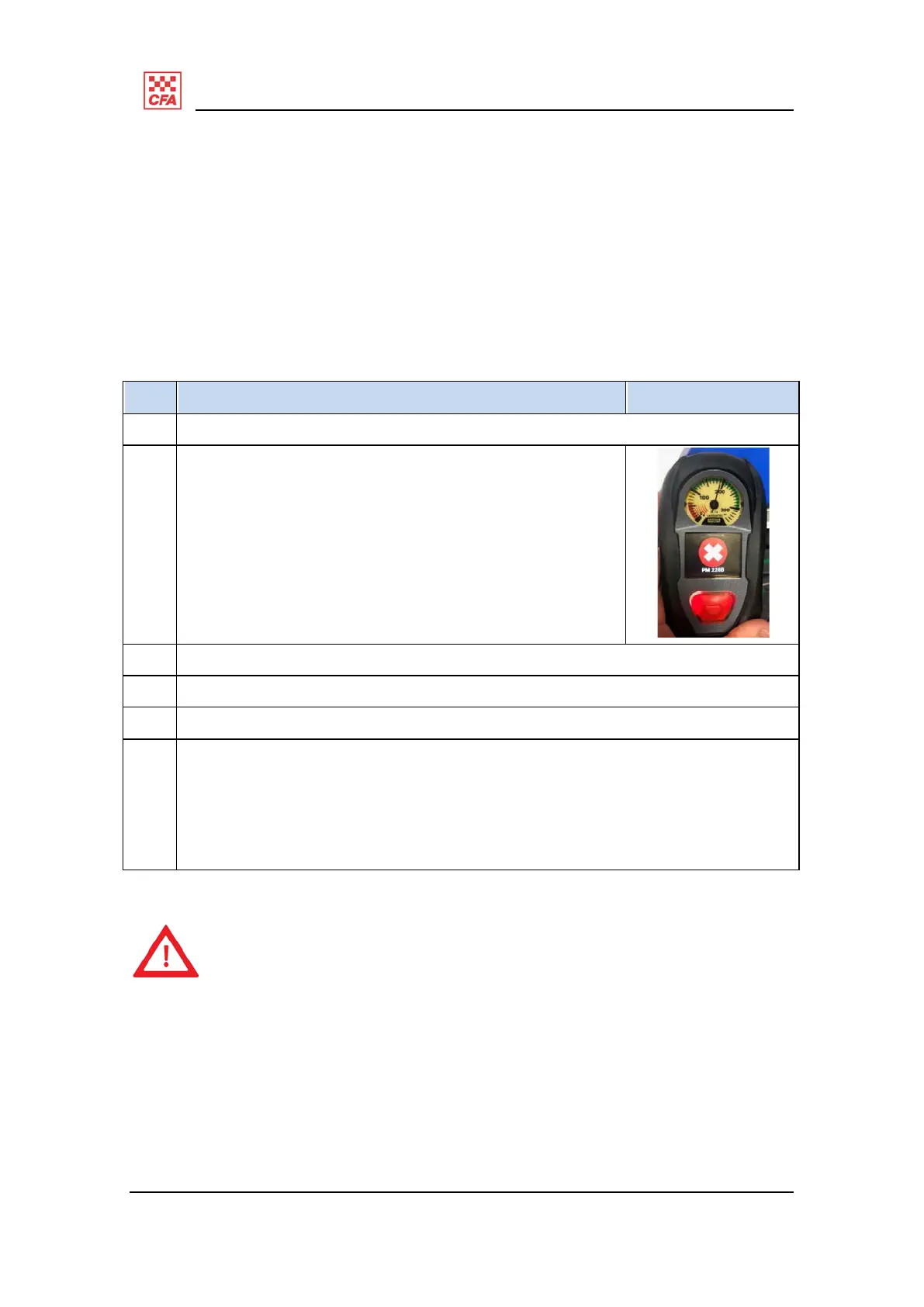
HUD, and a white cross against a red circle on the control module
screen.
Should a hardware failure alarm be encountered when the BA set is pressurised, follow
this procedure:
Step Description Illustration
1 Exit immediately to a clean air environment.
2 Note the error code displayed on the control module
screen.
3 Depressurise the set.
4 PARK the demand valve and remove the battery.
5 Reinsert the battery after five seconds and allow the system to reset.
6 Re-pressurise the set.
Should the BA re-alarm,
repeat steps 1-3; and
send
the BA for service to State PPE&E Management Centre. Details of the
error
code should be included on the service request paperwork.
This procedure is only to be carried out when in a clean atmosphere (COLD
zone).
If this alarm occurs while the operator is in the WARM/HOT zone, exit
immediately.


 To Next Page