6 Operation
The P1 phono stage is operated either from the unit's front panel or from a tablet using the CH Control App.
6.1 Front panel
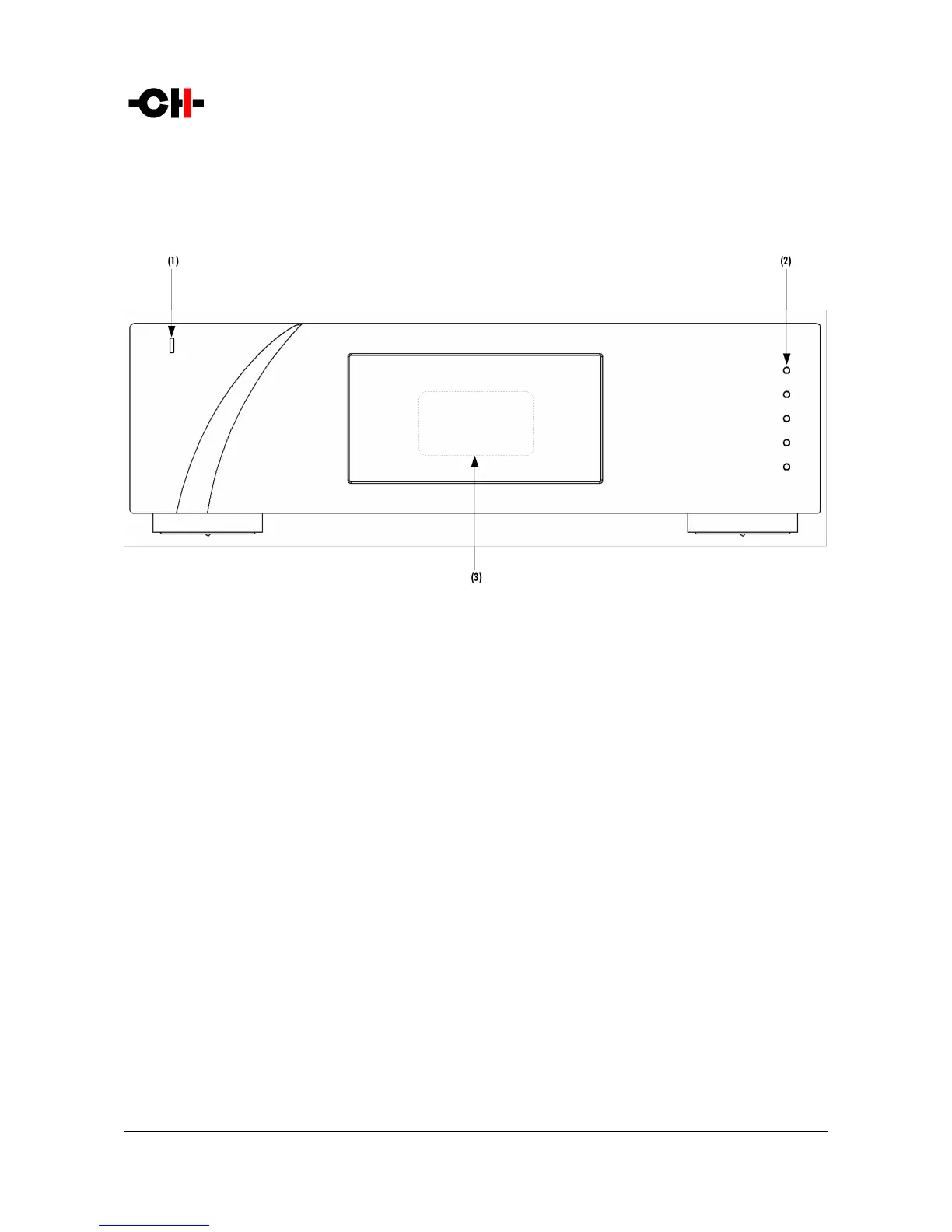
Front panel elements
(1) Standby LED
(2) Five user control push-buttons
(3) Display area (high-definition display)
The standby LED lights up when the unit is in standby. It is turned off by default during operation and shortly lights up whenever it
receives an IR remote control command. The LED can also be programmed to remain ON during operation. The display is a high-
definition panel with very wide viewing angle, high contrast and high brightness ensuring optimal reading comfort. The color and
brightness of the display can be configured to one's taste.
18 P1 User Manual Rev 1.1



 To Next Page