6.3.2 Shortcut Mode
The P1 phono stage settings are accessible through a set of menus as described in the next sections. However, to have quick access
to the most frequently used configuration menu items, the P1 offers the concept of Shortcuts. Shortcuts are fully programmable
and the user may choose almost any configuration parameter as a Shortcut. There are up to 6 user programmable Shortcuts. To
learn how to program individual Shortcuts, please refer to the SHORTCUTS menu item in the next section.
Shortcuts are accessed from Normal mode by a push of the OK [R] button on the front face. Additional OK [R] push skips to the
next Shortcut. The last Shortcut is always dedicated to entering the Menu mode (SETUP). On this last Shortcut, an OK [R] push will
return to Normal Mode and an UP [N] push will enter the Menu mode. The individual parameter for a given Shortcut is modified
using UP [N] or DOWN [O] buttons. If there is no user action for about 10 s the unit will revert to Normal mode.
The following table shows the actions of the push-buttons for Shortcuts.
Front face push buttons Unit State Unit Action
STANDBY [S] Short Push Any state Mute/Unmute
STANDBY [S] Long Push Any state Go to STANDBY
UP [N] Shortcuts (except last)
Last Shortcut (SETUP)
Modify parameter up (when available)
No action
OK [R]
Shortcut (except last)
Last Shortcut (SETUP) or
after current Shortcut has
been modified
Skip to next Shortcut
Exit Shortcuts mode (Normal mode)
DOWN [O] Shortcuts (except last)
Last Shortcut (SETUP)
Modify parameter down (when available)
Enter Menu mode
CANCEL [Q] Shortcuts
Exit Shortcuts mode (Normal mode)
Push-buttons actions for Shortcuts
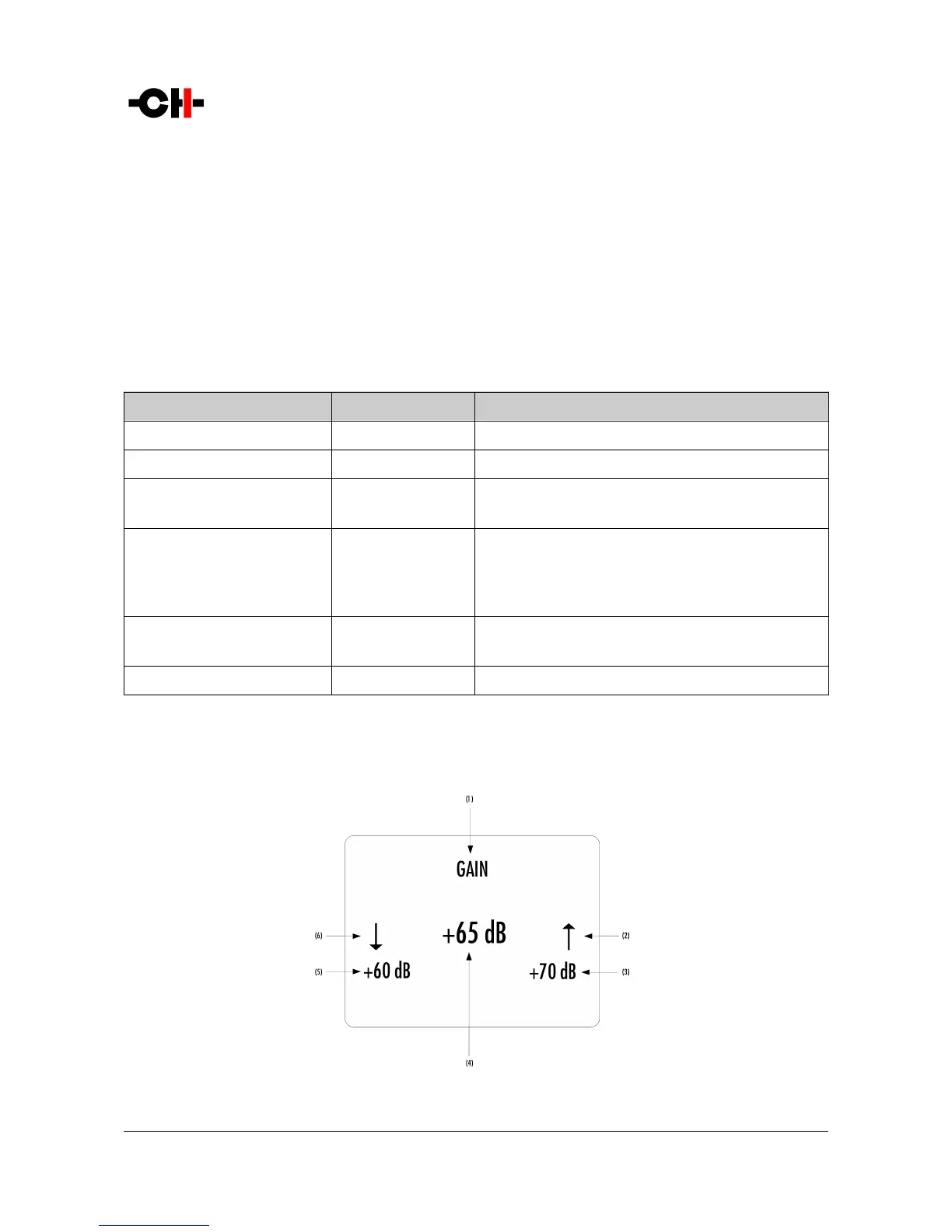
The GAIN Shortcut gives a good illustration of how to navigate a Shortcut screen. Navigating other Shortcuts is similar.
GAIN Shortcut display elements
Rev 1.1 P1 User Manual 21



 To Next Page