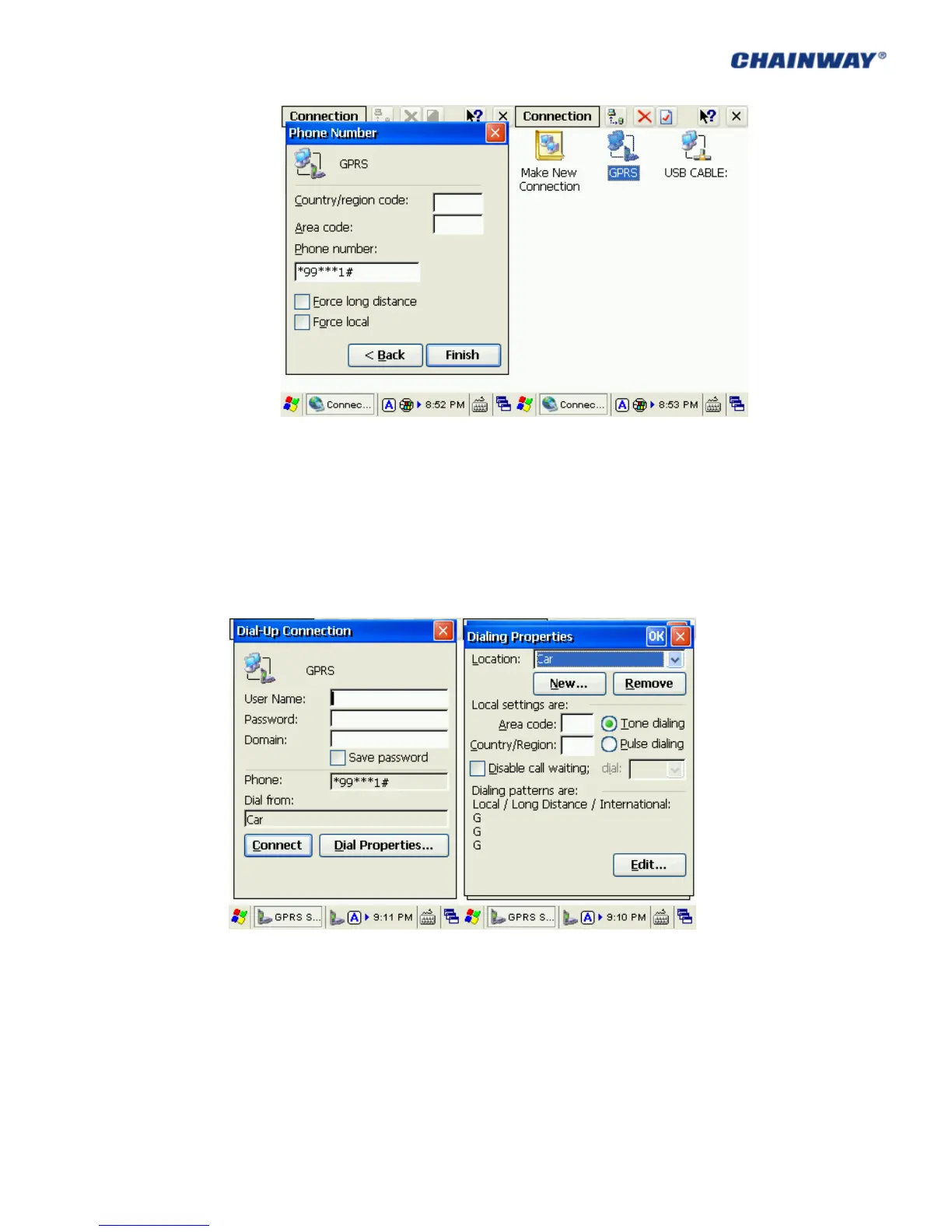
Pic 5.2-7 Pic 5.2-8
6) Double click the GPRS icon; in ‘Dial-Up Connection’ page, keep ‘User Name’,
‘Password’ and ‘Domain’ blank, and then click ‘Dial Properties’; choose ‘Location’ as
‘Car’ and then click ‘Edit’; Fill the 3 edit boxes all with letter ‘G’ and then ‘OK’. Click
‘OK’ on ‘Dialing Properties’, and then back to desktop. Pic 5.2-9, Pic 5.2-10, Pic 5.2-11
and Pic 5.2-12
Pic 5.2-9 Pic 5.2-10



 To Next Page