EasyManua.ls Logo

Chamberlain SL3000101UL - User Manual

Chamberlain SL3000101UL
48 pages
Print Icon
To Next Page IconTo Next Page
Loading...
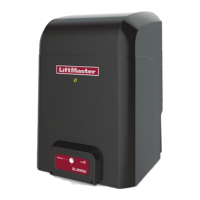
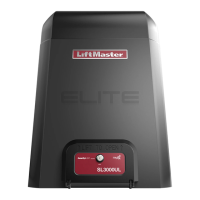
ELITE SERIES COMMERCIAL HIGH-TRAFFIC
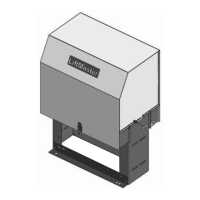
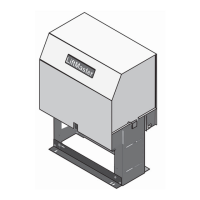
AC SLIDE GATE OPERATOR
Model SL3000UL
INSTALLATION MANUAL
• THIS PRODUCT IS TO BE INSTALLED
AND SERVICED BY A TRAINED GATE
SYSTEMS TECHNICIAN ONLY.
• This model is for use on vehicular
passage gates ONLY and not intended
for use on pedestrian passage gates.
• This model is intended for use in Class
I, II, III and IV vehicular slide gate
applications.
• Visit LiftMaster.com to locate a
professional installing dealer in your
area.
• This gate operator is compatible with
MyQ
®
and Security+ 2.0
®
accessories.
SL3000101UL
1 HP Single Phase
SL3000501UL
1/2 HP Single Phase
LiftMaster
300 Windsor Drive
Oak Brook, IL 60523
Access installation and technical support
guides or register this product
Send it in by texting the
photo to 71403.
Take a photo of the
camera icon including
the points (
).
1.
2.
•
T
A
S
•
T
p
f
•
T
I
a
•
V
p
a
•
T
M
SL3000ULTECH

Table of Contents

Questions and Answers

  • M
    madelinegarrettAug 30, 2025
    How to resolve a constantly flashing battery status LED on a Chamberlain Garage Door Opener?
    • V
      Vincent JonesAug 30, 2025
      A constantly flashing battery status LED on your Chamberlain Garage Door Opener indicates a battery backup charging circuit error. To resolve this, replace the logic board.
  • T
    Tonya MillerAug 23, 2025
    What to do if my Chamberlain Garage Door Opener won't close and the light bulbs are flashing?
    • E
      ewadeAug 25, 2025
      If your Chamberlain Garage Door Opener won't close and the light bulbs flash, it typically indicates an issue with the safety sensors. Here's what to check: * Ensure the safety sensors are installed and properly connected. * Inspect the sensor wires for any cuts or damage. * Look for shorts or reversed wiring at all staple and connection points, and replace or correct as needed. * Realign the sensors to ensure both LEDs are steady and not flickering. Also, confirm that nothing is obstructing the sensor's path.
  • K
    Karen BrightAug 31, 2025
    What to do if I need to scroll through saved codes on my Chamberlain SL3000101UL?
    • J
      judithhessSep 1, 2025
      To scroll through the saved codes on your Chamberlain Gate Opener, press the OPEN button to cycle to the most recent code, which will be labeled as "01".
  • H
    Heidi SullivanSep 1, 2025
    What to do if Chamberlain SL3000101UL stops during travel and reverses immediately?
    • S
      Samantha LivingstonSep 1, 2025
      If your Chamberlain Gate Opener stops and reverses immediately, consider these potential solutions: * Use the Diagnostic code to identify the issue. * Inspect the gate's path for obstructions. Remove the arm and move the gate manually to ensure it moves freely. Remove any obstructions or repair the gate if needed. * Check all Entrapment Protection Device inputs for an active sensor. * Check all Open and Close inputs for an active input. * Check all vehicle detector inputs for an active detector. * Ensure the battery voltage is 22.0 Vdc or higher by charging the batteries via AC or solar power, or replace them if necessary.
  • N
    Natalie CarrollSep 2, 2025
    Why Chamberlain SL3000101UL opens, but will not close?
    • C
      Cheyenne MedinaSep 2, 2025
      If your Chamberlain Gate Opener opens but won't close, here's what you can check: * Check the DIAGNOSTIC LEDs. * Ensure the Open control is not active. * See if the Close Entrapment Protection Device is active. * Check for an active Vehicle loop detector. * Consider a Loss of AC power with AC FAIL set to OPEN. * Check for a Low battery with LOW BATT set to OPEN. * Verify that the Fire Dept input is not active.
  • T
    Theresa RushSep 3, 2025
    What to do if Chamberlain Gate Opener does not respond to a wired control/command?
    • D
      David MataSep 3, 2025
      If your Chamberlain Gate Opener isn't responding to a wired control or command, consider the following: * Check the DIAGNOSTIC LEDs. * Check the Open and Close command input LEDs. * Ensure the Stop button is not active. * Make sure the Reset button is not stuck. * If running on battery power only, check for low or dead batteries. * Verify that the Entrapment Protection Device is not active. * Check if the Vehicle loop detector or vehicle probe is active. * A defective control board could also be the cause.
  • U
    ulivingstonSep 3, 2025
    Why Chamberlain SL3000101UL Gate Opener relay clicks with command, but motor does not turn on?
    • L
      Leslie JonesSep 3, 2025
      If the relay clicks when you send a command but the motor doesn't turn on for your Chamberlain Gate Opener, check these potential causes: * Check the DIAGNOSTIC LEDs. * Ensure the Reset button is not stuck. * Verify that the Stop button is not active. * If on battery power only, check for low or dead batteries. * Ensure the Open or Close input is not active. * Verify the Entrapment Protection Device is not active. * Check if the Vehicle loop detector or probe is active. * A defective control board could also be the reason.
  • M
    Melissa Miles MDSep 4, 2025
    Why Chamberlain Gate Opener does not fully open or fully close when setting limits?
    • K
      Kimberly MurphySep 4, 2025
      If your Chamberlain Gate Opener doesn't fully open or close when setting limits, it could be due to the following: * The arm may not extend or retract enough during travel. * The arm might be interfering with the mounting bracket. * The gate might be too difficult to move.
  • D
    Debra CohenSep 5, 2025
    Why Chamberlain Gate Opener arm moves, but cannot set correct limits?
    • M
      Mark TerrellSep 5, 2025
      If the arm of your Chamberlain Gate Opener moves, but you can't set the correct limits, consider these possibilities: * The arm may be jammed or not connected. * There might be a defective motor or motor wires. * The control board could be defective.
  • P
    Patricia HallSep 6, 2025
    What to do if Chamberlain Gate Opener alarm sounds for 5 minutes or with a command?
    • O
      Olivia KimSep 6, 2025
      If the alarm sounds for 5 minutes or with a command on your Chamberlain Gate Opener, check for a cause of entrapment (obstruction) detection and correct it. Press the reset button to shut off the alarm and reset the operator.

Chamberlain SL3000101UL Specifications

General IconGeneral
Power Supply120V AC
Motor1/2 HP
Control MethodRemote Control
Warranty2-year limited
DriveChain Drive
Maximum Gate Weight1000 lbs
Remote ControlIncluded
TypeGate Opener
Motor TypeAC Motor

Related product manuals