EasyManua.ls Logo

Chamberlain Elite SL3000 - User Manual

Chamberlain Elite SL3000
48 pages
Print Icon
To Next Page IconTo Next Page
Loading...
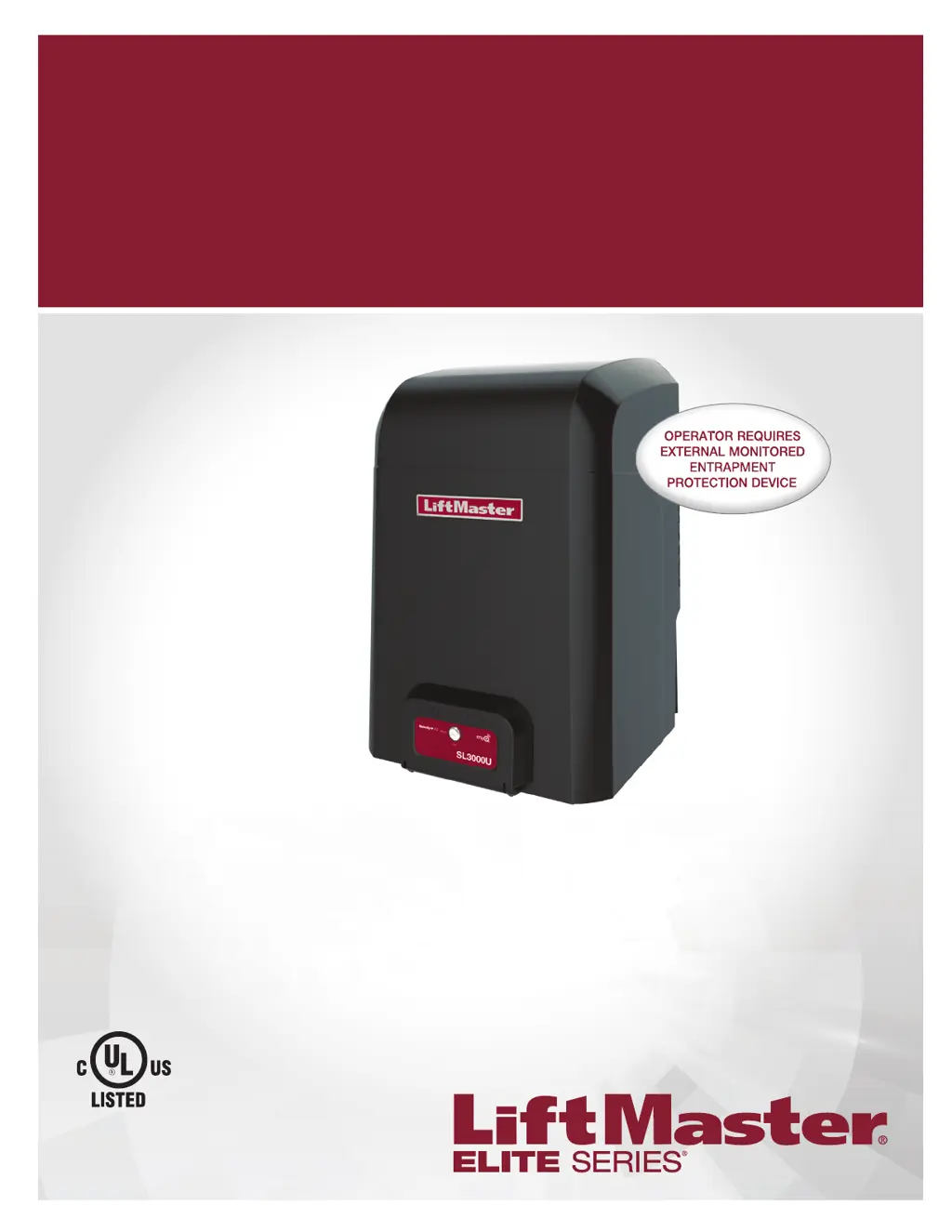
ELITE SERIES COMMERCIAL HIGH-TRAFFIC
AC SLIDE GATE OPERATOR
Model SL3000
INSTALLATION MANUAL
LiftMaster
845 Larch Avenue
Elmhurst, IL 60126-1196
THIS PRODUCT IS TO BE INSTALLED AND SERVICED BY A TRAINED GATE
SYSTEMS TECHNICIAN ONLY.
This model is for use on vehicular passage gates ONLY and not intended for use
on pedestrian passage gates.
This model is intended for use in Class I, II, III and IV vehicular slide gate
applications.
Visit LiftMaster.com to locate a professional installing dealer in your area.
This gate operator is compatible with MyQ
®
and Security+ 2.0
TM
accessories.
SL3000101U
1 HP Single Phase
SL3000501U
1/2 HP Single Phase

Table of Contents

Questions and Answers

  • A
    Anthony JonesSep 15, 2025
    What to do if Chamberlain Elite SL3000 Gate Opener OPEN EYE/EDGE held more than 3 minutes (expansion board)?
    • K
      Kristin CurtisSep 15, 2025
      If the OPEN EYE/EDGE on your Chamberlain Gate Opener expansion board is held for more than 3 minutes, check the wired input on the expansion board for alignment or obstruction.
  • A
    andrewavilaAug 25, 2025
    How to fix Chamberlain Gate Opener shadow loop error?
    • A
      aaron51Aug 25, 2025
      To resolve a shadow loop error on your Chamberlain Gate Opener (using a LiftMaster Plug-in Loop Detector), inspect the loop wiring throughout the connection. Look for shorts or open connections in the loop.
  • J
    Jason GlassAug 25, 2025
    How to fix Chamberlain Elite SL3000 Gate Opener interrupt loop error?
    • S
      Shannon GonzalezAug 26, 2025
      To address an interrupt loop error on your Chamberlain Gate Opener (when using a LiftMaster Plug-in Loop Detector), examine the loop wiring throughout the connection. Check for any shorts or open connections within the loop.
  • B
    Brian HowellAug 26, 2025
    Why Chamberlain Elite SL3000 shows Force Reversal?
    • T
      Troy CookAug 26, 2025
      If your Chamberlain Gate Opener shows a Force Reversal, first look for any obstructions. If there are no obstructions, ensure that the mechanical assembly is engaged and free to move.
  • C
    crawfordkimberlySep 16, 2025
    What to do if Chamberlain Gate Opener wireless edge triggered more than 3 minutes?
    • J
      Jason PerezSep 16, 2025
      If your Chamberlain Gate Opener's wireless edge is triggered for more than 3 minutes, check the wired input for any wiring issues or obstructions.
  • M
    Mark OsbornSep 23, 2025
    What to do if Chamberlain Gate Opener Open input (EYE/EDGE) communication fault (expansion board)?
    • D
      deborah81Sep 23, 2025
      If your Chamberlain Gate Opener displays an Open input (EYE/EDGE) communication fault on the expansion board, check the connections between the main board and the expansion board.
  • A
    Amanda Coleman MDSep 8, 2025
    What does it mean if my Chamberlain Elite SL3000 limit switch is stuck?
    • N
      Nicholas BryantSep 8, 2025
      If your Chamberlain Gate Opener indicates a Limit Error - Stuck Switch, check the switch for proper operation and the harness for shorts. Replace the switch if it's defective.
  • O
    opatelSep 9, 2025
    What to do if my Chamberlain Gate Opener shows Limit Error - Wrong Switch?
    • M
      morgankarinaSep 9, 2025
      If your Chamberlain Gate Opener displays a Limit Error - Wrong Switch, check the motor wiring.
  • S
    Steve ClarkSep 2, 2025
    What to do if my Chamberlain Elite SL3000 has a motor control board fault?
    • C
      Charles JimenezSep 2, 2025
      To resolve a motor control board fault in your Chamberlain Gate Opener, replace the motor control board.
  • K
    kyle91Aug 31, 2025
    What to do if my Chamberlain Elite SL3000 Gate Opener shows Product ID Error?
    • K
      Karen AllenSep 1, 2025
      If your Chamberlain Gate Opener displays a Product ID Error and the control board was just replaced, erase the limits, enter limit setup mode, and set the limits. If the control board was not just replaced, disconnect all power, wait 15 seconds, then reconnect power before changing the product ID harness.

Summary

SAFETY SYMBOL AND SIGNAL WORD REVIEW

USAGE CLASS

UL325 ENTRAPMENT PROTECTION REQUIREMENTS

SAFETY INSTALLATION INFORMATION

GATE CONSTRUCTION INFORMATION

CARTON INVENTORY

TOOLS NEEDED

OPERATOR SPECIFICATIONS

SITE PREPARATION

OVERVIEW OF TYPICAL INSTALLATION

TYPES OF INSTALLATIONS

DETERMINE LOCATION FOR CONCRETE PAD AND OPERATOR

INSTALL THE OPERATOR

ATTACH THE CHAIN

INSTALL ENTRAPMENT PROTECTION

INSTALL ENTRAPMENT PROTECTION WIRING

EARTH GROUND ROD

POWER WIRING

POWER WIRING DETAILS

DUAL GATES ONLY

DUAL GATE WIRING

INSTALL THE COVER

ADJUST THE HANDING AND LIMITS

ERASE HANDING AND OBSTRUCTION TEST

OBSTRUCTION TEST

OPERATOR OVERVIEW

CONTROL BOARD REFERENCE

LEARN BUTTON

DIAGNOSTIC DISPLAY

HANDING BUTTONS

BIPART DELAY

TIMER-TO-CLOSE (TTC)

FORCE DIAL

TEST BUTTONS

STATUS LEDS

THREE BUTTON CONTROL STATION

FIRE DEPARTMENT

LOOPS

PHOTOELECTRIC SENSORS AND EDGE SENSORS

LOCKS

AUXILIARY RELAY 1 AND 2

AUXILIARY RELAY FUNCTIONALITY

PHOTOELECTRIC AND EDGE SENSORS WIRING

CONTROL STATION

LOOP INPUT FUNCTIONALITY

ADDITIONAL WIRING

FIELD WIRING

REMOTE CONTROLS PROGRAMMING

LIFTMASTER INTERNET GATEWAY PROGRAMMING

ERASE ALL CODES

ERASE MONITORED ENTRAPMENT PROTECTION DEVICES

GATE OPERATOR SETUP EXAMPLES

DUAL GATE SETTINGS

IMPORTANT SAFETY INFORMATION

MAINTENANCE SCHEDULE

DIAGNOSTIC CODES OVERVIEW

DIAGNOSTIC CODES AND SOLUTIONS

OPERATOR ALARM

TROUBLESHOOTING CHART

TROUBLESHOOTING CHART DETAILS

ACCESSORIES LIST

REPAIR PARTS LIST

LIMITED WARRANTY INFORMATION

Chamberlain Elite SL3000 Specifications

General IconGeneral
TypeSwing Gate Opener
Power1/2 HP
Drive SystemChain Drive
Remote ControlYes
Remote Controls Included2
Power SourceAC
Safety FeaturesObstruction Detection

Related product manuals