EasyManua.ls Logo

Chamberlain SL595101UL - User Manual

Chamberlain SL595101UL
48 pages
Print Icon
To Next Page IconTo Next Page
Loading...
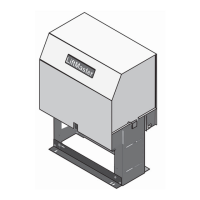
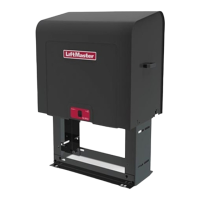
ELITE SERIES HEAVY DUTY INDUSTRIAL
AC SLIDE GATE OPERATOR
Model SL595UL
INSTALLATION MANUAL
LiftMaster
300 Windsor Drive
Oak Brook, IL 60523
THIS PRODUCT IS TO BE INSTALLED AND
SERVICED BY A TRAINED GATE SYSTEMS
TECHNICIAN ONLY.
This model is for use on vehicular passage
gates ONLY and not intended for use on
pedestrian passage gates.
This model is intended for use in Class I, II, III
and IV vehicular slide gate applications.
Visit LiftMaster.com to locate a professional
installing dealer in your area.
This gate operator is compatible with MyQ
®
and Security+ 2.0
®
accessories.
SL595101UL
1 HP, 120/208-240 Vac Single Phase
SL595103UL
1 HP, 208-240/480 Vac Three Phase
SL595105UL
1 HP, 575 Vac Three Phase
SL595151UL
1-1/2 HP, 120/208-240 Vac Single Phase
SL595203UL
2 HP, 208-240/480 Vac Three Phase
SL595205UL
2 HP, 575 Vac Three Phase
Access installation and technical support guides or
register this product
Send it in by texting the
photo to 71403.
Take a photo of the
camera icon including
the points (
).
1.
2.
SL595ULTECH


Table of Contents

Questions and Answers

  • T
    Teresa McmahonAug 30, 2025
    How to resolve a constantly flashing battery status LED on a Chamberlain Garage Door Opener?
    • M
      Melissa GriffinAug 30, 2025
      A constantly flashing battery status LED on your Chamberlain Garage Door Opener indicates a battery backup charging circuit error. To resolve this, replace the logic board.
  • K
    kingkatrinaAug 23, 2025
    What to do if my Chamberlain Garage Door Opener won't close and the light bulbs are flashing?
    • T
      Tracie EstradaAug 25, 2025
      If your Chamberlain Garage Door Opener won't close and the light bulbs flash, it typically indicates an issue with the safety sensors. Here's what to check: * Ensure the safety sensors are installed and properly connected. * Inspect the sensor wires for any cuts or damage. * Look for shorts or reversed wiring at all staple and connection points, and replace or correct as needed. * Realign the sensors to ensure both LEDs are steady and not flickering. Also, confirm that nothing is obstructing the sensor's path.
  • J
    Jenna ChenAug 31, 2025
    What to do if I need to scroll through saved codes on my Chamberlain SL595101UL?
    • P
      Patricia BurchAug 31, 2025
      To scroll through the saved codes on your Chamberlain Gate Opener, press the OPEN button to cycle to the most recent code, which will be labeled as "01".
  • J
    jenkinssandraSep 1, 2025
    What to do if Chamberlain Gate Opener stops during travel and reverses immediately?
    • S
      Scott TranSep 1, 2025
      If your Chamberlain Gate Opener stops and reverses immediately, consider these potential solutions: * Use the Diagnostic code to identify the issue. * Inspect the gate's path for obstructions. Remove the arm and move the gate manually to ensure it moves freely. Remove any obstructions or repair the gate if needed. * Check all Entrapment Protection Device inputs for an active sensor. * Check all Open and Close inputs for an active input. * Check all vehicle detector inputs for an active detector. * Ensure the battery voltage is 22.0 Vdc or higher by charging the batteries via AC or solar power, or replace them if necessary.
  • B
    Brandon ClineSep 2, 2025
    Why Chamberlain SL595101UL Gate Opener opens, but will not close?
    • N
      Nicole MckinneySep 2, 2025
      If your Chamberlain Gate Opener opens but won't close, here's what you can check: * Check the DIAGNOSTIC LEDs. * Ensure the Open control is not active. * See if the Close Entrapment Protection Device is active. * Check for an active Vehicle loop detector. * Consider a Loss of AC power with AC FAIL set to OPEN. * Check for a Low battery with LOW BATT set to OPEN. * Verify that the Fire Dept input is not active.
  • T
    Tamara GoodmanSep 3, 2025
    What to do if Chamberlain Gate Opener does not respond to a wired control/command?
    • J
      Jesus MejiaSep 3, 2025
      If your Chamberlain Gate Opener isn't responding to a wired control or command, consider the following: * Check the DIAGNOSTIC LEDs. * Check the Open and Close command input LEDs. * Ensure the Stop button is not active. * Make sure the Reset button is not stuck. * If running on battery power only, check for low or dead batteries. * Verify that the Entrapment Protection Device is not active. * Check if the Vehicle loop detector or vehicle probe is active. * A defective control board could also be the cause.
  • R
    Rachel RichardsSep 3, 2025
    Why Chamberlain SL595101UL relay clicks with command, but motor does not turn on?
    • F
      Faith BrownSep 4, 2025
      If the relay clicks when you send a command but the motor doesn't turn on for your Chamberlain Gate Opener, check these potential causes: * Check the DIAGNOSTIC LEDs. * Ensure the Reset button is not stuck. * Verify that the Stop button is not active. * If on battery power only, check for low or dead batteries. * Ensure the Open or Close input is not active. * Verify the Entrapment Protection Device is not active. * Check if the Vehicle loop detector or probe is active. * A defective control board could also be the reason.
  • R
    Ronald HaleSep 4, 2025
    Why Chamberlain SL595101UL does not fully open or fully close when setting limits?
    • A
      Andrea RojasSep 4, 2025
      If your Chamberlain Gate Opener doesn't fully open or close when setting limits, it could be due to the following: * The arm may not extend or retract enough during travel. * The arm might be interfering with the mounting bracket. * The gate might be too difficult to move.
  • B
    Brooke ClarkSep 5, 2025
    Why Chamberlain Gate Opener arm moves, but cannot set correct limits?
    • R
      Robert AndersonSep 5, 2025
      If the arm of your Chamberlain Gate Opener moves, but you can't set the correct limits, consider these possibilities: * The arm may be jammed or not connected. * There might be a defective motor or motor wires. * The control board could be defective.
  • E
    efordSep 5, 2025
    What to do if Chamberlain SL595101UL alarm sounds for 5 minutes or with a command?
    • M
      Mark ThompsonSep 6, 2025
      If the alarm sounds for 5 minutes or with a command on your Chamberlain Gate Opener, check for a cause of entrapment (obstruction) detection and correct it. Press the reset button to shut off the alarm and reset the operator.

Chamberlain SL595101UL Specifications

General IconGeneral
BrandChamberlain
ModelSL595101UL
CategoryGate Opener
LanguageEnglish

Related product manuals