17
Supervisor Mode
SUPERVISOR MODE
PLC
Inputs
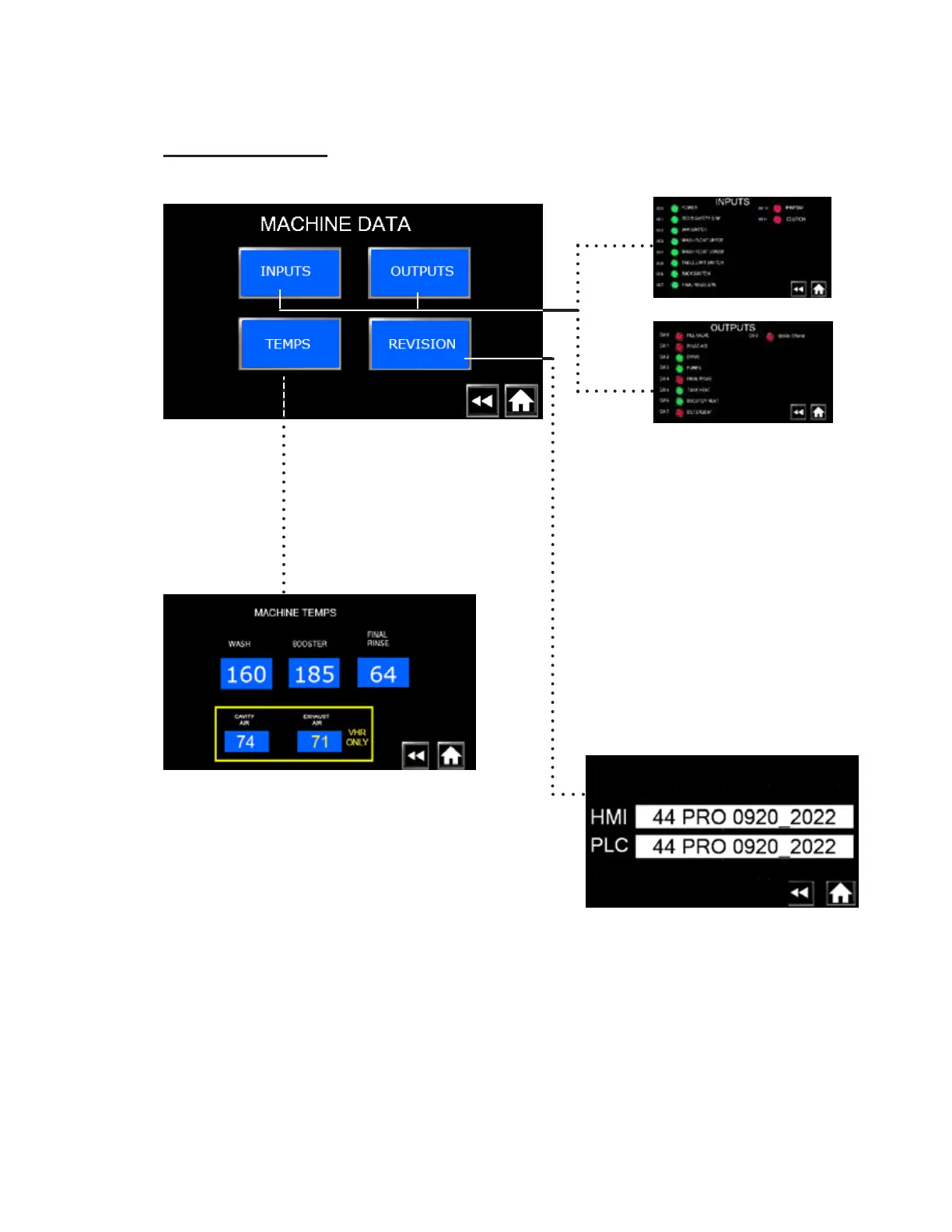
• Press MACHINE DATA to access the following data:
Fig. 31 - Supervisor Machine data screen.
Fig. 32 - Inputs and Outputs.
PLC
Outputs
• The PLC inputs and outputs
are green when On; red when
Off.
• They help determine the
operation of the machine.
Fig. 33 - Machine temps
• The machine temps screen displays
the real-time temperatures.
Fig. 34 - PLC software version number.
MACHINE DATA
• The Revision screen displays the
current version of software controlling
machine.




 To Next Page