14
:: Getting Started
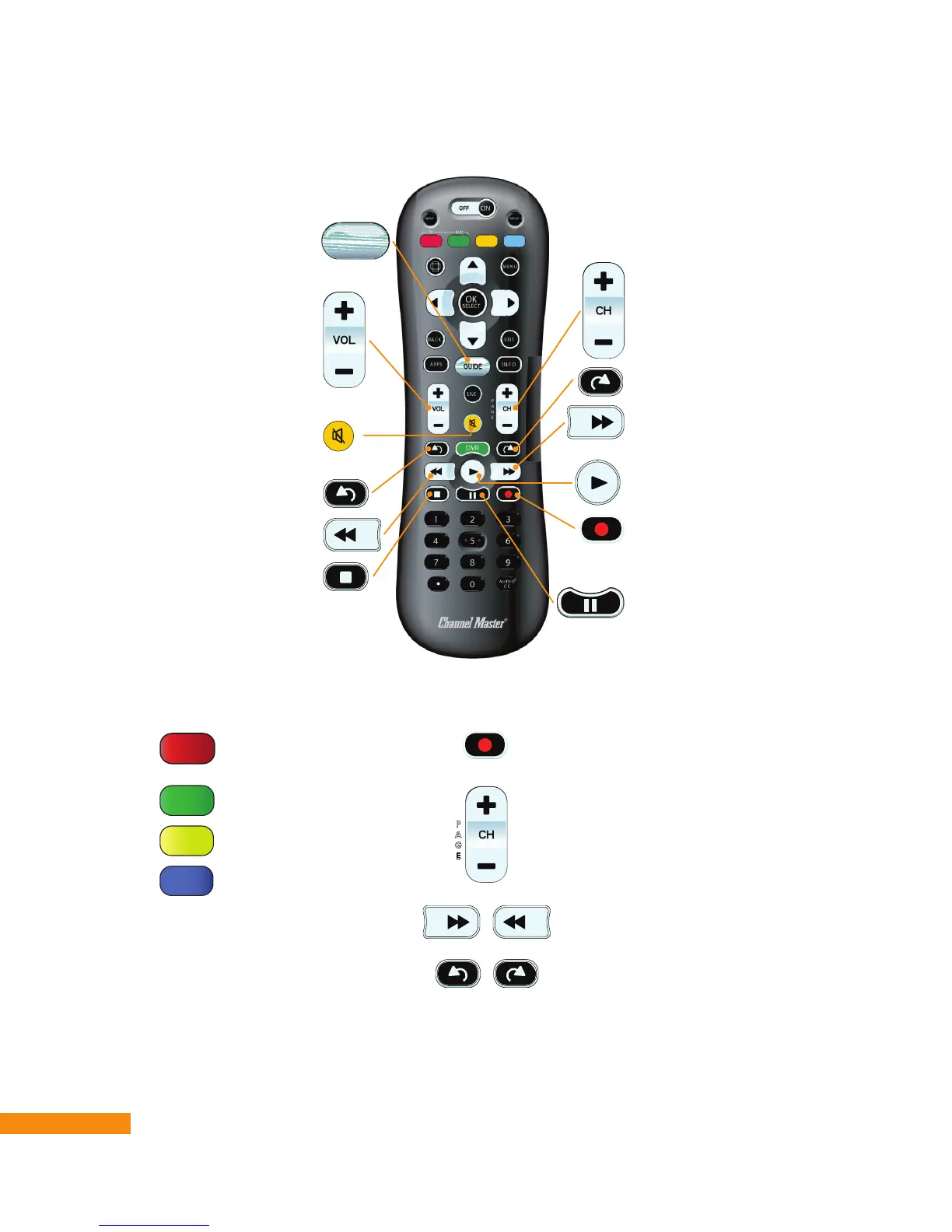
Change channel
Stop a program/recording
Increase/decrease sound volume
(see Programming the Remote
Control on page 10)
View program/channel information
Rewind a program/recording
Mute/unmute
(see Programming the Remote
Control on page 10)
Skip forward
Fast forward
Skip backward
Record current program or
selected program or series
Play a program/recording
Pause a program/recording
GUIDE
Channel 199
(Channel Master TV
Banner)
Channel 400
Channel 600
Channel 800
Record selected programs or
series
Next page of channels
Previous page of channels
Jump forward/backward
2½ hours
Jump forward/backward
1 day
P
A
G
E
P
A
G
E
Navigating the Program Guide
Watching TV


 To Next Page