4
:: Introduction
Front Panel Controls
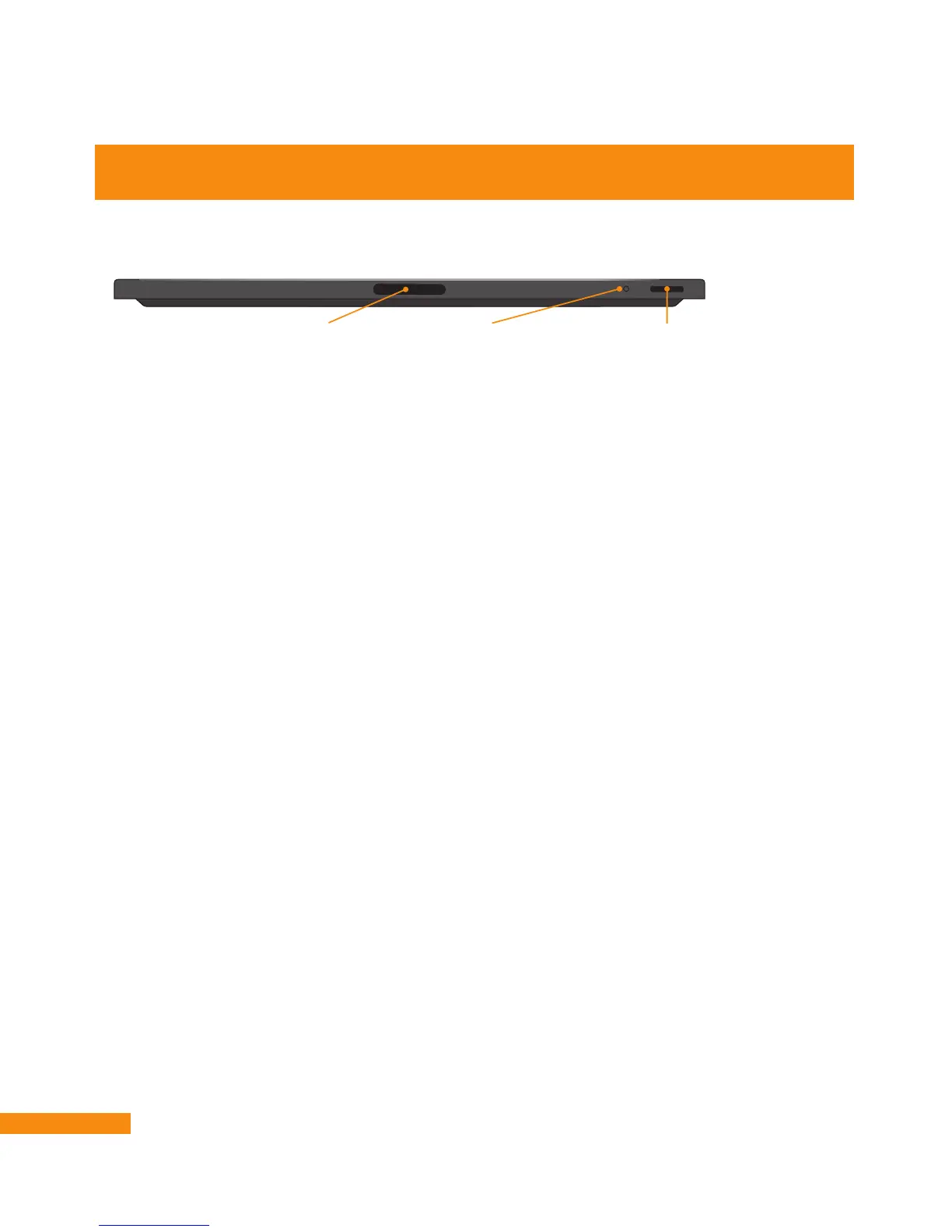
The front panel of your DVR+ receiver has the following controls:
• IR Receiver – Receives infrared signals from your remote control. Please do not cover or obstruct
the IR receiver.
• Status LED – Provides a visual indication of whether your DVR+ receiver is turned on (bright blue)
or in standby mode (dim blue). The bright-blue light turns red when the DVR+ receiver is actively
recording a program or event.
• Power Button – Activates your DVR+ receiver (if it is standby mode) or puts it in standby
(if it’s active).
Controls and Connectors
IR Receiver
Receives IR signals
from the remote.
Do not cover or obstruct.
Status LED
Red – Recording
Dim Red – Recording in Standby
Bright Blue – On
Dim Blue – Standby
Power Button
Turns power on/off; push and
hold to reset.


 To Next Page