29
Menus and Options ::
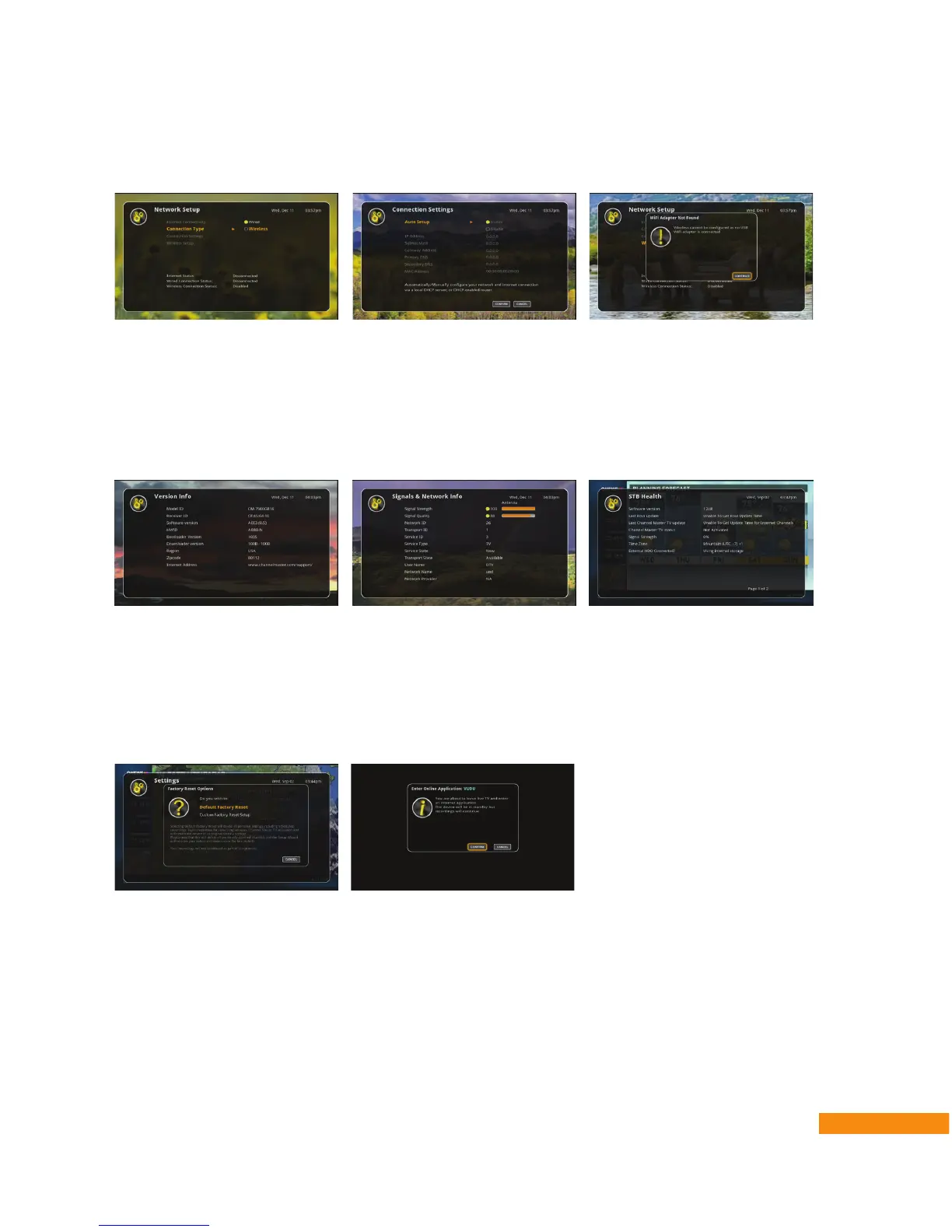
• Network Setup – View or change the status and information about Internet connectivity,
including setup of the optional Wi-Fi adapter (see page 30).
• Power Options – Change the Inactivity Standby setting from the default of 4 hours to either 5 or
6 hours (the Off setting is not recommended).
• Technical Info – View information about your current DVR+ software version, the status of the
over-the-air (OTA) and/or network signal, the availability of any downloadable software updates
(see page 29), the notices for related open-source software, or the screen detailing set-top-box
(STB) health.
• Time & Date – Set or change your ZIP code, time zone, and country; enable or disable the
automatic time-setting option and Daylight Savings Time (DST); and set the current time of day, as
well as the date, month and year.
• Factory Reset – Access options to fully factory-reset your DVR+ (erasing any user preferences
you’ve changed from the factory default settings) or only VUDU-reset (erasing any VUDU online
movie service account information you entered).


 To Next Page