SET UP
29
Intelect® Advanced Therapy System
THERAPY SYSTEM SET UP
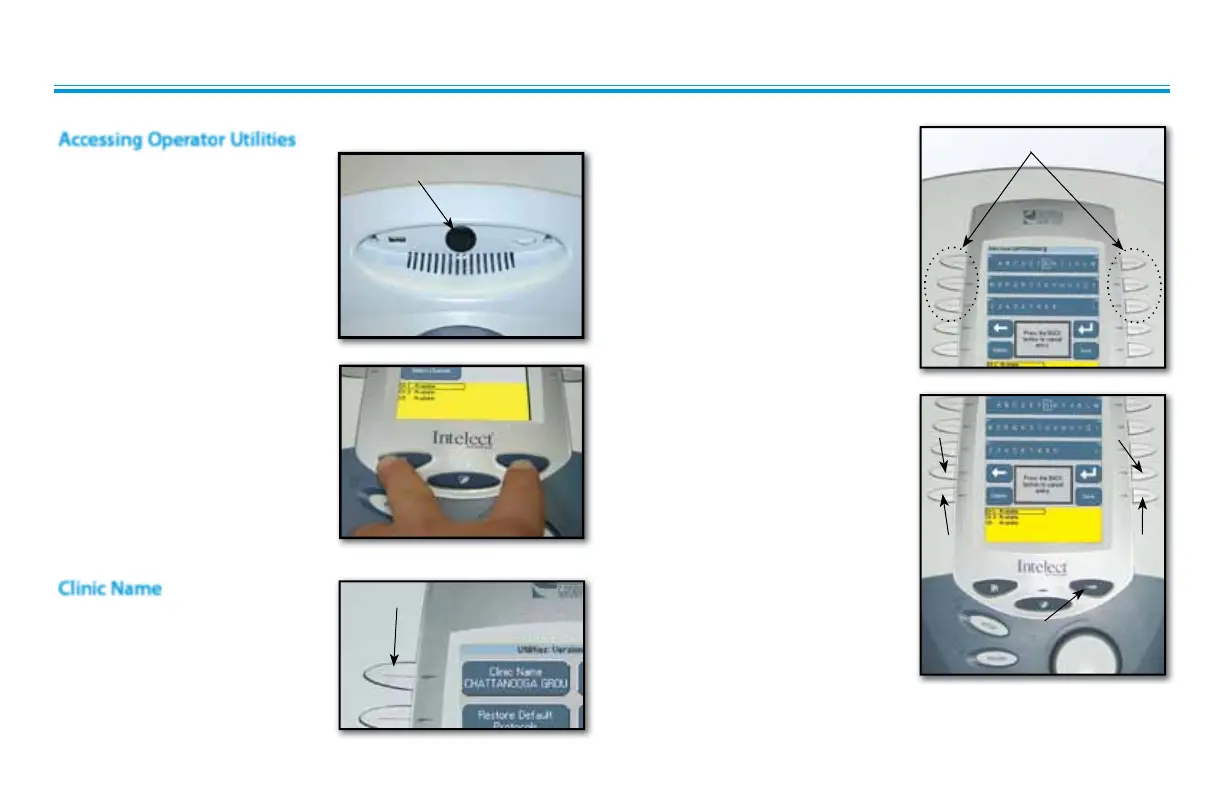
Select the row of alpha or numeric
characters desired by pushing the
button beside the corresponding
row. Select the desired character in
the row by pressing the row button
until the desired letter is framed.
Once selection is framed, press the
Accept and Return Arrow button.
The character just chosen will
display in the top of the screen and
the cursor will advance to the next
character.
To go back a character press the
Move Left Arrow button. To delete
the character, press the Delete
button.
Once Clinic Name is completed,
press the Save button.
To discard entry, press the Back
button.
Plug unit into wall outlet.
Turn system On.
Press the Home and Back buttons
simultaneously.
To return to the System Home
screen, press the Home button.
POWER SWITCH
CLINIC NAME BUTTON
ACCEPT AND
RETURN
MOVE
LEFT
SELECT ROW AND CHARACTER BUTTONS
Accessing Operator Utilities
Clinic Name
DELETE SAVE
BACK
Press Clinic Name button.











 To Next Page