Data preprocessing in Copre
CHCNAV ALPHAAIR-450 USER MANUAL | 2021-10 P a g e | 32
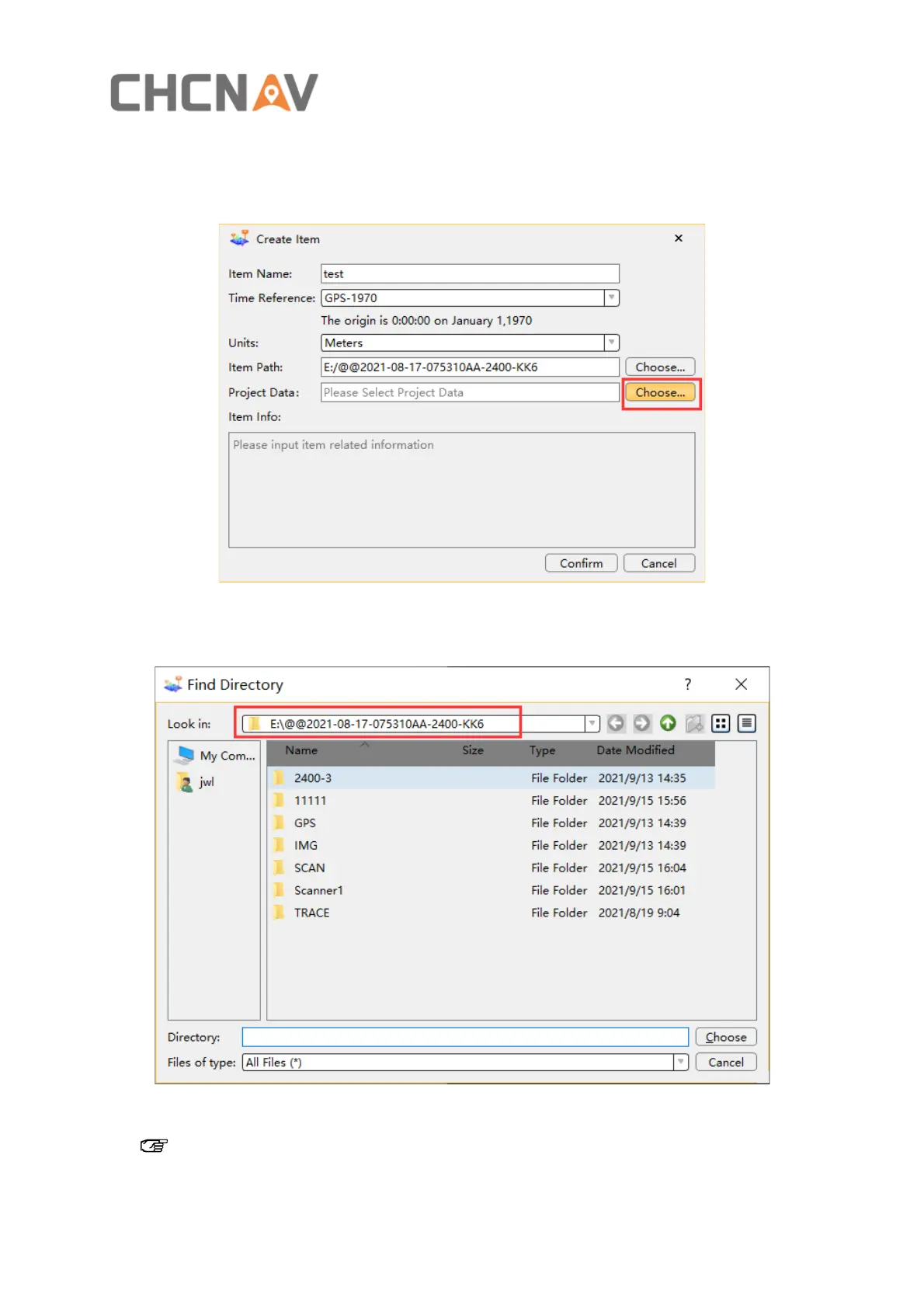
7.2.5 Select Project Data
▪ Click Choose, Select Project Data as shown in figure 10
Figure 10
▪ The Find Directory dialog box will pop up as shown in figure 11
Figure 11
Note: The project path name cannot contain Chinese characters or Spaces. Otherwise,
the Copre SW cannot identify the path and project data cannot be read.


 To Next Page