Data preprocessing in Copre
CHCNAV ALPHAAIR-450 USER MANUAL | 2021-10 P a g e | 37
7.4 Flow1-Solve to result
7.4.1 Display and select pos trajectories
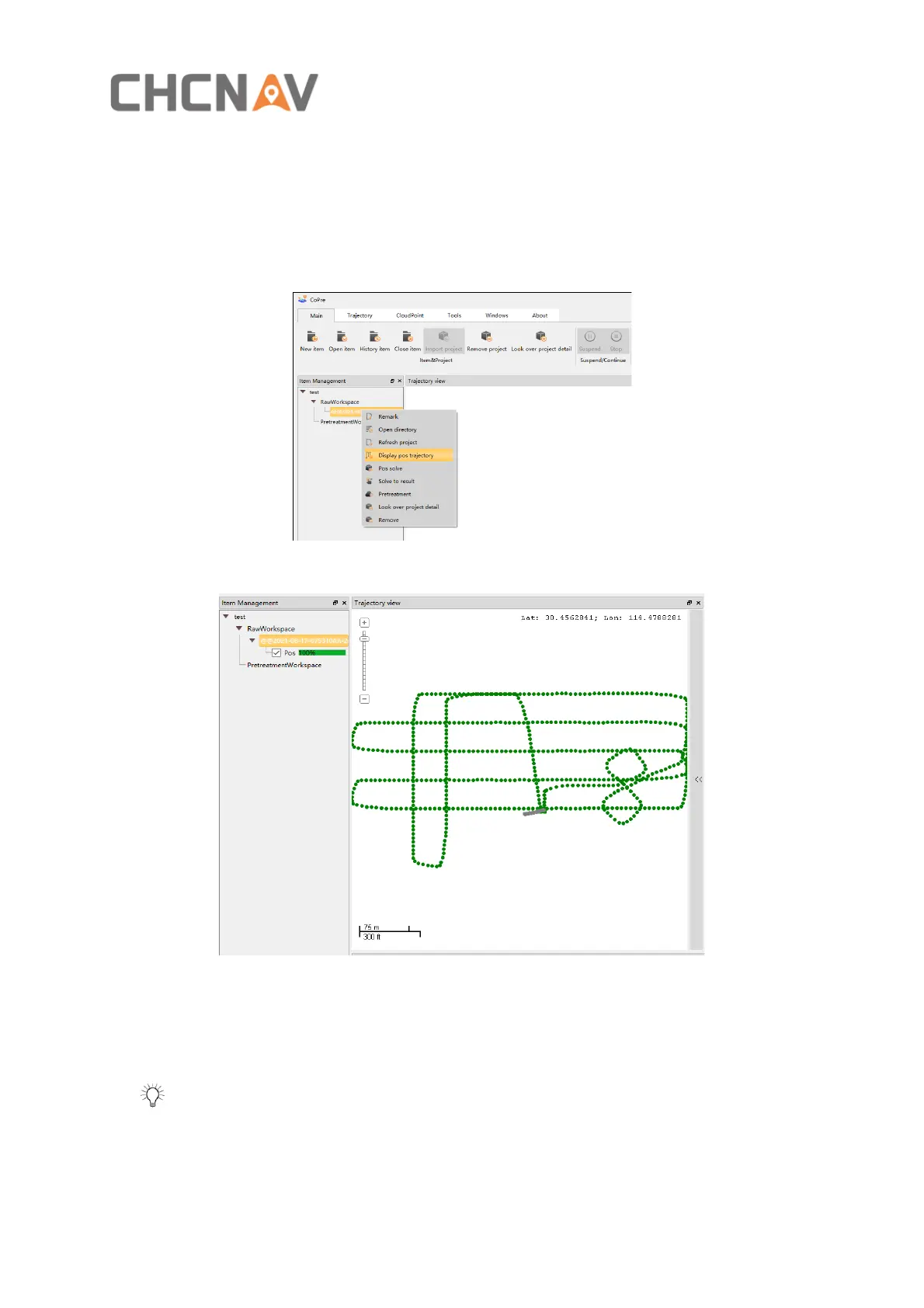
▪ Right-click the project file, and the TAB appears. Then left click Display pos trajectory
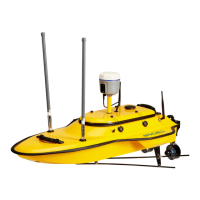
(figure 21), and the POS trajectory appears in the trajectory view as shown in figure 22
Figure 21
Figure 22
▪ Left click to select the POS trajectory to be solved, and the selected POS trajectory will
turn red as shown in figure 23
Tip: Click the POS trajectory point with the left mouse button or long press the left
mouse button to select the POS trajectory to be solved; Long press the right mouse button
and move the mouse to move the POS trajectory; Short press the right mouse button to
deselect the corresponding POS trajectory.


 To Next Page