Data preprocessing in Copre
CHCNAV ALPHAAIR-450 USER MANUAL | 2021-10 P a g e | 36
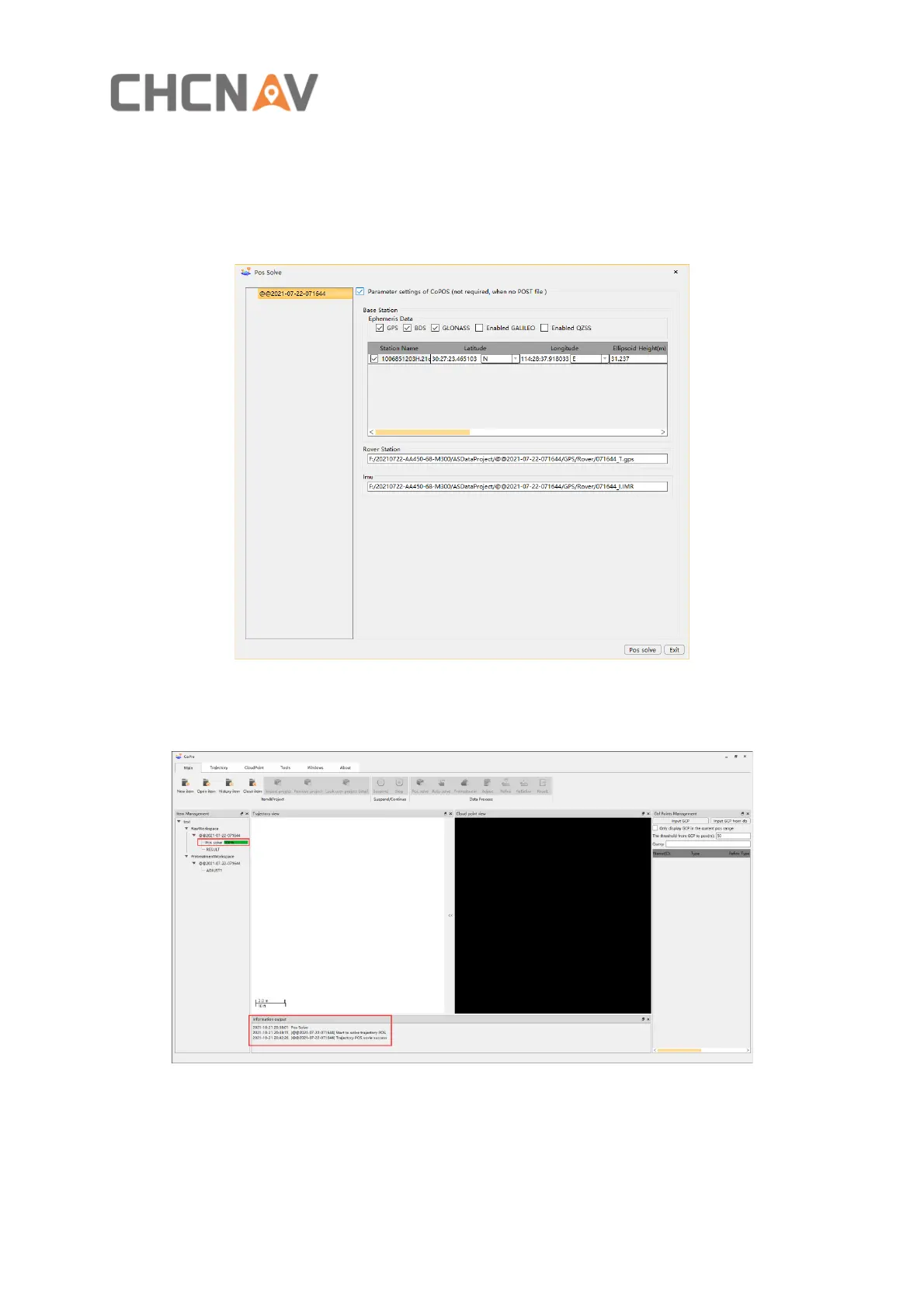
▪ Check the Parameter settings of CoPOS, select the appropriate satellite system according
to the observation satellite quality of the base station, and input the precise coordinates
of the base station (Tip: The coordinate format is dd:mm:ss.ssssss; the accuracy is better
than 1 mm).Copre can automatically import Rover and IMU data, click Pos solve, start to
process POS
Figure 19
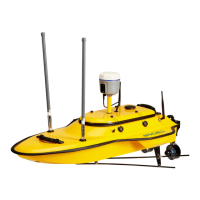
▪ After the POS is solved, the progress bar will be 100%, and relevant information will be
displayed in the information output bar, as shown in figure 20
Figure 20


 To Next Page