Data preprocessing in Copre
CHCNAV ALPHAAIR-450 USER MANUAL | 2021-10 P a g e | 42
7.4.4 Point cloud coloring Settings
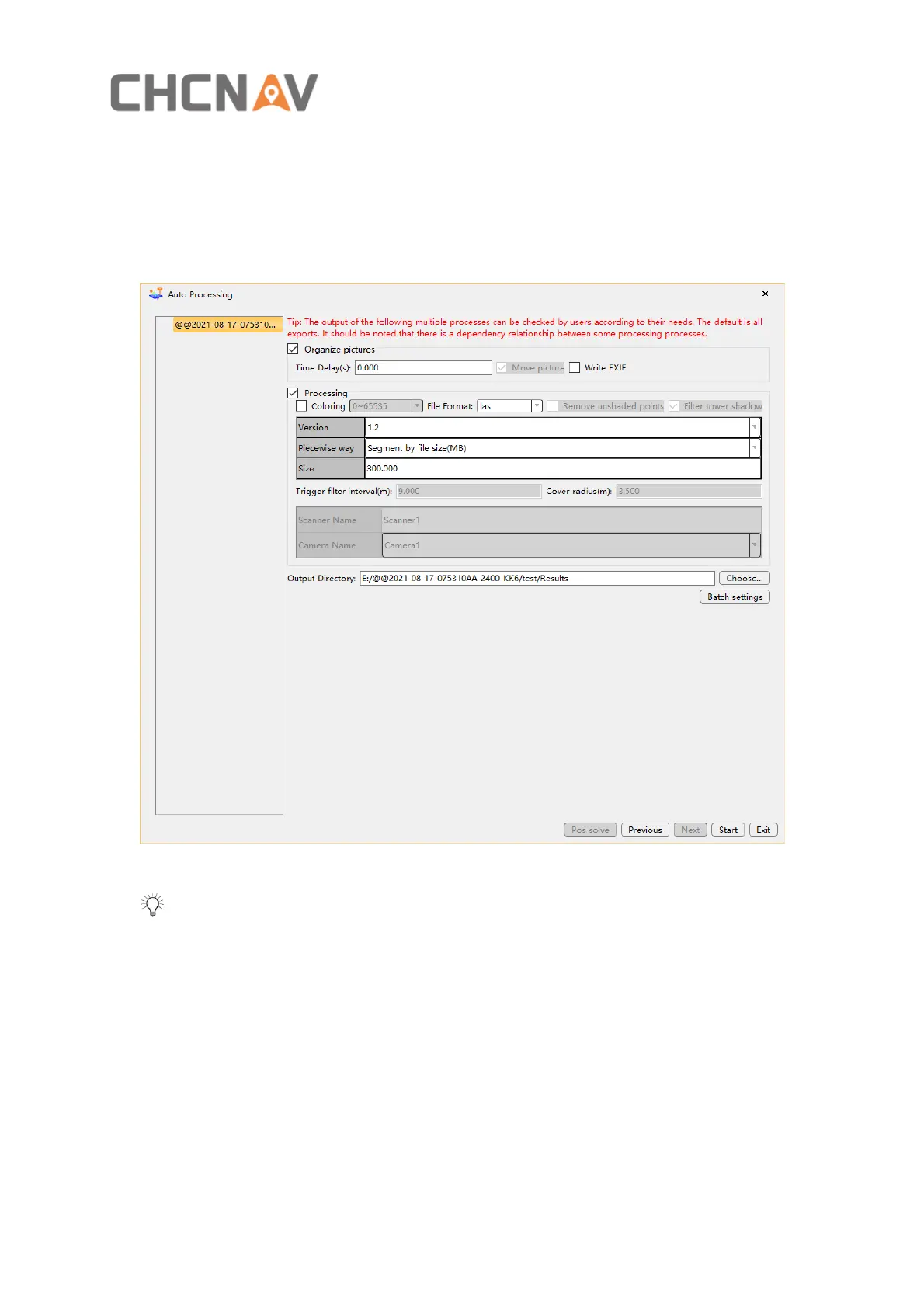
▪ Check Organize pictures, you can set the time delay (s) and whether to write EXIF
information to photos.
▪ Check Processing, you can set the Coloring range , File Format, Remove uncolored points,
Filter tower shadow.
Figure 33
Tip: Trigger filter interval(m) and Cover radius(m) are options for car-set, not required
for AA2400.


 To Next Page