Data preprocessing in Copre
CHCNAV ALPHAAIR-450 USER MANUAL | 2021-10 P a g e | 40
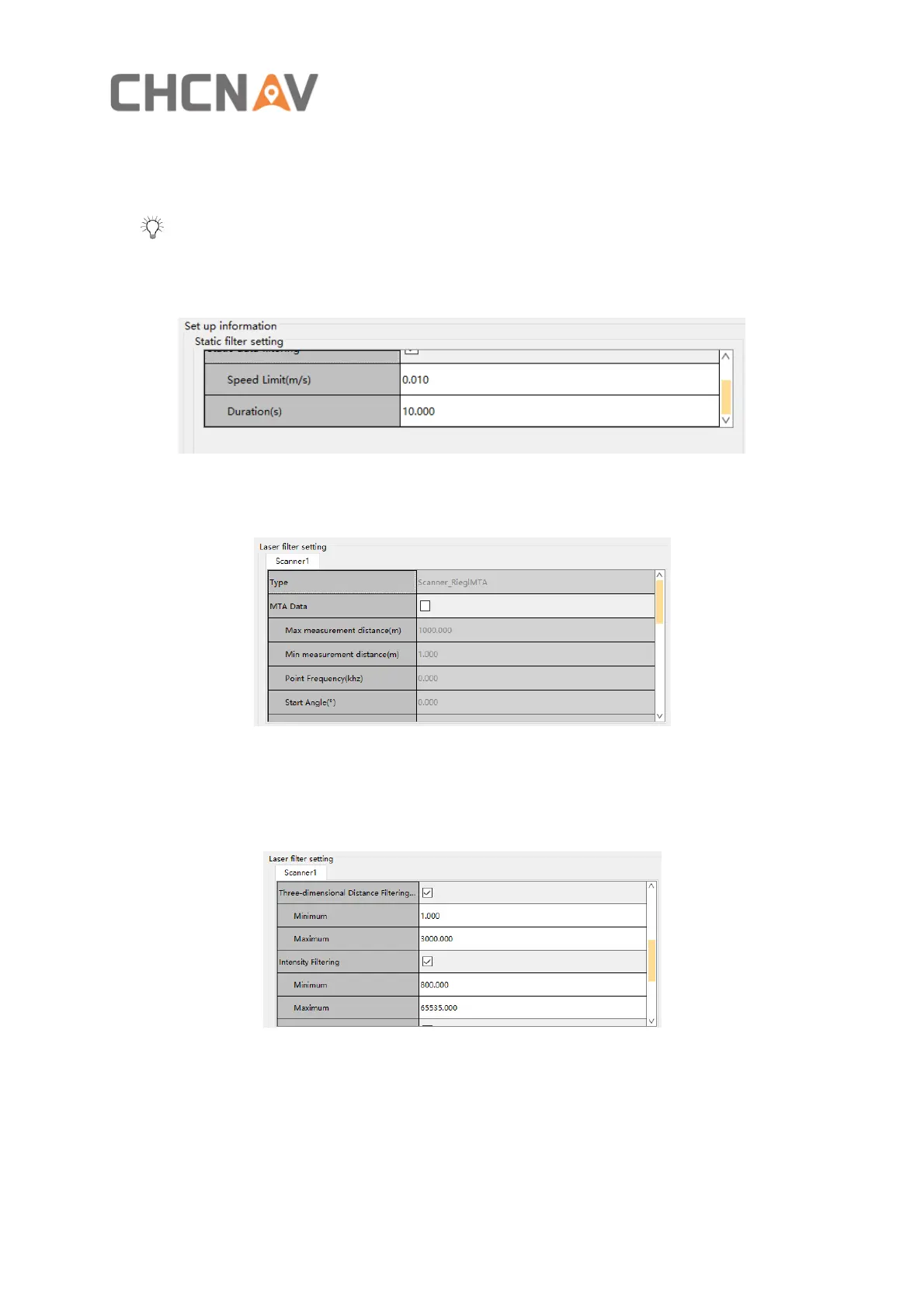
▪ Check the static data filtering, enter the appropriate speed limit threshold (m/s) and the
appropriate duration threshold (s).As shown in figure 27
Tip: Static data filtering is not checked by default. The default speed limit threshold is
0.01m/s and the default duration threshold is 10s. The software will regard the data
collected when the device works at a speed less than 0.01m/s and the duration is longer
than 10s as static data and reject it.
Figure 27
▪ You don't need to check the MTA Data, because MTA processing of Laser Data has been
done in the previous step.
Figure 28
▪ Three-dimensional Distance Filtering, checked by the default, the point cloud data that is
not in the range will be deleted.
▪ Intensity Filtering checked by the default. The point cloud data that is not in the range will
be deleted.
Figure 29
▪ Height Distance Filtering (m) not checked by the default. The point cloud data that is not
in the range will be deleted. The origin of Height Distance Filtering (m) is the laser center
and upward is positive.
▪ Noise Filtering (m), not checked by the default,the noise in the air can be filtered by
setting the Noise Distance Threshold (m). For example: If you set 1.000 m, take this point
as the center of the circle, a radius of one meter less than five points then that point is


 To Next Page